The Direct Answer: Do QR Codes Expire?
Let me give you the answer right away, because this is the question everyone asks first. Static QR codes never expire. Dynamic QR codes can expire. That is the whole thing in one sentence.
But knowing the answer is not enough. You need to understand why this is true, when it matters, and what to do about it. Because if you print the wrong type of QR code on 10,000 product labels or 5,000 business cards, and it stops working six months later, that is an expensive problem.
In this guide, I will walk you through everything. By the end, you will know exactly which type of QR code to use for every situation, how to test your existing codes, and how to make sure your QR codes keep working for as long as you need them.
What Does "Expiration" Really Mean for QR Codes?
Here is something that trips people up. When we say a QR code "expires," the black and white pattern itself does not change. The little square code you see with your eyes? That stays exactly the same. It does not fade, dissolve, or transform into something else.
What actually stops working is where the code sends people. Think of it this way. A QR code is like a sign with an arrow pointing to a store. If the store closes, the arrow still points there, but there is nothing to find. The sign has not changed. The destination has.
This is a crucial distinction. The QR code pattern is permanent. But the thing the code connects to — a website, a file, a redirect service — can disappear. That is what "expiration" means for QR codes. It is not the code that fails. It is the connection.
Why Static QR Codes Never Expire
A static QR code stores your data directly inside its pattern. The black and white squares are literally your data, encoded in a visual format. When someone scans it, their phone reads the pattern and gets the information right away.
Think of a static QR code like a printed phone number on a business card. The number is right there. You do not need to call a directory service to look it up. It works whether the directory exists or not.
Here is why static QR codes are permanent:
- The data is physically encoded in the QR pattern itself. No server holds it. No website serves it. The information is baked into the design.
- There is no redirect service that could go offline. The code does not send scanners to an intermediary website first.
- There is no account or subscription tied to the code. You do not need to pay anyone or keep any service active.
- The code works without internet. A static QR code that contains a phone number, plain text, or Wi-Fi credentials works even in a dead zone with zero signal.
- There is no company that can shut it down. Even if the tool you used to create the code goes out of business, the code still works. The pattern stands on its own.
Real example: Imagine you create a static QR code that contains your website URL — let us say https://mybakery.com/menu. You print it on 1,000 flyers. That QR code will work for decades. The only way it stops working is if you delete the page on your website. The QR code service has nothing to do with it.
Another real example: You create a static QR code with your contact information (vCard). You print it on your business card. That QR code will work as long as the card exists physically. No subscription, no service, no expiration date. Ever.
Why Dynamic QR Codes Can Expire
A dynamic QR code works differently. It does not store your final data. Instead, it stores a short URL that belongs to the QR code service. When someone scans it, their phone goes to that short URL first. Then the short URL redirects them to your actual content.
This is why dynamic QR codes are powerful. You can change where the code points without reprinting it. You can track how many times it gets scanned. You can update the destination anytime from a dashboard. But all of this depends on one thing: the redirect service must stay running.
If the service goes down, your QR code breaks. Here are all the scenarios where this happens:
1. Your Subscription Ends
Most dynamic QR code services charge a monthly or yearly fee. If you stop paying, they deactivate your codes. Some services give you a grace period. Others cut you off the same day. Your printed QR codes still look fine, but they lead to error pages.
2. The QR Code Company Shuts Down
This happens more than you might think. Small QR code startups go out of business. When they do, their servers go offline. Every dynamic QR code they ever created stops working. This has happened with several well-known QR code platforms over the years. If you had codes with them, those codes became useless overnight.
3. Your Free Trial Ends
Many services offer free trials of their dynamic QR code features. The trial might last 14 days or 30 days. After that, your dynamic codes stop redirecting. This catches people off guard because the codes worked fine during the trial. Then suddenly they do not, and you might not even realize it until someone complains.
4. Your Account Gets Deactivated
Some services deactivate accounts after a period of inactivity. If you have not logged in for six months, they might turn off your codes. Others deactivate accounts that violate their terms of service. Either way, your QR codes go dark.
5. You Hit a Scan Limit
Free plans often come with scan limits. You might get 100 scans per month, or 500 total. Once you hit the limit, the code stops redirecting. Someone scans it and gets an error or a "limit reached" message. This is a service limit, not a limit of the QR code technology itself.
6. The Domain Expires
Your dynamic QR codes use a URL on the service's domain. If the service lets their domain registration lapse (yes, this happens), every single dynamic QR code using that domain stops working. This is rare, but it is catastrophic when it occurs.
How to Tell Which Type of QR Code You Have
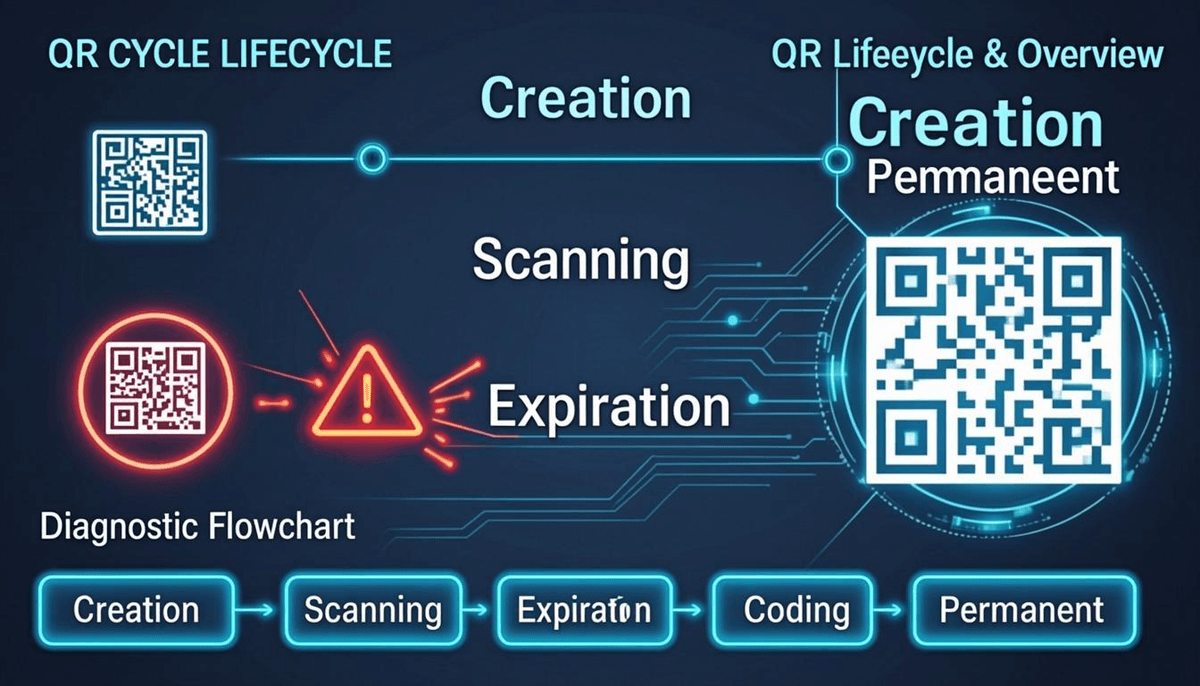
If you are not sure whether your QR code is static or dynamic, here is a step-by-step testing process you can follow right now.
Step 1: Scan the Code
Open your phone's camera app or any QR code scanner. Point it at the code. See where it takes you.
Step 2: Look at the URL
If the QR code opens a URL, look at the web address carefully. Does it start with a domain you recognize — like yourwebsite.com? Or does it start with a domain that belongs to a QR code service — like qrco.de, bit.ly, or something similar?
- If the URL is your own website or a direct link you control, the QR code is static.
- If the URL belongs to a QR code service or a link shortener, the QR code is dynamic.
Step 3: Check for a Dashboard
Think about how you created the code. Did you log into a website or app to make it? Does it have a dashboard where you can see scan counts or change the destination? If yes, it is dynamic. Static QR codes do not have dashboards features because there is no server involved.
Step 4: Try the "Change Test"
If you still are not sure, try this. If you have access to the dashboard where you created the code, try changing the destination URL. If the same QR code now sends people to the new URL, it is definitely dynamic. With a static QR code, the destination is locked in permanently. The only way to change it is to create a brand new code.
What to Do When Your QR Code Stops Working
So your QR code is not working. Do not panic. Here is a troubleshooting guide for the most common scenarios.
Scenario 1: Your Dynamic QR Code Subscription Expired
Symptoms: Scanning the code leads to an error page, a "link expired" message, or the QR code service's homepage.
Fix: Log into your QR code service account. Check your subscription status. Renew your plan. In most cases, your codes start working again within minutes after payment. Some services have a grace period where your data is preserved. Others delete everything after a certain time. Act quickly.
Scenario 2: The Destination Page Was Deleted or Moved
Symptoms: Scanning the QR code leads to a "404 Not Found" error or your website's error page.
Fix: This is not a QR code problem. This is a website problem. Restore the page, or create a new page at the same URL. If you cannot restore the old URL, and the QR code is static, you will need to create a new QR code with the correct URL and reprint. If it is dynamic, just update the destination in your dashboard.
Scenario 3: The QR Code Service Shut Down
Symptoms: Scanning the code leads to a completely dead link. The service's website is also gone.
Fix: There is no way to fix the old dynamic codes. You must create new QR codes. This time, consider using static QR codes for anything you plan to print permanently. You can create free static QR codes at QREndlessPro's free QR code generator that never expire.
Scenario 4: The QR Code Is Physically Damaged
Symptoms: The code will not scan at all, or it scans inconsistently. Sometimes it works, sometimes it does not.
Fix: QR codes have built-in error correction. They can still work even when up to 30% of the pattern is damaged (at the highest error correction level). But if the damage is too severe, you need to reprint. Choose a higher error correction level next time when you create the code.
Scenario 5: You Hit a Scan Limit on a Free Plan
Symptoms: The QR code worked for a while, then suddenly stopped. Scanning shows a "limit reached" or "upgrade required" message.
Fix: Upgrade your plan with the service, or switch to a static QR code that has no scan limits. Static QR codes can be scanned millions of times with zero limits.
Scenario 6: The QR Code Was Created With a Free Trial That Ended
Symptoms: The code worked during the trial period but stopped after a specific date.
Fix: Check if the service offers a free tier or if you need to upgrade to a paid plan. For long-term needs, consider switching to a static QR code to avoid recurring costs.
How to Prevent QR Code Expiration
The best way to deal with QR code expiration is to prevent it from happening in the first place. Here is a checklist of best practices.
- Use static QR codes for anything printed permanently. Business cards, product packaging, signs, menus, flyers — these all last a long time. Use static codes so they never expire.
- Only use dynamic QR codes for temporary campaigns. Short-term promotions, seasonal menus, event-specific pages — these change often. Dynamic codes let you update without reprinting.
- Check your subscriptions regularly. Set a calendar reminder to review your QR code service subscription every three months. Make sure it is active and auto-renew is on.
- Test your QR codes monthly. Scan each code once a month. This takes 10 seconds per code. It catches problems before your customers do.
- Keep a record of what each QR code links to. Maintain a simple spreadsheet with the code, its type (static or dynamic), its destination, and the date you created it. This makes troubleshooting much faster.
- Choose reliable services. If you use dynamic QR codes, pick a service that has been around for years, has a clear pricing model, and has good reviews. Avoid services that seem new or unstable.
- Have a migration plan. If you use dynamic codes, know how you would switch to static codes if the service went away. Keep the destination URLs in a safe place so you can recreate the codes quickly.
QR Code Lifespan on Different Materials
The QR code pattern itself lasts forever in theory. But the material you print it on has a big impact on how long the code stays scannable in real life. Here is what to expect.
Paper
Paper is the most common material for QR codes. Flyers, brochures, and posters are all paper. A QR code on standard paper lasts as long as the paper stays clean and intact. Indoor use? Expect months to a few years. Outdoor use? Paper fades and gets damaged quickly. Laminate it or use weather-resistant paper for outdoor signs.
Plastic
Plastic holds up much better. A QR code printed on a plastic card, badge, or sign can last for years indoors and a year or more outdoors. UV exposure is the main enemy — it can fade the print over time. Use UV-resistant inks for outdoor plastic signs.
Metal
Metal is the most durable option. Engraved or etched QR codes on metal plates can last decades, even in harsh outdoor conditions. This is the best choice for permanent signage, equipment labels, and industrial settings. Metal QR codes are also resistant to chemicals and extreme temperatures.
Outdoor Signs
For outdoor signs, use weather-resistant materials and UV-resistant inks. Consider adding a clear protective coating. Place the sign where it is partially sheltered if possible. And always test the QR code after printing — outdoor conditions affect scanning distance and reliability.
| Material | Indoor Lifespan | Outdoor Lifespan | Best For |
|---|---|---|---|
| Paper (standard) | 1-3 years | Weeks to months | Flyers, brochures, short-term use |
| Paper (laminated) | 3-5 years | 6-12 months | Menus, indoor signs |
| Plastic | 5-10 years | 1-3 years | Badges, cards, moderate outdoor use |
| Metal (engraved) | 10+ years | 5-10+ years | Permanent signage, industrial labels |
Free vs Paid QR Code Services: What You Need to Know
This is where many people get into trouble. They create "free" QR codes without reading the fine print, and then those codes stop working. Here is what you need to know.
Free Static QR Codes
These are truly free and truly permanent. When you create a static QR code on a free generator like QREndlessPro, the code works forever. There is no catch. The data is encoded in the pattern. No server is involved. No subscription is needed. You can use it for anything.
Free Dynamic QR Codes
These come with limitations. Always read the terms. Common restrictions include:
- Scan limits: 100 or 500 scans per month, then the code stops working.
- Time limits: The code only works for 14 days or 30 days on a free plan.
- Feature limits: No tracking data, limited customization, or a watermark on the code.
- Account requirements: You must log in regularly or your codes get deactivated.
The problem is that many free services do not make these limits obvious. You create the code, it works great, and you print it. Then a month later, it stops. Always check the terms before using free dynamic QR codes for anything important.
Paid Dynamic QR Codes
Paid plans remove most limitations. You get higher or unlimited scans, longer or permanent code lifetimes, tracking data, and customer support. The cost is usually a few dollars per month. If you need dynamic features like editing destinations or tracking scans, a paid plan is worth the investment for anything business-critical.
Real-World Examples: When Expiration Matters Most
Restaurant Menus
Many restaurants put QR codes on their tables or menus. If you use a dynamic QR code and the service expires, every table in your restaurant has a broken code. Customers try to scan and get an error. That is a bad experience. For restaurant menus, use a static QR code that points directly to your website's menu page. If you need to update the menu, update your website. The QR code keeps pointing to the same page, which now has your updated menu. No reprinting needed, no expiration risk.
Business Cards
Business cards last for years. People keep them in wallets and drawers. If you put a dynamic QR code on your card and the service shuts down two years later, every card you ever handed out is broken. Use a static QR code for business cards. It will work as long as the card physically exists. Create yours free at QREndlessPro's QR code generator.
Event Tickets
Event tickets are temporary by nature. The event ends, and the ticket is no longer needed. Dynamic QR codes work well here because you can track scans and prevent duplicate entries. Even if the code expires after the event, it does not matter — the event is over. For one-time events, dynamic QR codes are a good choice.
Product Packaging
Product packaging is long-term. A QR code on a product box might be scanned months or years after the product was made. Use static QR codes for product packaging. They never expire, so your customers can always scan the code to find product information, support pages, or warranty details.
Decision Framework: When to Use Static vs Dynamic
Use this table to decide which type of QR code is right for your situation.
| Situation | Choose | Why |
|---|---|---|
| Permanent signage | Static | Never expires, no service dependency |
| Product packaging | Static | Products may sit on shelves for years |
| Business cards | Static | Cards last years, no subscription needed |
| Restaurant menus | Static | Update your website instead of the code |
| Short-term promotions | Dynamic | Campaign ends, redirect the code elsewhere |
| Marketing campaigns that change | Dynamic | Update destination without reprinting |
| Event tickets | Dynamic | Track scans, prevent duplicates |
| Need scan analytics | Dynamic | Only dynamic codes offer built-in tracking |
| Zero budget, long-term use | Static | Free forever, no subscription |
| Need to update destination often | Dynamic | Change where the code points anytime |
Common Misconceptions About QR Code Expiration
There is a lot of confusion out there. Let me clear up the most common misconceptions people have.
Misconception 1: "All QR Codes Last Forever"
This is the most dangerous myth. Dynamic QR codes can expire. If you assume all codes are permanent and print dynamic codes on permanent materials, you are setting yourself up for a costly problem. Always check which type you are using before you print.
Misconception 2: "If the Code Looks Fine, It Works"
A dynamic QR code can look absolutely perfect and still lead to a dead link. The pattern has not changed. The service behind it has. The only way to know if a QR code works is to scan it and see where it goes.
Misconception 3: "Free QR Codes Are Just as Reliable as Paid Ones"
Free static QR codes are just as reliable as paid ones. But free dynamic QR codes often come with time limits, scan limits, or feature restrictions that make them unreliable for anything important. Read the terms carefully before depending on free dynamic codes.
Misconception 4: "I Can Switch From Dynamic to Static Anytime"
Technically yes, but practically this means reprinting every single QR code you have distributed. If you have 5,000 business cards with a dynamic code, switching to static means ordering new cards. It is far better to choose the right type from the start.
Misconception 5: "QR Codes Expire Because the Technology Gets Old"
QR code technology is an open standard. It does not age out or become obsolete. The pattern-reading technology is stable and universal. Phones will be able to read today's QR codes for decades. Expiration is always a service issue, never a technology issue.
Misconception 6: "A QR Code Expires After a Certain Number of Scans"
The QR code pattern itself has no scan limit. You can scan it millions of times. Some services impose scan limits on free plans, but that is a business decision, not a technical limitation. Static QR codes never have scan limits of any kind.
How to Create QR Codes That Never Expire
If you want QR codes that last forever, here is the simplest path: use QREndlessPro's free QR code generator to create static QR codes. The tool runs entirely in your browser. Your data never leaves your device. There is no account to maintain, no subscription to renew, and no server that could go offline.
Here is how to do it:
- Go to the QR code generator. Open QREndlessPro in your browser.
- Choose your data type. Select URL, text, email, phone, Wi-Fi, or vCard — whatever you need.
- Enter your content. Type in the URL, message, or contact info you want the code to contain.
- Generate the code. Click generate. Your static QR code appears instantly.
- Customize if you want. Change colors, add a logo, or adjust the design using QREndlessPro's customization tools.
- Download and use. Save the QR code as PNG or SVG. Print it, share it, or embed it. It works forever.
For bulk needs — like creating QR codes for hundreds of product labels or event tickets — use QREndlessPro's bulk QR code generator. It creates all your codes at once, still static, still permanent.
Action Steps
Here is what you should do right now to make sure your QR codes are safe.
- Audit your existing QR codes. Find every QR code your business uses. Scan each one. Determine if it is static or dynamic. Write down the type and destination for each one.
- For anything printed long-term, switch to static QR codes. Create them free at QREndlessPro. They never expire, and you never pay a cent.
- For dynamic QR codes you keep, check your subscription status today. Turn on auto-renewal if it is available. Set a calendar reminder to review every three months.
- Test your codes regularly. Scan each QR code once a month. A 10-second test catches problems before your customers do.
- Build a migration plan. If you use dynamic codes, document the destination URLs so you can recreate them as static codes if the service ever goes away.
- Educate your team. Make sure everyone who creates QR codes for your business understands the difference between static and dynamic. A quick five-minute conversation can prevent a costly mistake.
FAQ
Do QR codes expire?
Static QR codes never expire because the data is built directly into the code pattern. Dynamic QR codes can expire if the redirect service shuts down, your subscription ends, or you hit a scan limit on a free plan.
Why did my QR code stop working?
If it is a dynamic QR code, the most common reasons are: your subscription expired, the service shut down, your free trial ended, or you hit a scan limit. If it is static, the code may be physically damaged, or the web page it links to was removed or moved.
Do QR codes work without internet?
Static QR codes work without internet because all the data is stored in the code pattern itself. Dynamic QR codes need internet because they must connect to a redirect server to find the final destination.
Are QR codes free to use?
Static QR codes are completely free to create and use. No service fee, no per-scan charge, no subscription. Dynamic QR codes usually require a paid service for reliable, long-term use. Free dynamic plans often come with limits.
Can QR codes be tracked?
Dynamic QR codes can be tracked — each scan records the time, location, and device type. Static QR codes have no built-in tracking, but you can add UTM parameters to your URLs so your website analytics (like Google Analytics) tracks the visits instead.
How many times can a QR code be scanned?
The QR code pattern itself has no scan limit. You can scan it unlimited times. Some dynamic QR services limit scans on free plans, but static QR codes never have scan limits of any kind.
How do I know if my QR code is static or dynamic?
Scan the code and look at where it sends you. If it opens a short URL from a QR service domain (like qrco.de or bit.ly), it is dynamic. If it shows your direct URL or plain text content, it is static. You can also check: if you have a dashboard where you can edit the destination, it is dynamic.
Can I make a dynamic QR code last forever?
You can keep a dynamic QR code working by maintaining your subscription and choosing a reliable provider. But there is no absolute guarantee — the service could shut down. For anything permanent, static QR codes are the only truly safe choice.
Should I use static or dynamic QR codes for business cards?
Static is almost always better for business cards. They last as long as the card does, with no subscription needed. Use dynamic only if you need to update your contact info frequently or want scan tracking.
What happens to my dynamic QR codes if the service goes out of business?
All your dynamic QR codes will stop working. There is no way to fix them because the redirect URLs are gone. You would need to create new QR codes (preferably static) and reprint everything. This is why static QR codes are safer for anything you print permanently.