The Simple Answer: When to Use Each
If you just need a quick answer, here it is. Use a barcode when you need fast, reliable scanning at a checkout counter or in a warehouse where everyone already has a laser scanner. Use a QR code for literally everything else — marketing, sharing links, event tickets, payments, inventory that needs more data, and any situation where someone will scan with a phone.
Barcodes are the speed champions at retail checkout. QR codes are the versatility champions everywhere else. Most businesses actually need both, and that is perfectly fine. Let me walk you through why, so you can make the right call for your specific situation.
What Is a Barcode?
A barcode is a pattern of parallel black lines and white spaces printed on a surface. A scanner shines a laser across the lines, reads the varying widths of the bars and spaces, and turns that pattern into a number or short text string. That is all it does — it encodes a small amount of data in a one-dimensional line of bars.
A Brief History of Barcodes
In 1948, a graduate student named Bernard Silver overheard a grocery store executive asking the dean of his school for a way to speed up checkout. Silver told his friend Norman Joseph Woodland about it. Woodland went to the beach, drew lines in the sand in different widths, and realized that varying the thickness of lines could represent data — just like Morse code uses dots and dashes.
Woodland and Silver patented the first barcode concept in 1952. It was a bullseye shape (circles, not lines), but it worked on the same idea. The patent expired before the technology caught up to make it practical.
In 1973, the grocery industry picked the Universal Product Code (UPC) as the standard. On June 26, 1974, a pack of Wrigley's chewing gum became the first product ever scanned with a UPC barcode at a Marsh supermarket in Troy, Ohio. That pack of gum is now in the Smithsonian.
From that moment, barcodes spread to almost every physical product on Earth. Today, over 5 billion barcode scans happen every single day worldwide.
How Barcodes Work
A barcode encodes data using the widths of black bars and white spaces. Each character (a digit or letter) is represented by a specific pattern of bar widths. The scanner reads left to right, measures each bar's width, and converts the pattern back into the original data.
The process works like this:
- The laser scanner sweeps a red light beam across the barcode
- Black bars absorb the light, white spaces reflect it
- A sensor detects the reflected light pattern
- The decoder translates the pattern into numbers or text
- The computer looks up the product in a database using that number
Notice that last step — the barcode itself only stores a number. The product name, price, and description all live in the store's database. The barcode is just the key to look them up.
Common Barcode Types
There are dozens of barcode formats, but these five are the ones you will encounter most often:
UPC-A — The barcode you see on almost every product in the United States and Canada. It holds exactly 12 digits. The first digit identifies the product category, the next five identify the manufacturer, the next five identify the specific product, and the last digit is a check digit that catches scanning errors. You cannot put letters in a UPC-A barcode — numbers only.
EAN-13 — The European equivalent of UPC-A. It holds 13 digits instead of 12. EAN-13 is the global standard for retail products outside North America, though many US stores now accept it too. If you see a barcode on a product sold internationally, it is probably EAN-13.
Code 39 — Used heavily in automotive, defense, and healthcare industries. Unlike UPC and EAN, Code 39 can store both numbers and uppercase letters (A through Z), plus a few special characters. It can hold up to about 43 characters, but it is not very space-efficient — each character takes up a lot of bar width. Code 39 is simple and reliable, which is why industries with strict regulations still use it.
Code 128 — The most versatile linear barcode. It can store all 128 ASCII characters — numbers, uppercase and lowercase letters, and special characters. It packs data more tightly than Code 39, so you can fit more information in less space. Shipping labels and supply chain documents often use Code 128.
ITF (Interleaved Two of Five) — Used on corrugated cardboard shipping cartons. ITF encodes pairs of digits together, which makes it denser than other formats for numeric-only data. It is designed to print clearly even on rough, low-quality surfaces like brown cardboard. If you have ever seen a barcode on the outside of a shipping box, it was probably ITF-14.
What Is a QR Code?
A QR code is a square pattern of black and white modules (the small squares) arranged in a grid. Unlike a barcode, which is just a single line of bars, a QR code uses both rows and columns to store data. That makes it a two-dimensional (2D) code, while a barcode is one-dimensional (1D).
"QR" stands for "Quick Response." The inventor, Masahiro Hara, chose that name because he wanted the code to be read quickly by factory scanners.
A Brief History of QR Codes
In 1994, Masahiro Hara worked for Denso Wave, a Japanese company that manufactured automotive parts. The company used barcodes on parts but was frustrated that barcode scanners had to scan each code one at a time, and each barcode held very little data. Workers sometimes had to scan several barcodes on a single part to get all the information they needed.
Hara set out to create a code that could hold much more data and be scanned in a single pass. He also wanted it to be readable even if it got dirty or damaged — a common problem on factory floors. The result was the QR code.
Denso Wave chose to make the QR code patent open, meaning anyone could use it without paying royalties. That decision is why QR codes are everywhere today. If Denso Wave had locked the patent down, QR codes might never have taken off.
For years, QR codes were mainly used in manufacturing and logistics. Then in 2017, Apple added a built-in QR scanner to the iPhone camera app. Android followed soon after. Once every smartphone could scan QR codes without installing a special app, adoption exploded. The pandemic accelerated it further — restaurants replaced physical menus with QR codes, and people got comfortable scanning them daily.
How QR Codes Work
A QR code stores data in a grid of tiny squares called modules. Each module is either black or white, representing a 1 or a 0 in binary. The data gets encoded into this grid along with special patterns that help the scanner find and read the code:
- Finder patterns — The three large squares in the corners. They tell the scanner "this is a QR code" and help the camera figure out the code's position and orientation.
- Timing patterns — Alternating black and white modules that tell the scanner how many columns and rows the grid has.
- Alignment patterns — Smaller squares inside the grid (on larger QR codes) that help the scanner correct for distortion when the code is on a curved or angled surface.
- Data and error correction modules — The rest of the grid holds the actual data plus backup copies of that data so the code can still be read if part of it is damaged.
What makes QR codes truly two-dimensional is that data flows both horizontally and vertically across the grid. A barcode only uses width — the height of the bars does not carry any information. A QR code uses both width and height, which is why it can pack so much more data into a compact square.
Detailed Comparison: QR Code vs Barcode
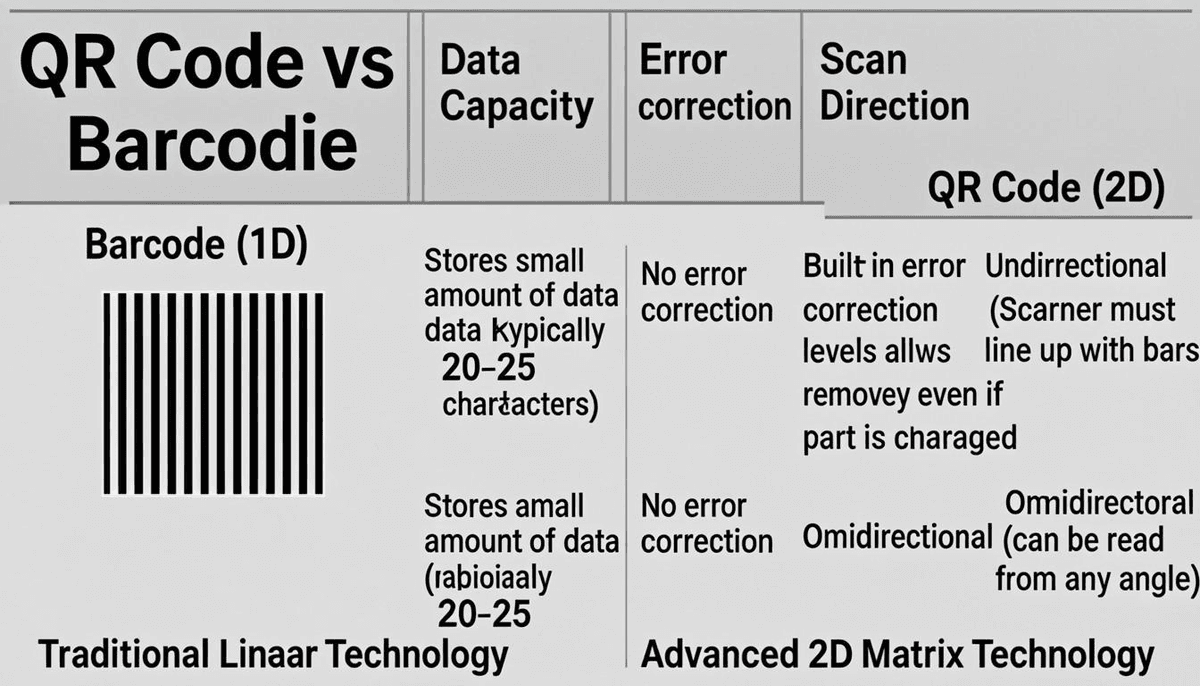
| Feature | Barcode (1D) | QR Code (2D) |
|---|---|---|
| Shape | Rectangle (lines and spaces) | Square (grid of modules) |
| Dimensions | 1D — data in width only | 2D — data in both width and height |
| Data Capacity | ~20 characters (numeric only for UPC/EAN) | Up to 4,296 alphanumeric characters |
| Data Types | Numbers only (UPC/EAN), or limited text (Code 39/128) | Numbers, letters, symbols, URLs, binary data |
| Scanning Device | Laser scanner or camera | Camera (phone or 2D imager) |
| Scan Direction | Left to right only | Any angle — 360 degrees |
| Error Correction | None (or minimal with check digit) | Up to 30% of the code can be damaged |
| Scan Speed | Very fast with laser scanner | Slightly slower — camera needs to process image |
| Cost to Generate | Free or near-free | Free or near-free |
| Requires Internet | No (stores just an ID number) | Depends on content (URLs need internet, text does not) |
| Tracking / Analytics | Not built in | Not built in (but can be added with dynamic QR codes) |
| Typical Uses | Retail checkout, shipping labels, inventory IDs | URLs, payments, tickets, vCards, menus, marketing |
| Printing Requirements | Needs consistent width — sensitive to print quality | More forgiving — error correction helps |
| Minimum Size | Needs to be wide enough to fit all bars | Can be very small — as tiny as 1cm x 1cm |
Data Capacity Explained With Real Examples
This is the single biggest difference between barcodes and QR codes, so let me make it concrete.
A standard UPC-A barcode holds 12 digits. That is it. No letters, no spaces, no punctuation. Just 12 numbers. Those 12 digits are enough to identify a product in a store database, but they cannot tell you anything else about the product.
A Code 128 barcode can hold more — up to about 80 characters of mixed data. That is better, but still very limited.
A QR code can hold up to 7,089 numeric digits or 4,296 alphanumeric characters (letters and numbers mixed) or 2,953 bytes of binary data. That is a massive difference.
Here is what that means in practice:
- A UPC barcode on a cereal box holds:
012345678905(just a product ID) - A QR code on that same box could hold: the product name, ingredients list, allergen warnings, nutritional info, a link to recipes, a customer service phone number, and a promotional offer — all in one code.
- A barcode on a shipping label holds: a tracking number like
9400111899223 - A QR code on that same label could hold: the tracking number, sender address, recipient address, package weight, shipping method, and handling instructions.
With a barcode, you always need a database to look up the details. With a QR code, the data can be self-contained — the information is right there in the code itself, no database required.
Error Correction: Why QR Codes Survive Damage
This is the feature that surprises most people. QR codes have built-in error correction that lets them be read even when part of the code is missing, damaged, or covered up. Barcodes have nothing like this.
QR codes use a mathematical system called Reed-Solomon error correction. The encoder adds backup data to the QR code. If some modules get scratched, torn, or printed badly, the scanner uses the backup data to reconstruct the missing pieces.
There are four levels of error correction you can choose from:
- Level L (7%) — About 7% of the code can be damaged and it still works. Smallest QR code size.
- Level M (15%) — About 15% can be damaged. Good balance of size and protection.
- Level Q (25%) — About 25% can be damaged. Strong protection for harsh environments.
- Level H (30%) — About 30% can be damaged. Maximum protection — used for codes that might get scratched, exposed to weather, or printed on rough surfaces.
Here is a real scenario: Imagine you put a barcode and a QR code on a shipping box. The box gets scraped during transit and 20% of each code is rubbed off. The barcode is unreadable — a single damaged bar breaks the whole scan. The QR code (with Level Q or H correction) scans perfectly, because the error correction rebuilds the missing 20% from the backup data stored in the other 80%.
Another real scenario: A restaurant prints QR codes on paper menus that get wet, folded, and written on. With Level H error correction, a customer can spill coffee on the QR code, covering a chunk of it, and the phone can still read it. Try that with a barcode and the scanner will just give you an error beep.
Barcodes have one small protection: a check digit at the end. If the scanner misreads one bar, the check digit catches the error. But it cannot fix the error — it just tells the scanner "something went wrong, try again." If multiple bars are damaged, even the check digit cannot help.
Scanning Speed Comparison
Barcodes win on raw scanning speed when you use a dedicated laser scanner. Here is why:
A laser barcode scanner has no camera and no image processing. It simply sweeps a laser beam across the barcode and reads the pattern of reflected light in real time. A skilled cashier can scan 30 to 40 barcodes per minute with a laser scanner. The scan happens in a few milliseconds.
A QR code scanner has to do more work. It takes a photo (or video frame) of the QR code, finds the three finder patterns, calculates the grid layout, reads every module in the grid, corrects any errors, and then decodes the data. That whole process takes about 100 to 300 milliseconds on a modern phone. Still fast, but slower than a laser sweep.
At a busy grocery store, that difference matters. If a cashier scans 500 items per shift, even an extra quarter second per scan adds up. That is why retail checkout lanes still use laser barcode scanners — they are simply faster for high-volume scanning.
But in most other situations, the speed difference does not matter. Scanning a QR code on a poster, a ticket, or a business card takes a fraction of a second. Nobody is going to notice the difference.
Scanner Hardware: What You Need for Each
For barcodes, you have two main options:
- Laser scanner — The classic grocery store scanner. Very fast, very reliable, reads 1D barcodes. Costs $30 to $200 for a basic model, $200 to $600 for a rugged industrial version. Cannot read QR codes.
- 1D CCD/LED scanner — Uses a row of tiny lights instead of a laser. Similar speed, slightly more durable. Same price range. Also cannot read QR codes.
For QR codes, you need a camera-based scanner:
- Smartphone — Every iPhone (since iOS 11) and most Android phones can scan QR codes with the built-in camera app. Free — you already own one.
- 2D imager scanner — A dedicated scanner with a camera sensor. Can read both QR codes and barcodes. Costs $100 to $400 for a general-purpose model, $300 to $800 for an industrial model. These are the scanners you see at airline check-in counters and event venues.
The important thing to know: a 2D imager scanner can read both barcodes and QR codes. A laser scanner can only read barcodes. If you are buying new scanners and might ever need QR codes, get a 2D imager — it handles everything.
When to Use a Barcode
Use a barcode when any of these conditions apply:
- Retail checkout — You sell products in stores that already have laser scanners. Every POS system in the world reads UPC and EAN barcodes. No need to change what already works.
- High-volume scanning — You scan hundreds or thousands of items per hour and every millisecond counts. Laser scanners are faster than camera-based scanners.
- Simple product identification — You just need a product ID number to look up details in a database. A 12-digit UPC does that job perfectly.
- Industry mandates — Your industry requires a specific barcode format. Retail requires UPC/EAN. The pharmaceutical supply chain requires specific GS1 barcodes. Books require ISBN barcodes. You cannot switch to QR codes if regulations forbid it.
- Existing infrastructure — Your warehouse, store, or factory already has laser scanners installed everywhere. Replacing all of them with 2D imagers is expensive and unnecessary if barcodes meet your needs.
- Lowest possible printing cost — Barcodes can be printed very small and very cheaply on thermal labels. If you are printing millions of labels and cost per label matters, barcodes are the economical choice.
- Shipping and logistics labels — The GS1-128 barcode is the standard for shipping cartons. Carriers like UPS, FedEx, and the USPS expect these barcodes on packages.
- Library systems — Many library checkout systems use Codabar barcodes on books and patron cards. Switching would require replacing scanners at every branch.
- Asset tags in harsh environments — Metal asset tags with engraved or printed barcodes survive extreme heat, cold, and chemicals. Barcode labels for harsh environments are a mature, well-tested technology.
When to Use a QR Code
Use a QR code when any of these conditions apply:
- Sharing a website URL — The number one use of QR codes. Put a QR code on a flyer, poster, business card, or product packaging that links to your website. A barcode cannot store a URL.
- Marketing and advertising — Any printed marketing material benefits from a QR code. A billboard, magazine ad, or direct mail piece with a QR code lets people take action immediately instead of typing a URL.
- Contact information (vCard) — Encode your name, phone, email, and company into a QR code. Someone scans it and your contact is saved to their phone instantly. Try QREndlessPro's QR generator to create one now.
- Event tickets — QR codes on tickets can hold a unique ID, seat number, event name, and time all in one code. Barcode tickets can only hold a short ID.
- Mobile payments — Payment QR codes are how billions of people pay for things in China, India, and Southeast Asia. The QR code contains the merchant's payment address.
- Restaurant menus — A QR code on the table links to the digital menu. No app needed — just point the phone camera.
- Product information and authenticity — A QR code on a product can link to detailed specs, warranty registration, user manuals, or an authenticity verification page. A barcode just gives you a product number.
- Wi-Fi network access — QR codes can encode Wi-Fi network name and password. Guests scan the code and connect automatically without typing a long password.
- App downloads — A QR code can link directly to your app in the App Store or Google Play. Scan and download in one step.
- Surveys and feedback — Put a QR code on a receipt, table tent, or sign that links to a feedback form. Much easier than printing a long URL.
- Document access — Link to PDFs, instructional videos, or downloadable files. Great for product manuals, safety data sheets, and training materials.
Industries That Use Each
Retail — Uses barcodes (UPC/EAN) at checkout and increasingly QR codes on packaging for product information, promotions, and sustainability data. The two formats coexist: the barcode faces the cashier, the QR code faces the customer.
Logistics and Shipping — Uses barcodes (GS1-128, ITF-14) on cartons and pallets for tracking. Some logistics companies are adding QR codes for detailed shipment information, but barcodes remain the standard for high-speed sorting machines.
Healthcare — Uses barcodes (Code 128, Data Matrix which is a 2D code similar to QR) on patient wristbands and medication labels for safety verification. QR codes are appearing in healthcare for patient portals, appointment scheduling, and prescription information.
Marketing — Almost exclusively uses QR codes. A barcode on a billboard would be useless — it cannot store a URL. QR codes on print ads, direct mail, packaging, and signage let consumers engage instantly with their phones.
Events — Uses QR codes on tickets, badges, and event materials. The QR code can hold ticket details, attendee info, and session schedules. Barcodes are still used for simple ticket IDs where laser scanners are at the door.
Manufacturing — QR codes were invented for manufacturing. Parts, assemblies, and work-in-progress carry QR codes with part numbers, batch information, and quality data. Some manufacturers still use Code 39 barcodes for simple part identification.
GS1 QR Codes and the Future of Retail Barcodes
GS1 is the global organization that manages barcode standards (UPC, EAN, and all the other retail barcodes). In 2024, GS1 introduced a new standard called GS1 QR code (also known as the "2D Digital Link"). It is a QR code that encodes the same product identification data as a UPC barcode, but in QR code format.
Why does this matter? Because GS1 has set a goal called "Sunrise 2027" — by 2027, retail POS systems should be able to scan 2D codes (QR codes and Data Matrix codes) at checkout, not just 1D barcodes.
A GS1 QR code on a product can contain:
- The product's GTIN (the same number currently in the UPC barcode)
- A batch or lot number
- An expiration date
- A serial number
- A URL for product information
This means a single GS1 QR code can replace the UPC barcode, the batch barcode, the expiry barcode, and a separate QR code for the URL — all in one code. The cashier scans it at checkout and gets the product ID for pricing. The customer scans it with their phone and gets product details, recipes, or sustainability information. One code, two audiences.
Major retailers like Walmart, Kroger, and Carrefour are already testing GS1 QR codes at checkout. This is the biggest change to retail barcodes since 1974, and it is happening now.
Can QR Codes Replace Barcodes?
The honest answer is: in some situations yes, in others no, and in many cases they will coexist on the same product.
QR codes can replace barcodes when:
- You are setting up a new system and have no existing barcode infrastructure
- You need to store more data than a barcode can hold
- Your scanners are smartphones or 2D imagers, not dedicated laser scanners
- You are not required by industry regulations to use a specific barcode format
QR codes cannot replace barcodes when:
- Existing laser scanners are installed and working fine
- Industry or government regulations require a specific barcode format
- You need the absolute fastest scanning speed at high volume
- The cost of replacing all scanners outweighs the benefit of switching
The most likely future is not replacement but coexistence. Products will carry both a barcode for the POS system and a QR code for customer engagement. With GS1 QR codes gaining adoption, eventually the QR code may serve both purposes — but that transition will take years.
Using Both on the Same Label
Many products already print both a barcode and a QR code on the same label. Here is when and how to do it:
When to use both:
- Your products are sold in retail stores that scan UPC barcodes at checkout
- You also want customers to scan a QR code with their phone for product information, reviews, or promotions
- Your shipping cartons need GS1-128 barcodes for carrier sorting, plus QR codes for detailed shipment data
How to lay them out:
- Put the barcode on the bottom or side of the label (facing the cashier or scanner)
- Put the QR code on the opposite side or above (facing the customer)
- Leave enough white space around each code so scanners do not confuse one for the other
- Make sure the barcode is wide enough and the QR code is large enough to scan reliably — do not shrink either one to fit
You can create both formats easily with QREndlessPro's bulk QR generator for QR codes and any standard barcode software for the barcode.
QR Codes Can Be Much Smaller Than Barcodes
This surprises a lot of people, but a QR code can be physically smaller than a barcode that holds far less data. Here is why:
A barcode stores data only in its width. If you need to encode more characters, the barcode must be wider. A Code 128 barcode holding 20 characters is about 2 inches wide. A barcode holding 80 characters could be 6 to 8 inches wide.
A QR code stores data in both width and height. Because it uses a grid instead of a line, it packs data in two dimensions. A QR code holding 20 characters can be as small as 1 cm x 1 cm (about 0.4 inches square). A QR code holding 100 characters might be just 2 cm x 2 cm.
This matters when space is limited — on small product labels, circuit boards, medical devices, or business cards. A QR code fits where a barcode with equivalent data would be too wide for the label.
Switching From Barcodes to QR Codes: What You Need to Know
If you are thinking about switching, here is your checklist:
- Check your scanners — Can they read 2D codes? If you have laser scanners, the answer is no. You will need to replace them with 2D imagers. Budget $100 to $400 per scanner for general use, $300 to $800 per scanner for industrial use.
- Check your software — Does your POS system, inventory software, or warehouse management system support QR code input? Some systems only accept 1D barcode formats. Contact your software vendor to confirm.
- Check industry requirements — Are you required to use UPC/EAN/GS1-128 barcodes? If so, you cannot drop them. You can add QR codes alongside, but the barcodes must stay.
- Choose your QR code content — What will the QR code encode? If you are replacing a barcode that held a product ID, the QR code can hold the same ID plus additional data. Decide what extra information to include.
- Test before you roll out — Print sample labels with QR codes, scan them with all the devices your staff and customers will use, and verify that every scan works. Fix any size, contrast, or placement issues before printing thousands of labels.
- Train your team — If staff are used to scanning barcodes with laser scanners, they need to learn the new scanning process with 2D imagers. It is not hard, but it takes a little practice.
Common Mistakes People Make
- Putting a URL in a barcode — Standard barcodes cannot store URLs. If you need to encode a web address, you must use a QR code. There is no workaround.
- Printing QR codes too small — A QR code that looks fine on screen may be too small to scan when printed. As a rule, QR codes on printed materials should be at least 2 cm x 2 cm (about 0.8 inches). For distance scanning (like on a billboard), the code needs to be much larger.
- Using the wrong error correction level — People often use Level L (lowest) to keep the QR code small, but then it gets damaged and stops working. If the code will be printed on something that gets handled, folded, or exposed to weather, use Level M or higher.
- Not leaving a quiet zone — Both barcodes and QR codes need blank white space around them (called the "quiet zone"). Without it, scanners cannot find the code. QR codes need a quiet zone at least 4 modules wide on all sides. Barcodes need at least 5mm of white space on the left and right.
- Generating barcodes at low resolution — A barcode printed at less than 200 DPI may have bars that blur together. Always generate barcodes at the resolution of your printer. Do not take a 72 DPI web image and print it — it will not scan.
- Assuming all scanners read all barcode types — A basic laser scanner at a retail store reads UPC and EAN. It may not read Code 39 or Code 128. Make sure your scanner supports the barcode format you are using.
- Not testing with real scanners — A QR code that scans perfectly on your iPhone might not scan on an older Android phone. A barcode that reads fine with a high-end scanner might fail with a cheap one. Always test with the actual scanners and phones your audience will use.
Decision Guide
| Your Situation | Use This | Why |
|---|---|---|
| Product sold in retail stores | Barcode (UPC/EAN) | Required by retailers for POS scanning |
| Linking to a website from print | QR Code | Barcodes cannot store URLs |
| High-speed warehouse sorting | Barcode | Laser scanners are faster for 1D codes |
| Event ticket with details | QR Code | Can hold ticket ID, seat, and event name |
| Simple product ID on a shelf | Barcode | Cheap, fast, works with existing scanners |
| Business card with contact info | QR Code | Can encode vCard data, barcodes cannot |
| Shipping carton for carrier | Barcode (GS1-128) | Carriers require this format |
| Restaurant menu access | QR Code | Links to menu, barcodes cannot |
| Mobile payment | QR Code | Payment systems use QR codes |
| Library book checkout | Barcode | Existing systems use Codabar barcodes |
| Customer product information | QR Code | Links to details, reviews, and offers |
| Both retail and customer use | Both | Barcode for checkout, QR for customer |
Action Steps
Ready to decide? Here is what to do next:
- Audit your current codes — List every place you use a barcode or QR code today. Note what data each one holds, what scanner reads it, and who the audience is (staff or customers).
- Identify gaps — Are you using a barcode where a QR code would work better? Are you missing codes entirely in places where they could help (product packaging, marketing materials, business cards)?
- Check your scanners — Determine if your current scanners can read 2D codes. If they cannot, decide whether replacing them is worth the cost.
- Test QR codes for free — Use QREndlessPro's free QR code generator to create test codes. Print them, scan them with different phones, and verify they work.
- Design with best practices — Follow size, contrast, and quiet zone guidelines. Use QREndlessPro's customization tool to create codes that match your brand while staying scannable.
- Implement in phases — Start with one use case (like product packaging), test it thoroughly, and then expand to other areas. Do not try to switch everything at once.
FAQ
Can a barcode scanner read a QR code?
No, a standard laser barcode scanner cannot read QR codes. Laser scanners only read 1D barcodes. To read QR codes, you need a camera-based scanner — either a smartphone or a 2D imager scanner. However, a 2D imager scanner can read both barcodes and QR codes.
Can a phone scan a barcode?
Yes, most smartphones can scan both barcodes and QR codes with the built-in camera app. Some Android phones may need a barcode scanning app for 1D barcodes, but iPhones scan both formats natively.
Why are barcodes still used if QR codes are better?
Barcodes are not obsolete. They are faster at checkout with laser scanners, required by retail and shipping regulations, supported by every POS system on Earth, and cost virtually nothing to print. For simple product identification at high speed, barcodes are still the best tool for the job.
How much data can a QR code hold compared to a barcode?
A standard UPC barcode holds 12 digits. A QR code can hold up to 4,296 alphanumeric characters or 7,089 numeric digits. That is over 350 times more data capacity for alphanumeric content and nearly 600 times more for numeric-only content.
Do QR codes need internet to work?
It depends on what the QR code contains. If the QR code holds a URL, you need internet to open the link. If the QR code holds plain text, a phone number, a Wi-Fi password, or contact information, it works without internet — the data is stored in the code itself.
Can I put both a barcode and a QR code on the same label?
Yes, and many products already do this. Place the barcode where the cashier will scan it and the QR code where the customer will scan it with their phone. Leave white space around each code so scanners do not confuse them.
What is a GS1 QR code?
A GS1 QR code is a QR code formatted according to GS1 standards. It encodes the same product identification number as a UPC barcode, plus optional data like batch number, expiry date, and a product URL. GS1 is pushing retailers to accept these at checkout by 2027, which could eventually let one QR code replace multiple barcodes on a product.
Which is more expensive to print, a barcode or a QR code?
The printing cost is essentially the same for both. Both are black ink on a label. The QR code might need slightly more label space, but the cost difference is negligible. The real cost difference is in the scanners — laser barcode scanners are cheaper than 2D imager scanners, but many businesses already have smartphones that scan QR codes for free.
Can a QR code be smaller than a barcode?
Yes. Because QR codes store data in two dimensions (width and height), they can be physically smaller than a barcode that holds far less data. A QR code holding 20 characters can fit in a 1 cm square, while a barcode holding the same 20 characters would need to be about 2 inches wide.
What happens if a barcode gets damaged?
Barcodes have no error correction. If a single bar is scratched, smeared, or printed badly, the scanner will either misread the data (giving you the wrong number) or fail to read it at all. The check digit at the end can detect a single-digit error but cannot fix it. QR codes, by contrast, can survive up to 30% damage thanks to built-in error correction.
Should I switch my business from barcodes to QR codes?
It depends on your situation. If your barcodes work well and you have no need for the extra data capacity or customer-facing features of QR codes, there is no reason to switch. If you want to add website links, product information, or customer engagement to your physical items, add QR codes alongside your existing barcodes rather than replacing them. Use the decision guide table above to evaluate your specific situation.