Static vs Dynamic QR Codes: Which One Should You Choose?
You have probably seen QR codes everywhere by now. On business cards. On restaurant menus. On billboards and flyers. But what you might not realize is that there are two very different types of QR codes behind those little black and white squares. One type is called a static QR code, and the other is called a dynamic QR code.
The type you choose matters a lot. Pick the wrong one, and you could end up wasting money, losing track of your scans, or even having your QR code stop working entirely. This guide will explain everything you need to know about both types so you can make the right choice every time.
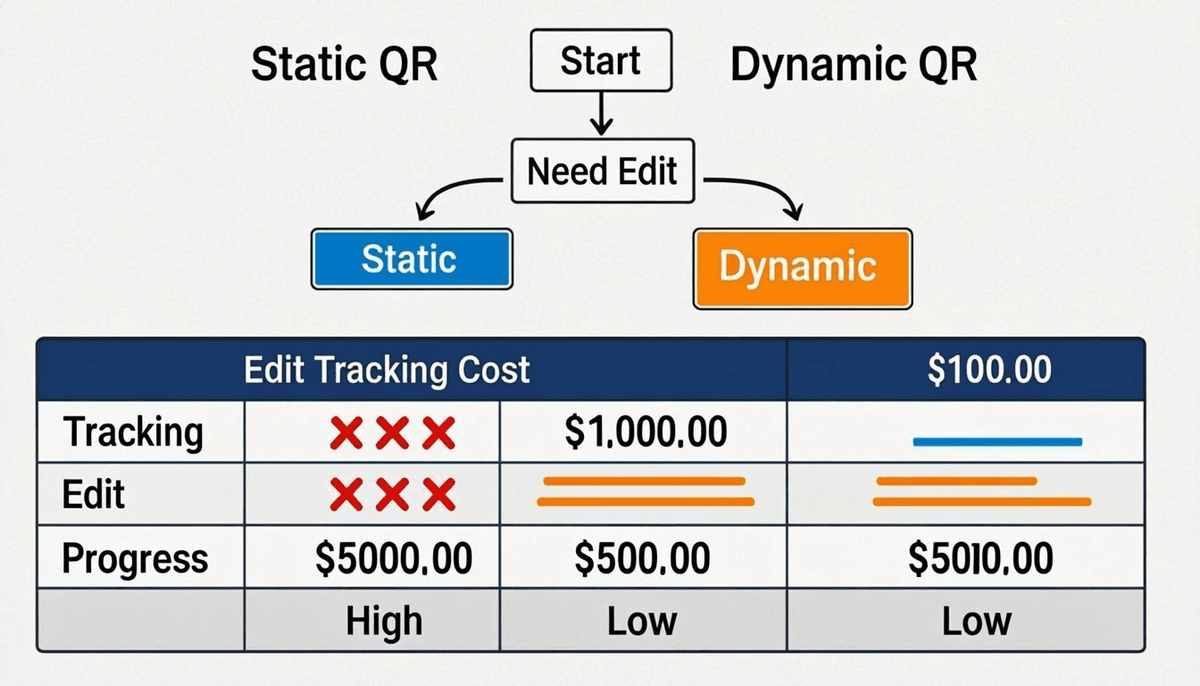
The Core Difference, Explained Simply
Think of it like this:
- A static QR code is like a printed phone number. The information is right there on the page. You cannot change it without making a new one.
- A dynamic QR code is like a Google Voice number that forwards calls to your real phone. You can change where it forwards to anytime, but the Google Voice number stays the same.
With a static QR code, the actual data (like a website URL, text, or phone number) is encoded directly into the QR code image itself. The pattern of black and white squares is the data. When someone scans it, their phone reads the data right from the code.
With a dynamic QR code, the QR code image only contains a short redirect link. That redirect link points to a server. When someone scans it, their phone goes to that server first, and then the server sends them to the real destination. Because the server is in the middle, you can change the final destination anytime without changing the QR code image.
How Static QR Codes Work
Let us break down exactly what happens when you create and scan a static QR code.
Creation Process
- You enter your data into a QR code generator. This could be a URL, plain text, a phone number, a Wi-Fi password, or an email address.
- The generator converts your data into a specific format. For a website URL, it just uses the URL as-is. For a phone number, it adds "tel:" in front. For an email, it adds "mailto:" in front.
- The formatted data gets encoded into the black and white square pattern of the QR code. The more data you include, the more squares the code needs, and the denser it looks.
- The QR code is done. It is self-contained. It does not need any server, any account, or any internet connection on your end to work.
Scanning Process
- Someone points their phone camera at the QR code.
- The phone reads the black and white pattern directly.
- The phone decodes the pattern back into the original data.
- The phone takes action based on the data type. A URL opens the browser. A phone number opens the dialer. Text just shows on screen.
Notice something important: the scanning phone never contacts any server to get the data. The data is already in the code. This means the code works even if the company that made your QR code generator goes out of business. It works offline for things like Wi-Fi passwords and contact info. It is permanent.
How Dynamic QR Codes Work
Now let us look at what happens with a dynamic QR code.
Creation Process
- You create an account with a QR code service like QREndlessPro.
- You enter your destination URL (the website you want people to visit).
- The service creates a short redirect link, something like
qr.example.com/abc123. - The service encodes that short redirect link into the QR code image.
- The service stores a record on its server: "When someone visits
qr.example.com/abc123, send them to the real destination URL."
Scanning Process
- Someone scans the QR code with their phone.
- The phone reads the QR code and gets the short redirect link.
- The phone's browser opens and goes to the redirect link.
- The QR code service's server receives the request.
- The server looks up the real destination URL for that redirect link.
- The server sends the phone to the real destination URL.
Because the server is in the middle, you can log information about each scan. You can count how many times the code was scanned. You can see what devices people used. You can see where they were located. And most importantly, you can change where the redirect link sends people, all without changing the QR code image.
Side-by-Side Comparison Table
| Feature | Static QR Code | Dynamic QR Code |
|---|---|---|
| Data Storage | Data is encoded directly in the QR image | Only a short redirect link is in the image; real data is on a server |
| Editability | Cannot be edited after creation | Destination can be changed anytime |
| Tracking and Analytics | No built-in tracking | Tracks scans, locations, devices, times, and more |
| Cost | Free to create | Typically $5 to $50 per month for a subscription |
| Expiration | Never expires | Stops working if you stop paying or the service shuts down |
| Internet Requirement | Not required for non-URL data (Wi-Fi, contacts, text) | Always required, even for simple redirects |
| Scan Speed | Fast, direct read | Slightly slower due to server redirect |
| Customization | Limited to design changes (colors, logo) | Design changes plus editable destination, error pages, and more |
| Privacy | Data stays in the code, no third-party server | Data passes through a third-party server |
| Reliability | Works forever, no dependencies | Depends on the service staying online and your subscription staying active |
When Static QR Codes Are the Right Choice
Static QR codes are perfect in situations where the data will never change and you do not need tracking. Here are specific use cases where static makes the most sense:
- Wi-Fi network access - You want guests to connect to your Wi-Fi. The network name and password do not change, so a static code is ideal. People can scan and connect without needing mobile data first.
- Business card contact info - Your name, phone number, and email encoded as a vCard. This information rarely changes, and you want it to work forever without depending on a service.
- Product serial numbers - A code on each product that contains its serial number or model info. This is permanent data that should never change.
- Event tickets - Each ticket has a unique code with the ticket ID. This data must be permanent and verifiable offline.
- Equipment inventory tags - QR codes on machinery or IT equipment with asset IDs. These need to last for years and work without internet.
- Permanent signage - A historical plaque at a landmark with a QR code linking to more information. You want this to work for decades.
- Emergency information - QR codes on medical cards or emergency equipment that contain critical text data. These must work without internet and never expire.
- Authenticator tokens - Time-based one-time password (TOTP) setup codes for two-factor authentication apps. These are one-time use and must be static.
- Restaurant table numbers - A code at each table that just contains the table number. Simple, permanent, no tracking needed.
- Shipping labels - Tracking numbers encoded directly on the package. No need to ever change them.
When Dynamic QR Codes Are the Right Choice
Dynamic QR codes shine when you need flexibility, tracking, or the ability to update your destination. Here are the best use cases:
- Marketing campaigns - You are running a promotion and need to track how many people scan your code. You also want to know which campaigns perform best.
- Restaurant menus - Menus change seasonally. With a dynamic code, you can update the menu URL without reprinting the QR code on every table.
- Event registration - Before the event, the code links to a registration page. During the event, you change it to the live stream. After the event, you change it to the recording.
- Business card website link - You might change jobs or update your portfolio. A dynamic code on your business card lets you update the link without ordering new cards.
- Print advertising - Magazine ads, flyers, and posters are expensive to reprint. A dynamic code means you can update the landing page anytime without new print runs.
- Product packaging - You have thousands of boxes already printed. If your product page URL changes, you just update the redirect instead of recalling boxes.
- Social media links - You might want to switch from promoting your Instagram to your TikTok. A dynamic code (especially with a customized QR design) lets you swap destinations easily.
- A/B testing - You want to test two different landing pages. With dynamic codes, you can rotate between destinations to see which one converts better.
- Temporary promotions - A holiday sale code that you want to redirect to a "sale ended" page after the promotion expires.
- Multi-language redirection - Route scanners to different language versions of your site based on their location.
Cost Comparison: Free vs Paid
Static QR Codes
Static QR codes are almost always free. You can create them with QREndlessPro's free QR generator without signing up for anything. There is no subscription, no monthly fee, and no limit on how many you create. Once you download the image, it is yours forever.
Dynamic QR Codes
Dynamic QR codes require a paid subscription because the service has to keep your redirect link running on their servers. Here is what you can expect to pay:
- Basic plan ($5 to $10 per month) - A small number of dynamic codes (5 to 25), basic scan counts, and limited customization.
- Professional plan ($15 to $30 per month) - More codes (50 to 500), detailed analytics with location and device data, custom domains, and bulk QR creation.
- Enterprise plan ($40 to $50+ per month) - Unlimited codes, advanced analytics, API access, team management, and priority support.
Some services offer free dynamic QR codes with very limited features. Be careful with these. They often have scan limits, include ads on your redirect page, or expire after a short time. For anything important, a paid plan is the safer choice.
Tracking and Analytics
What Dynamic QR Codes Track
This is one of the biggest advantages of dynamic QR codes. A good dynamic QR service will track:
- Total scan count - How many times the code has been scanned
- Unique scans - How many different people scanned it (vs. the same person scanning multiple times)
- Time and date - Exactly when each scan happened, so you can see peak times
- Device type - iPhone vs Android, browser type, operating system
- Location - Country, city, and sometimes even more specific location data
- Scan context - Whether it was scanned from a printed page, a screen, or another medium
How to Track Static QR Codes
Static QR codes do not have built-in tracking, but you can still measure their performance using UTM parameters. UTM parameters are tags you add to the end of a URL that tell Google Analytics where the traffic came from.
For example, instead of encoding https://example.com in your static QR code, you would encode:
https://example.com/?utm_source=qr&utm_medium=print&utm_campaign=spring_saleThis tells Google Analytics that the visitor came from a QR code, it was on a printed material, and it was part of the spring sale campaign. You will not get device or location data this way, but you will know how many people visited from your QR code.
Editability: Changing Destinations Without Reprinting
This is the single most practical benefit of dynamic QR codes. Imagine this scenario:
You print 5,000 flyers with a QR code for your summer sale. A week later, you realize the landing page has a typo, or you want to point people to a different product instead. If you used a static QR code, those 5,000 flyers are useless. You have to reprint them all. But if you used a dynamic QR code, you just log into your account and change the destination URL. The same QR code on those 5,000 flyers now sends people to the correct page. Problem solved in about 30 seconds.
This editability is especially valuable for:
- Printed materials that are expensive to replace (magazines, billboards, packaging)
- Information that changes regularly (menus, schedules, promotions)
- Long-term campaigns where you expect to update the destination multiple times
Privacy Comparison
Privacy is an important factor that many people overlook when choosing between static and dynamic QR codes.
Static QR Code Privacy
With a static QR code, the data is embedded directly in the code. When someone scans it, their phone reads the data and acts on it. No third-party server is involved. No one is tracking the scan. No one is collecting data about the person scanning. The data goes directly from the code to the phone.
Dynamic QR Code Privacy
With a dynamic QR code, every scan goes through the QR code service's server. This means the service can see and record information about every scan. Most services use this data to provide you with analytics. But it also means that information about the people scanning your code passes through a third party.
If privacy is a major concern for your use case (for example, healthcare information, sensitive business data, or government use), static QR codes are the more private option.
Expiration and Reliability
Static QR Code Reliability
Static QR codes are about as reliable as it gets. They never expire. They do not depend on any server. They do not depend on any subscription. They do not depend on any company staying in business. As long as the QR code image is visible and not physically damaged, it will work. Even 50 years from now, a phone with a QR scanner will be able to read it.
For URLs specifically, a static QR code will keep working as long as the destination website exists. If the website goes down, the QR code will still scan correctly, but the page will not load. That is a website issue, not a QR code issue.
Dynamic QR Code Reliability
Dynamic QR codes have more potential failure points:
- Subscription expiration - If you stop paying, most services will deactivate your redirect. Scans will go to an error page or a "subscription expired" page.
- Service downtime - If the QR code service's servers go down, your codes stop working temporarily.
- Service shutdown - If the company goes out of business, your codes stop working permanently.
- Account issues - If there is a billing problem or your account gets flagged, your codes could stop working.
QR Code Service Shutdowns: What Happens and How to Protect Yourself
This is a real problem that has affected many people. Several QR code companies have shut down over the years, leaving thousands of dynamic QR codes broken overnight. When this happens, every printed material with those codes becomes useless.
Here is how to protect yourself:
- Use reputable services - Choose a well-established provider with a track record. Check reviews and how long they have been operating.
- Use static codes for permanent materials - Anything that will be in circulation for a long time (business cards, signage, packaging) should use static codes.
- Use your own domain - Some services let you use your own custom domain for redirects. If the service shuts down, you can point your domain to a new service and your codes will keep working.
- Keep a record of your redirect links - If you know the redirect URL pattern, you can potentially set up your own redirect server if the original service goes down.
- Have a backup plan - For critical QR codes, have a plan for what to do if the service goes away. This might mean having replacement static codes ready or being prepared to update printed materials.
Can You Convert Dynamic to Static (or Vice Versa)?
Dynamic to Static
You cannot truly "convert" a dynamic QR code to a static one. They work fundamentally differently. However, you can create a new static QR code that contains the same destination URL as your dynamic code. Just find out what the final destination URL is (not the redirect link, but the actual website it sends people to), and create a new static QR code with that URL.
Keep in mind that this new static code will not have any tracking, and you will not be able to edit the destination later.
Static to Dynamic
You also cannot convert a static QR code to a dynamic one. You would need to create a new dynamic QR code with the same data. Any printed materials with the old static code would need to be reprinted with the new dynamic code.
This is why it is so important to choose the right type from the start. Switching later means reprinting everything.
How to Tell Which Type a QR Code Is
If you have a QR code and you are not sure whether it is static or dynamic, here is how to find out:
- Scan it and check the URL - Use your phone to scan the code. If the URL that appears is a short, generic-looking link (like
qr.xyz.com/abc123orbit.ly/xyz), it is probably dynamic. If the URL is the actual destination website (likewww.mybusiness.com/spring-sale), it is probably static. - Check for a redirect - After scanning, watch the URL bar in your browser. If you see the URL change from a short link to a longer destination URL, that means a redirect happened, and it is dynamic.
- Look at the QR code density - A dynamic QR code only contains a short redirect URL, so it usually looks simpler with fewer squares. A static QR code with a long URL will look denser with more squares. This is not a perfect test, but it can be a clue.
- Check the data type - If the QR code contains non-URL data (Wi-Fi credentials, vCard contact info, plain text, phone number), it is definitely static. Dynamic codes can only redirect to URLs.
Decision Framework
Use this table to quickly decide which type is right for your situation:
| Your Situation | Choose | Why |
|---|---|---|
| Data will never change | Static | No need for editability |
| Data might change | Dynamic | You can update the destination anytime |
| You need scan tracking | Dynamic | Static codes cannot track scans |
| You do not need tracking | Static | Saves money, no subscription needed |
| Budget is zero | Static | Free forever, no subscription |
| Material is expensive to reprint | Dynamic | Editable without reprinting |
| Code must work offline | Static | Dynamic always requires internet |
| Code must work forever | Static | Dynamic depends on service staying online |
| Running a marketing campaign | Dynamic | Tracking and editability are essential |
| Encoding non-URL data (Wi-Fi, contact) | Static | Dynamic only works with URLs |
Common Mistakes People Make
Mistake 1: Using Static for a Campaign That Needs Tracking
You print thousands of flyers with a static QR code, then realize you have no idea how many people actually scanned it. Always plan for tracking before you print.
Mistake 2: Using Dynamic for Permanent, Never-Change Data
You pay a monthly subscription for a dynamic QR code on your Wi-Fi sign that has not changed in three years. That is wasted money. Use static for things that will never change.
Mistake 3: Not Having a Backup Plan for Service Shutdowns
You put dynamic QR codes on permanent signage without considering what happens if the service shuts down. For anything permanent, use static or use your own redirect domain.
Mistake 4: Assuming Free Dynamic QR Codes Are Safe
Free dynamic QR codes often have scan limits, include advertisements, or expire after a certain number of scans. If your QR code is for something important, pay for a reliable service.
Mistake 5: Choosing Dynamic When Static Would Work Just Fine
Not every QR code needs to be dynamic. If the data will never change and you do not need analytics, a static code is simpler, free, and more reliable. Do not pay for features you will not use.
Mistake 6: Not Testing Before Printing
You print 10,000 business cards without testing the QR code first. Always scan your QR code with multiple phones before sending it to print. Make sure it goes to the right place and loads quickly.
Action Steps
Ready to create your QR code? Here is exactly what to do:
- Decide what data you want to encode. Is it a URL? Wi-Fi info? Contact details? Plain text?
- Ask yourself three questions: Will this data ever change? Do I need to track scans? Will the printed material be expensive to replace?
- Choose your type. If you answered "no" to all three questions, go with static. If you answered "yes" to any of them, go with dynamic.
- Create your QR code. For static, use the free QR generator. For dynamic, sign up for a plan that fits your needs.
- Customize the design. Add your brand colors and logo to make it stand out. Use the QR customization tool to match your brand.
- Test it. Scan the code with at least two different phones (one iPhone, one Android). Make sure it works correctly and loads fast.
- Download and use. Get a high-resolution version for print (SVG or PNG at 300+ DPI). Use the right size for your material.
- Monitor if dynamic. If you chose dynamic, check your analytics regularly. See what is working and what is not. Update your destination URL if needed.
Frequently Asked Questions
Can a static QR code be edited after it is created?
No. Once a static QR code is generated, the data is permanently encoded in the image. The only way to change it is to create a brand new QR code with different data. This is the main limitation of static codes and the biggest advantage of dynamic codes.
Do dynamic QR codes need internet to work?
Yes. Dynamic QR codes always require an internet connection because the scanning phone needs to contact the redirect server. Static QR codes that contain URLs also need internet to open the webpage, but static codes with non-URL data (like Wi-Fi passwords, contact info, or text) work completely offline.
What happens to my dynamic QR codes if I cancel my subscription?
This depends on the service, but most providers will deactivate your redirect links when you stop paying. People who scan your codes will see an error page or a "subscription expired" message. Some services give you a grace period. Check your provider's policy before canceling.
Are static QR codes really free forever?
Yes. A static QR code is just an image file. Once you download it, there are no ongoing costs. You do not need an account, a subscription, or any service to keep it working. It is yours forever.
Can I track scans on a static QR code?
Not directly. Static QR codes have no built-in tracking. However, you can add UTM parameters to your URL before creating the code, which lets Google Analytics show you traffic coming from that specific QR code. You will not get detailed scan data like device type or location, but you will know how many visits came from the code.
Why do dynamic QR codes cost money?
Dynamic QR codes require server infrastructure. The service has to keep your redirect links running 24/7, store your analytics data, and maintain the servers that handle every scan. That costs money, which is why services charge monthly subscriptions.
How long do dynamic QR codes last?
As long as you keep your subscription active and the service stays in business, your dynamic QR codes will keep working. There is no technical expiration. However, if you stop paying or the service shuts down, the codes will stop working.
Can I use both static and dynamic QR codes for different purposes?
Absolutely. Many businesses use both. They use static codes for permanent information like Wi-Fi access and contact details, and dynamic codes for marketing campaigns and content that changes regularly. There is no rule that says you have to pick just one type.
Which type is better for business cards?
It depends on what you are encoding. For contact information (name, phone, email), use a static code because it works offline and never expires. For your website or portfolio link, consider a dynamic code so you can update it if you change jobs or redesign your site. Some people use two QR codes on their card, one of each type.
How can I tell if a QR code is static or dynamic by looking at it?
You cannot tell just by looking at the image. Both types look like black and white square patterns. The only way to know is to scan it and check the URL. If you see a short redirect link that then changes to a longer URL, it is dynamic. If the URL you see is the final destination, it is likely static.