What Is GS1 Digital Link?
GS1 Digital Link is a standard that turns GS1 identification numbers — like a GTIN, a serial number, a batch, or an expiry date — into a normal web URL. Instead of burying data inside a one-dimensional barcode that only specialized scanners can read, the Digital Link puts it in a structure that any smartphone, browser, or web service can understand.
A typical GS1 Digital Link URL looks like this:
https://id.gs1.org/01/3017620422003/10/ABC123/17/251231
Each piece of data sits in the URL path, led by its Application Identifier (AI):
01= GTIN (the product number, here 3017620422003)10= Batch or lot number (here ABC123)17= Expiry date in YYMMDD format (here 31 December 2025)
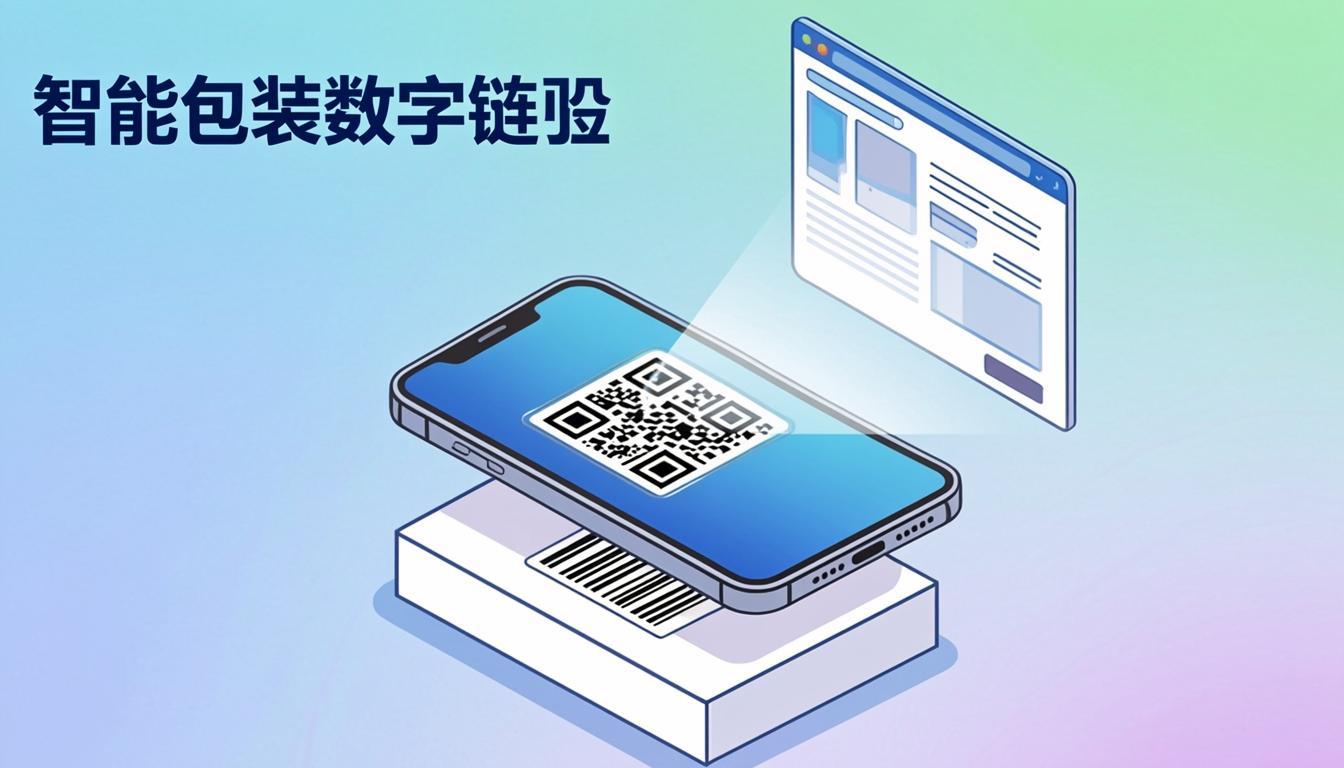
Because the data is a real URL, anyone can scan the QR code with their phone camera and land on a product page, a recall notice, a recipe, a sustainability claim, or an authenticity check. The same scan can also drive retail checkout — the cashier's scanner reads the GTIN straight out of the URL.
GS1 Digital Link was first released in 2017 and updated in 2023. It is the technical bridge between the GS1 barcode world and the web.
Why Use Our Free GS1 Digital Link Tool?
Writing a Digital Link URL by hand is error-prone. You must follow the AI order, use the correct separator (a slash), keep dates in YYMMDD, and put the GTIN at the right length. A small typo and the URL either breaks or — worse — points to the wrong product page.
Our free GS1 Digital Link tool at QREndlessPro handles the syntax for you. You type in your GTIN, batch, expiry, serial, or any other GS1 attribute, and the tool:
- Builds the Digital Link URL with the correct AI order.
- Encodes the URL into a QR code (the 2D barcode Sunrise 2027 asks for).
- Lets you point the URL at your own domain (id.gs1.org, your.brand.com, or gs1.yourdomain.com).
- Exports PNG, SVG, and ZPL for any printing workflow.
- Validates your GTIN length and check digit before generating.
Everything runs in your browser. No sign-up, no install. The output is compatible with GS1's official syntax, so scanners that read GS1 Digital Link — including retail point-of-sale systems preparing for Sunrise 2027 — can decode your QR codes correctly.
To convert your GTIN into a Digital Link QR code right now, open our GS1 Digital Link tool.
How GS1 Digital Link Works
Under the hood, GS1 Digital Link is a URL pattern. It uses the path part of a standard HTTPS URL to carry GS1 AIs. The general structure is:
https://<domain>/<AI>/<value>/<AI>/<value>...
For example:
https://id.gs1.org/01/3017620422003/10/ABC123/17/251231
Here the domain id.gs1.org is the public GS1 resolver. Brands can also use their own domain, like https://gs1.nutella.com/01/..., which is the path most large CPG brands take.
The AIs are GS1 Application Identifiers — the same numbers used inside a GS1-128 barcode. The most common AIs in a Digital Link are:
- 01 — GTIN (8, 12, 13, or 14 digits)
- 10 — Batch or lot number (up to 20 alphanumeric characters)
- 17 — Expiry date (YYMMDD)
- 11 — Production date (YYMMDD)
- 21 — Serial number (up to 20 alphanumeric characters)
- 240 — Additional product ID (item number for lookup)
- 310n — Net weight in kilograms (one decimal place)
When a 2D barcode (typically a QR code or a Data Matrix) carries this URL, any smartphone camera can read it. A retail scanner that supports GS1 Digital Link can also extract the GTIN from the URL and use it for checkout. This dual use — consumer scan and POS scan — is why Sunrise 2027 exists.
Step-by-Step: Using the GS1 Digital Link Tool
- Open the tool: Go to /gs1-digital-link/ in your browser.
- Enter your GTIN: Type your 8, 12, 13, or 14-digit GTIN. The tool validates the length and check digit automatically.
- Add extra attributes (optional): Fill in batch (AI 10), expiry (AI 17), serial (AI 21), or production date (AI 11). Each field is optional, so you can include only the data your packaging needs.
- Pick a domain: Use
id.gs1.orgfor the public GS1 resolver, or type your own domain. Brands usually run their own resolver so they keep control of where scans land. - Choose a 2D barcode type: QR code for general consumer scanning, or Data Matrix for small retail packaging (pharma and small CPG).
- Generate: The tool builds the Digital Link URL and renders the 2D barcode. You see a live preview, the final URL, and the AI breakdown.
- Download: Export as PNG for a brochure, SVG for a designer's artwork file, or ZPL for a thermal printer. The tool also produces a JSON file with all metadata for your product information system.
- Test before printing: Scan the QR code with your phone camera and with a retail scanner. The phone should land on your product page. The scanner should beep and ring up the GTIN.
If you need to convert hundreds of GTINs at once, the bulk mode imports a CSV (GTIN, batch, expiry) and exports a folder of QR codes plus a master list. This is the workflow most packaging teams use when refreshing artwork ahead of Sunrise 2027.
Real-World Examples
Example 1 — A jar of branded hazelnut spread:
- GTIN: 3017620422003
- Batch: ABC123
- Expiry: 31 December 2025
- Digital Link URL:
https://id.gs1.org/01/3017620422003/10/ABC123/17/251231 - Encoded as a QR code on the back label, the same scan lets a shopper see the recipe page and lets the cashier ring up the product at checkout.
Example 2 — A small pharmaceutical blister pack:
- GTIN: 05012345678906
- Batch: L9A21
- Serial: SN456789
- Expiry: 30 June 2027
- Digital Link URL:
https://id.gs1.org/01/05012345678906/21/SN456789/10/L9A21/17/270630 - Encoded as a Data Matrix because the pack is small. The pharmacy scanner verifies the serial against the national medicines database.
Example 3 — A fresh ready-meal tray:
- GTIN: 50123456789099
- Batch: LOT223
- Use-by date: 5 February 2026
- Digital Link URL:
https://id.gs1.org/01/50123456789099/10/LOT223/17/260205 - The retailer's POS extracts the GTIN and the expiry. If the date is past, the POS can refuse the sale — a key food-safety feature.
Notice that in each case the URL works for both a shopper's phone and a retailer's scanner. That dual use is what makes GS1 Digital Link different from any earlier barcode.
Who Uses GS1 Digital Link?
- CPG brands: Food, beverage, and personal-care brands print Digital Link QR codes on packs to share recipes, ingredients, and recycling info — and to be ready for Sunrise 2027 checkout.
- Pharma: Drug makers use Data Matrix carrying Digital Link to support the EU Falsified Medicines Directive and similar serialisation laws.
- Fresh food: Meat, dairy, and produce suppliers use Digital Link to carry expiry dates that scanners can read at checkout to block expired sales.
- Retail: Major retailers — including Walmart in the United States and several European chains — are upgrading POS scanners to read 2D barcodes carrying GS1 Digital Link.
- Healthcare and hospitals: Medical device makers use Digital Link to point clinicians to IFUs (instructions for use) and to track implants by serial.
- Apparel: Clothing brands use Digital Link on care labels to share sizing guides, repair instructions, and resale portals.
- Marketplaces: Resale platforms scan Digital Link to confirm authenticity by reading the GTIN plus serial from one QR code.
The common thread: every stakeholder in the supply chain — the brand, the retailer, the regulator, and the consumer — gets useful data from the same scan.
Tips for Best Results
- Always include AI 01 (GTIN): Even if you add batch and expiry, the GTIN is the anchor. Without it, the URL is not a Digital Link.
- Use YYMMDD for dates: AI 17 (expiry) and AI 11 (production) use a 6-digit YYMMDD format. The year is two digits, the month is two digits, the day is two digits. Zero-pad single digits (January is 01, not 1).
- Keep batch and serial short: AIs 10, 21, and 240 accept up to 20 characters. Shorter values keep the QR code smaller and easier to scan.
- Run your own resolver: Point the URL to your own domain (like gs1.yourbrand.com). A simple redirect script sends scanners to the right page based on the GTIN. GS1 offers a free open-source resolver called GS1 Digital Link Resolver on GitHub.
- Pick QR code for retail, Data Matrix for pharma: QR codes scan more reliably from a distance and at an angle. Data Matrix packs more data into a smaller square, which is why pharma uses it on tiny blister packs.
- Test with real scanners, not just phones: A phone scan only proves the URL works. A retail scanner proves the GTIN is decodable at checkout. Both tests matter before you print packaging.
- Use the GS1 minimum print size: For retail, a QR code on a flat pack should be at least 20×20 mm with a 4-module quiet zone. Smaller codes risk failing at the checkout scanner.
- Pair with a check digit: The GTIN inside AI 01 must end with the correct GS1 check digit. Our tool calculates it for you. If you enter a wrong check digit, the tool flags it before generating.
Common Mistakes to Avoid
- Skipping the GTIN: Some teams build a Digital Link URL with only batch and expiry. Without AI 01, scanners do not treat it as a real GS1 code.
- Wrong date format: A four-digit year or a two-digit month like "1" instead of "01" breaks the URL. Always use YYMMDD with leading zeros.
- Using a free QR generator: Generic QR tools do not validate GS1 AIs or check digits. They produce a QR code that a phone can read but a POS scanner cannot decode as GS1. Always use a Digital Link-aware tool.
- Forgetting the resolver: The URL points somewhere. If you do not run a resolver (your own or id.gs1.org), the scan returns a 404 page. The QR code looks fine in testing and fails in the field.
- Old 1D-only scanners: Sunrise 2027 is a 2027 deadline, but every store moves at its own pace. If your key retail partner has not upgraded scanners, your Digital Link QR code will only work as a consumer URL, not for checkout. Plan the rollout with each retailer.
- Cramming too much data: Adding 10 AIs makes the QR code dense and harder to scan. Include only the AIs the supply chain actually uses.
- Skipping the check digit: If your GTIN has the wrong check digit, the GS1 Digital Link URL will fail validation in strict resolvers and the QR code becomes useless for verification.
Frequently Asked Questions
What is Sunrise 2027?
Sunrise 2027 is the GS1-led industry initiative to make 2D barcodes (QR codes and Data Matrix codes carrying GS1 Digital Link) scannable at retail point-of-sale by the end of 2027. After that date, retailers are expected to accept a 2D barcode at checkout in place of the traditional 1D UPC or EAN barcode. The goal is to let one scan do both checkout and consumer engagement.
Do I have to switch from UPC/EAN to GS1 Digital Link?
Eventually yes. Sunrise 2027 is the deadline for retailers to be able to read 2D barcodes; some retailers may keep accepting 1D barcodes after 2027, but the industry direction is clear. Many brands are printing both a 1D barcode and a GS1 Digital Link QR code on the same pack during the transition. Our GS1 Digital Link tool supports this hybrid approach.
Can a single QR code work for both consumers and cashiers?
Yes, that is the whole point of GS1 Digital Link. A consumer's phone camera reads the URL and opens a product page. A retail POS scanner reads the same QR code, extracts the GTIN from AI 01, and rings up the item. The QR code carries one set of data; the scanner decides how to use it.
Do I have to use id.gs1.org as the domain?
No. The id.gs1.org resolver is a free public service, but most brands use their own domain (for example gs1.yourbrand.com). Using your own domain gives you control over where scans land and lets you change the destination page later without reprinting the QR code. The domain is just the start of the URL; the AIs follow it.
What is the difference between GS1 Digital Link and a GS1-128 barcode?
GS1-128 is a one-dimensional barcode that carries GS1 AIs in a linear format readable by laser scanners, usually used for logistics (SSCC-18, GTIN on a case). GS1 Digital Link carries the same AIs inside a 2D QR code or Data Matrix as a web URL, readable by phone cameras and 2D-capable POS scanners. GS1-128 stays useful in the warehouse; GS1 Digital Link is the future of retail packaging.
Where can I learn the technical syntax?
The official source is the GS1 Digital Link standard on the GS1 website. Our GS1 Digital Link tool implements the standard syntax automatically, so you do not need to memorize AI numbers. Type your GTIN, batch, and expiry; the tool writes the URL correctly.
Ready to Try Our GS1 Digital Link Tool?
You now understand what GS1 Digital Link is, why Sunrise 2027 is pushing 2D barcodes at retail checkout, how the URL syntax works, and how to avoid the mistakes that get QR codes rejected. The fastest next step is to convert your GTIN into a scannable 2D barcode today.
Open our GS1 Digital Link tool, enter your GTIN, add batch and expiry if needed, and download a print-ready QR code or Data Matrix in seconds. To label pallets with SSCC-18 codes for the warehouse, visit our SSCC-18 generator. To print labels on a Zebra thermal printer, see our ZPL generator. And to confirm your printed barcode meets ISO quality standards before the truck leaves, run it through our barcode verifier.
If you are planning a brand-wide Sunrise 2027 rollout, the recommended sequence is to start with one product line, design the Digital Link QR code into the next artwork revision, run a small pilot at one retailer who already supports 2D POS scanning, measure scan rates and customer engagement, and then expand to additional SKUs. This phased approach catches label-size and contrast issues early, when only a small number of packs are affected, instead of after a million-piece print run.