Skip to content
Skip to main content
Sunrise 2027GS1 StandardQR Code Included

Free GS1 Digital Link Generator

Build GS1 Digital Link URLs that encode GTIN, batch, expiry, serial, and other GS1 Application Identifiers. Render as a QR code ready for retail checkout and supply-chain tracking. Sunrise 2027 compliant. 100% browser-based, no signup.

GS1 Standard
100% Browser-Based
No Signup Needed
Live URL + QR
Generator Tool

Build Your GS1 Digital Link URL & QR Code

Pick a primary AI (typically 01 = GTIN). Add secondary AIs (batch, expiry, serial, location). The URL builds live; the QR code renders as you type. All validation is per the GS1 spec.

Try an Example

Primary Identifier

Global Trade Item Number (13-14 digits + check digit)

Global Trade Item Number (13-14 digits + check digit)

Secondary Identifiers0/20

Add batch (10), expiry (17), serial (21), location (414)…
Up to 20 secondary identifiers.

Resolver Domain (optional)

Examples: id.gs1.org (canonical GS1 resolver) or yourbrand.com (custom resolver hosting — branded URLs for consumer scanning).

Generated URL

Enter a primary value to see the GS1 Digital Link URL…

Per the GS1 Digital Link standard: https://<domain>/<AI>/<value>/<AI>/<value>/…

QR Code Preview

Enter a primary value to render the QR code

Rendered locally in your browser by the qrcode library (v1.5.4). Error-correction level M (medium, 15% recovery).

Output

Free GS1 Digital Link generator creating QR code that resolves to product information page via smartphone scan — Sunrise 2027 ready 2D barcode
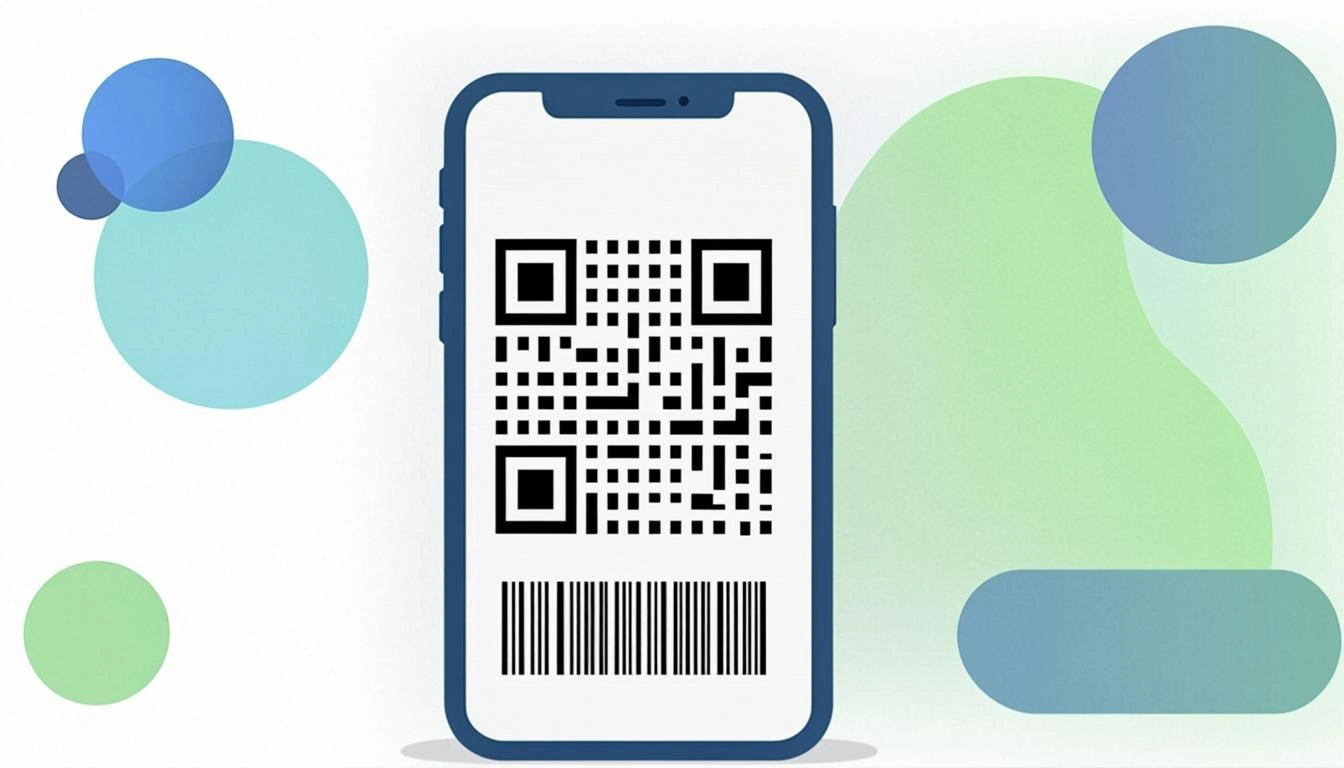
Illustration: convert any GTIN, SSCC, GLN, or GS1 identifier into a web-friendly Digital Link URL — Sunrise 2027 ready, free and 100% browser-based.
Why Choose Us

The Best Free GS1 Digital Link Generator

Real GS1 spec compliance, real-time QR rendering, 30+ Application Identifiers, and 100% client-side privacy. Sunrise 2027 ready.

Live URL + QR

Type your GTIN and batch — see the GS1 Digital Link URL update instantly, plus a rendered QR code preview using the qrcode library. No submit button, no waiting.

30+ Application Identifiers

All primary AIs (01/8006/8013/8017/8018/255/00) plus 30+ secondary AIs (batch 10, expiry 17, serial 21, location 414, etc.) supported. Each AI has format validation.

Sunrise 2027 Ready

GS1's Sunrise 2027 initiative mandates 2D codes (QR or Data Matrix) at retail checkout by 2027. The GS1 Digital Link is the URL structure that powers these codes — get ready now.

100% Private

All URL generation and QR rendering runs in your browser. Your GTIN, batch, serial, and expiry never leave your device — no server, no logging, no tracking.

How It Works

Three Steps to a GS1 Digital Link QR Code

Pick your primary AI, add secondary AIs, copy the URL or download the QR. The whole flow takes 30 seconds.

1. Pick Your Primary AI

Choose the primary identifier (typically 01 = GTIN for retail products, 00 = SSCC for shipping containers). Enter the value — the tool validates the check digit (mod-10 algorithm).

2. Add Secondary AIs

Add batch (10), expiry date (17), serial number (21), production date (11), or any of 30+ GS1 Application Identifiers. Each AI has format validation (date format YYMMDD, GLN format 13 digits, etc.).

3. Copy URL or Download QR

The GS1 Digital Link URL appears live. Copy the URL, download the QR PNG, or copy a full HTML embed snippet with the QR as a data URI.

Use Cases

GS1 Digital Link for Every Industry

From retail checkout to pharmaceutical track-and-trace, supply-chain traceability to product recalls — the GS1 Digital Link is the foundation of Sunrise 2027.

Retail Products

Generate QR codes that scan at checkout and link to product information, allergens, and recycling instructions. Sunrise 2027 retail compliance.

Pharmaceuticals

Encode GTIN + batch + expiry + serial in one QR code for DSCSA and FMD compliance. Track-and-trace ready.

Logistics & Shipping

Use primary AI 00 (SSCC) for pallets and containers. Add AI 414 (location GLN) for source/destination tracking.

Manufacturing

Encode production date (11), lot/batch (10), and serial (21) on every part. Track every unit through the supply chain.

Sustainability

Link to recycling instructions, carbon footprint data, and EPR (Extended Producer Responsibility) compliance info via the digital link.

Product Recalls

Encode GTIN + batch + serial so consumers can scan and check if their product is affected by a recall. Sunrise 2027 enables point-of-sale recall checks.

Complete Guide

GS1 Digital Link Generator: The Complete A-to-Z Guide

Everything you need to know about GS1 Digital Link, Sunrise 2027, and how to convert barcodes to web-friendly URLs.

What Is the GS1 Digital Link?

The GS1 Digital Link is a web-friendly URL that carries GS1 identifiers — like GTIN, SSCC, GLN, batch, expiry, and serial — so a smartphone can scan a 2D barcode and reach a product page directly. Think of it as a barcode that also works as a clickable link. Old 1D barcodes only hold a number (the GTIN). A GS1 Digital Link URL holds the same number plus extra data, all written as path pieces in the link. The result is one single QR code that can be scanned at the store checkout and by a shopper's phone to open product info. This is the heart of Sunrise 2027 — the GS1 plan that will let 2D barcodes (QR or Data Matrix) replace the old 1D barcode at retail checkout worldwide by the year 2027. With our free GS1 Digital Link generator, you can build these URLs right now, no signup and no coding.

Why Use Our Free GS1 Digital Link Generator?

  • Build URLs from any GS1 identifier: start with a GTIN, SSCC, GLN, GCP, or any GS1 key — the tool will lay it out as a proper Digital Link URL.
  • Live QR code preview: see the QR code render in real time as you type, so you can verify the data before you print or share it.
  • Supports 30+ AI codes: AI 01 (GTIN), AI 10 (batch), AI 17 (expiry), AI 21 (serial), AI 240 (item reference), and many more — all in one form.
  • Runs 100% in your browser: no servers, no logs, no API keys. Your GTIN, batch, and serial never leave your device.
  • Free forever: unlimited URLs, unlimited QR codes, free for personal, school, or commercial use.

How the GS1 Digital Link Works: A Simple Explanation

The Digital Link syntax uses path pieces instead of old-style ?key=value query params. A normal URL might look like example.com/?gtin=01&batch=ABC. The GS1 Digital Link URL writes it as https://id.gs1.org/01/01234567890128/10/ABC123/17/251231. Each piece of the path is an Application Identifier (AI) followed by its value. AI 01 means GTIN, AI 10 means batch, AI 17 means expiry date, AI 21 means serial number. The slashes separate every AI and value pair. A GS1 Digital Link resolver — like the free public one at id.gs1.org — reads those pieces and sends the shopper to the right product page. You can also host the resolver on your own brand domain (for example yourbrand.com/01/...) so the consumer sees a branded URL when they scan.

Step-by-Step: Using the GS1 Digital Link Generator

  1. Enter your main identifier: type your GTIN, SSCC, or GLN in the first field. The tool checks the check digit (mod-10) so a typo shows up right away.
  2. Add your secondary AIs: add AI 10 for the batch or lot number, AI 17 for the expiry date (YYMMDD), AI 21 for the serial number, or AI 240 for an internal item reference.
  3. See the URL preview: the full GS1 Digital Link URL renders live below the form. The QR code preview updates at the same time.
  4. Copy the URL or download the QR code: click Copy to grab the URL, or click Download to save the QR PNG. Paste the link anywhere, or print the QR code on your packaging.

Real-World Examples of GS1 Digital Link URLs

Here are three real examples you can paste straight into the generator:

  • GTIN + batch + expiry: https://id.gs1.org/01/3017620422003/10/ABC123/17/251231 — a consumer product with a batch and a 31-Dec-2025 expiry.
  • SSCC (logistics unit): https://id.gs1.org/00/000123456789012343 — a pallet or carton label for shipping and warehousing.
  • GTIN + serial: https://id.gs1.org/01/01234567890128/21/SN12345 — a unique serial on a high-value item, used for track-and-trace and anti-counterfeit.

Who Uses a GS1 Digital Link Generator? Industries and Roles

  • Consumer Packaged Goods (CPG): food, drink, household, and personal care brands put a 2D code on the pack so shoppers can scan and open product info.
  • Pharmaceuticals: drug makers use the Digital Link to carry a GTIN plus serial and batch for track-and-trace, anti-counterfeit, and recalls.
  • Food and grocery: fresh food brands add AI 17 (expiry) and AI 10 (batch) so a scan shows the use-by date and lot in one click.
  • Retail (Sunrise 2027): supermarkets and big retailers must accept 2D codes at the POS by 2027 — the Digital Link is the URL syntax that powers it.
  • Smart packaging: brand owners put the QR code on a box or label so a shopper can scan for recycling rules, allergen lists, and warranty info.

GS1 Digital Link Glossary: Key Terms Explained

GS1 Digital Link
A URL syntax from GS1 that puts GS1 keys and AIs into the path of a link so a 2D code can carry product data and also open a web page.
Application Identifier (AI)
A short 2–4 digit prefix that tells a scanner what kind of data follows — AI 01 for GTIN, AI 10 for batch, AI 17 for expiry, AI 21 for serial.
GTIN
Global Trade Item Number — the 8, 12, 13, or 14 digit number under a retail barcode that names a specific product and size.
Sunrise 2027
The GS1 industry plan that lets 2D barcodes (QR or Data Matrix) replace the old 1D barcode at retail point-of-sale by the year 2027.
Resolver
A web service that takes a Digital Link URL and sends the scanner to the right page. GS1 runs a free public resolver at id.gs1.org.
2D Barcode
A square barcode like a QR code or Data Matrix that holds more data than a 1D barcode and can also carry a clickable URL.

Tips for Getting the Best Results

  • Use real GS1 identifiers: a Digital Link only works at retail checkout if your GTIN is a real, registered GS1 number tied to your brand prefix.
  • Validate the check digit first: use our Check Digit Calculator to verify the last digit of a GTIN or SSCC before you build the URL.
  • Pick the right AIs for your data: only use AI 17 for expiry dates, AI 10 for batch, AI 21 for serial — wrong AIs will confuse the resolver.
  • Test the QR code before mass-printing: scan a sample with two or three phones to make sure it opens the right page before you print 10,000 labels.
  • Use a public resolver like id.gs1.org: for testing, the GS1 public resolver is free and works with any valid GS1 identifier — switch to your own brand domain later.

Common Mistakes to Avoid

  • Invalid GTIN (wrong check digit): a GTIN with a bad last digit will fail at the POS. Always check the mod-10 check digit before you print.
  • Wrong AI codes: putting a date in AI 21 (serial) instead of AI 17 (expiry) will send scanners to the wrong place and break the URL.
  • Missing leading zeros: GTIN-14, SSCC, and GLN must keep every leading zero — drop one and the number becomes a different key.
  • Forgetting the URL needs https: a Digital Link must start with https:// — without it, phones and resolvers may not open the link.

GS1 Digital Link vs Old-School Barcodes

An old 1D barcode (the EAN/UPC you see on a shop shelf) holds one thing — a GTIN, which is a 8, 12, 13, or 14 digit number. The POS scans the GTIN and looks up the price in the store system. That is all it can do. It cannot carry a batch, an expiry, a serial, or a link to a web page. A shopper with a phone cannot open product info from a 1D barcode — they can only see the number.

A GS1 Digital Link 2D barcode (QR or Data Matrix) carries a full URL. The same code can be scanned at the checkout to send the GTIN to the POS, and scanned by a shopper's phone to open a product page with images, allergens, recycling rules, and warranty info. You can add batch (AI 10), expiry (AI 17), and serial (AI 21) on the same code for traceability. This is why Sunrise 2027 moves retail from 1D to 2D — one code does both jobs, the shopper and the POS, with no extra cost on the pack.

Ready to Generate Your GS1 Digital Link?

You now know what a GS1 Digital Link is, why Sunrise 2027 matters, and how to convert a GTIN, SSCC, or GLN into a web-friendly URL. Open the tool above, type your identifier, add your AIs, and watch the live QR preview. When the URL looks right, copy it or download the PNG — free, no signup, no rate limit. Jump back to the generator above ↑

FAQ

Common Questions

Is the GS1 Digital Link generator free?

Yes. No signup, no API key, no credit card. Generate unlimited GS1 Digital Link URLs free forever — for personal, commercial, or enterprise use. The tool runs 100% in your browser, so there are no server costs to recoup.

What is the GS1 Digital Link?

The GS1 Digital Link is a URL structure (published in the GS1 General Specifications) that encodes GS1 identification keys — GTIN, batch, expiry, serial, location — as path components. The format is https://id.gs1.org/{AI}/{value}/{AI}/{value}/... — for example https://id.gs1.org/01/01234567890123/10/ABC123/17/251231 encodes a GTIN (AI 01), a batch (AI 10), and an expiration date (AI 17). It allows any 2D code (QR, Data Matrix) to carry structured GS1 data and link to online resources.

What is Sunrise 2027?

GS1's Sunrise 2027 initiative mandates that retailers worldwide accept 2D codes (QR or Data Matrix) at point-of-sale by 2027, replacing the linear barcode on product packaging. The GS1 Digital Link is the URL structure that powers these 2D codes — the same QR code that scans at checkout can also link to product information, allergens, recall notices, and recycling instructions when scanned by a smartphone.

What is an Application Identifier (AI)?

An Application Identifier is a 2-4 digit prefix that tells scanners what kind of data follows. AI 01 = GTIN (Global Trade Item Number), AI 10 = Batch or lot number, AI 17 = Expiration date, AI 21 = Serial number, AI 00 = SSCC (Serial Shipping Container Code), AI 414 = Identification of a physical location (GLN), and so on. There are 30+ AIs in the GS1 system — every AI has its own format rules (digit count, character set, date format YYMMDD, etc.).

What's the difference between id.gs1.org and a custom domain?

id.gs1.org is the canonical GS1 resolver — any GS1 Digital Link URL starting with id.gs1.org will resolve through GS1's official service. You can also use your own domain (e.g., yourbrand.com/01/.../10/.../17/...) and host a resolver — this is called "GS1 Digital Link resolver hosting" and gives you full control over the landing page experience. Many brands use their own domain so the consumer sees a branded URL when they scan the QR code.

Does the QR code work at retail checkout?

Yes — if the GTIN encoded is a valid, registered GTIN-13 or GTIN-14 and the retailer's scanner supports GS1 Digital Link (which is the Sunrise 2027 mandate), the QR code will scan and the GTIN will be sent to the POS exactly like a linear barcode. The scanner reads the URL, parses the /01/{GTIN}/ path component, and sends it as a GTIN to the point-of-sale system. The other AIs (batch, expiry, serial) travel with the code for traceability and consumer scanning.

Is my GTIN and batch data private?

Yes. All URL generation and QR rendering runs in your browser. Your GTIN, batch, serial, and expiry never leave your device — no server, no logging, no tracking. The QR code is rendered locally by the qrcode JavaScript library; the URL is computed locally from the AI values you enter. You can use this tool offline once the page has loaded.

How accurate is the URL format?

100%. The URL structure follows the GS1 Digital Link standard (gs1.org/standards/digital-link) verbatim. Every AI code, value format, and ordering rule is per the published spec. The tool also validates the GTIN check digit (mod-10 algorithm), the SSCC check digit, the date AIs (11/12/13/15/16/17/7003 must be YYMMDD or YYMMDDHHMM), and the GLN AIs (410-417 must be 13 digits with a valid check digit) before accepting the input.

Ready to Build Your GS1 Digital Link?

Free, no signup, no rate limit. 46+ Application Identifiers. Live QR preview. Sunrise 2027 compliant. 100% browser-based.

Open the Generator