Table of Contents
- The Problem: When QR Codes Stop Working
- What Is QR Code Error Correction?
- The Four Error Correction Levels
- How Much Damage Can Each Level Handle?
- When to Use Each Level — A Practical Guide
- Error Correction and Logo Embedding
- Error Correction vs. Data Capacity — The Tradeoff
- How to Check Your QR Code's Error Correction Level
- Frequently Asked Questions
The Problem: When QR Codes Stop Working
You printed 500 QR codes for an event, and half of them won't scan. The ink smudged, the paper got wet, or someone placed a sticker over part of the code. Sound familiar?
This is exactly the problem QR code error correction was designed to solve. Every QR code contains built-in redundancy — extra data that lets a scanner reconstruct the original information even when part of the code is damaged, dirty, or obscured. But not all QR codes are equally resilient. The error correction level you choose when generating a QR code determines how much abuse it can take and still work.
I've tested this myself. I printed a batch of event badges at Level M, handed them out, and watched three people come back within an hour because their badge wouldn't scan — the lanyard clip had scratched the code. The same design printed at Level Q scanned fine all day. That experience is why I now default to Level Q for anything that will be worn, handled, or clipped to something.
Choose the wrong level, and your QR code fails in the real world. Choose the right one, and it survives rain, scratches, folds, and even a logo placed on top of it.
This guide breaks down how QR code error correction works, what each level means, and exactly when to use each one — in plain language, without the math degree.
What Is QR Code Error Correction?
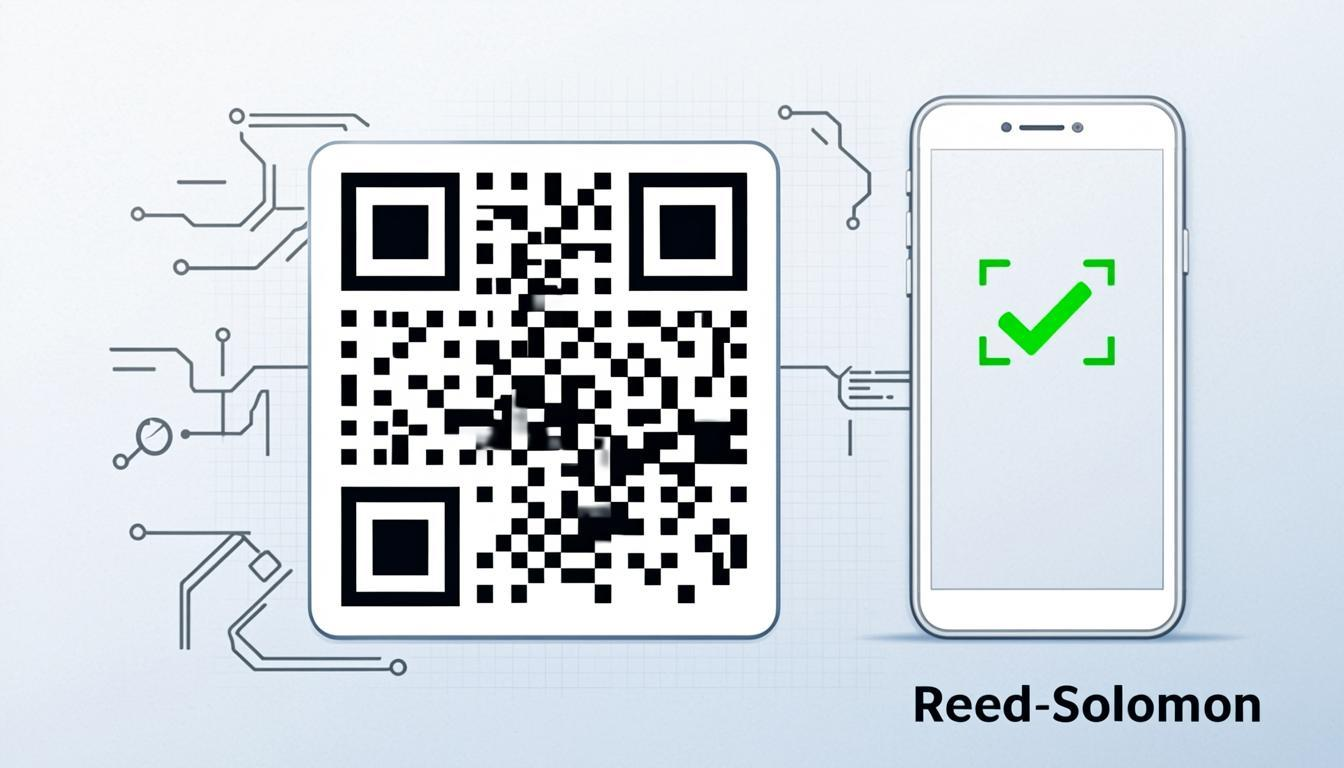
QR code error correction is a mechanism that allows a QR code to be read correctly even when part of it is damaged, dirty, or obscured. It uses something called Reed-Solomon error correction — a mathematical algorithm originally developed in 1960 for data transmission in noisy environments. The same algorithm was used in CDs and is still used in satellite communication, where signal loss is expected.
Here's how it works in simple terms: when you encode data into a QR code, the encoder doesn't just store your raw data. It also calculates and stores additional values called error correction codewords. These codewords contain enough information to not only detect that something is wrong, but to actually reconstruct the missing or corrupted data.
Imagine you're sending a message and you repeat every word three times. If one repetition gets garbled, the receiver can still figure out the original word by comparing the other two. Reed-Solomon works on a similar principle, but far more efficiently — it packs maximum recovery power into minimal extra data.
In a QR code, the error correction codewords are spread across the entire symbol, interleaved with the data codewords. This means that if damage is concentrated in one area (like a coffee stain in the corner), the error correction data is distributed enough to recover the lost information. This is a critical design choice — it's why QR codes survive localized damage much better than simple checksums would allow.
The Four Error Correction Levels
The QR code specification defines four error correction levels: L, M, Q, and H. Each level provides a different percentage of damage recovery, and each comes with a tradeoff in data capacity.
Level L — Low (7% Recovery)
Level L can recover from up to 7% of the QR code being damaged. It adds the least amount of redundant data, which means you can fit more actual data into the same QR code size. Level L is the right choice when the QR code will live in a clean, controlled environment and you need maximum data capacity in a compact symbol.
Typical use cases: digital displays, email signatures, website-embedded QR codes — any situation where the QR code will be shown on a screen and scanned immediately.
Level M — Medium (15% Recovery)
Level M can recover from up to 15% damage. This is the default level used by most QR code generators, and the ISO standard recommendation for general-purpose use. It provides a solid balance between data capacity and damage resilience — enough redundancy to handle typical printing imperfections, minor scuffing, and everyday wear.
Typical use cases: business cards, flyers, product packaging, event tickets, restaurant menus — any printed QR code that will be handled by people but not subjected to extreme conditions.
Level Q — Quartile (25% Recovery)
Level Q can recover from up to 25% damage. This is where QR code redundancy starts to get serious. Level Q can handle significant damage — a quarter of the QR code could be unreadable and the scanner still recovers the full data. This makes it ideal for outdoor and industrial environments where QR codes face real physical stress.
Typical use cases: outdoor signage, billboards, warehouse labels, shipping containers, construction sites — any environment where the QR code will be exposed to weather, dust, or rough handling.
Level H — High (30% Recovery)
Level H can recover from up to 30% damage — the highest level of QR code redundancy available. Nearly a third of the QR code can be damaged, obscured, or altered, and the scanner will still decode the data correctly. This level is essential in two critical scenarios: when you're embedding a logo on top of the QR code, and when the QR code must work in extreme conditions.
Typical use cases: logo-embedded QR codes, industrial environments, medical equipment labeling, financial applications, security badges — any scenario where scanning failure is not an option.
How Much Damage Can Each Level Handle?
The recovery percentages sound abstract, so let's make them concrete. If you have a QR code that's 100 modules wide and 100 modules tall (10,000 modules total), here's what each level can survive:
| Level | Recovery | Modules Survivable | Real-World Equivalent |
|---|---|---|---|
| L | 7% | ~700 modules | A small fingerprint or a thin scratch |
| M | 15% | ~1,500 modules | A coffee cup ring or a small sticker |
| Q | 25% | ~2,500 modules | A quarter of the code torn, faded, or covered |
| H | 30% | ~3,000 modules | A logo covering nearly a third of the center |
I've seen Level H QR codes survive being printed on crumpled flyers, stamped on shipping labels that got rained on, and even QR codes with a company logo covering the entire center. The key is choosing the right level before you generate the code.
When to Use Each Level — A Practical Guide
Choosing the right error correction level isn't about always picking the highest one — it's about matching the level to your actual use case. Here's a practical decision framework:
| Use Case | Recommended Level | Why |
|---|---|---|
| Digital-only (websites, emails, social media) | L | Displayed on screen, scanned immediately. No physical damage risk. |
| Indoor printed materials (business cards, flyers, brochures) | M | Handles normal printing imperfections and minor wear. |
| High-traffic printed materials (event badges, table tents, product labels) | Q | Handled frequently, might get smudged or partially obscured. |
| Outdoor signage (billboards, posters, street signs) | Q or H | UV fading, rain, wind, and weathering degrade outdoor codes over time. |
| Logo-embedded QR codes | H | No exceptions. You're covering data modules — H's 30% recovery compensates. |
| Industrial or harsh environments (warehouses, factories, medical) | H | When scanning failure means a missed shipment or a medical error, you need maximum reliability. |
When you generate a QR code with the QREndless QR code generator, you can choose any error correction level. And if you're adding a logo with the QR code customizer, Level H is applied automatically — so you never have to worry about the math.
Error Correction and Logo Embedding
One of the most common reasons people need Level H error correction is logo embedding. When you place a logo in the center of a QR code, you're literally overwriting data modules with your brand image. The scanner sees this as "damage" — modules that don't match the expected data pattern.
Here's the critical detail: the logo must not exceed approximately 20–25% of the total QR code area. Even at Level H (30% recovery), if your logo covers too much of the code, you'll exceed the recovery capacity and the QR code becomes unreadable. The QREndless QR customizer enforces this limit automatically — it sizes the logo correctly and applies Level H error correction so your branded QR code always scans.
There's another subtlety: the logo should be placed in the center of the QR code, never over the three finder patterns (the large squares in the corners) or the timing patterns. The finder patterns are what the scanner uses to locate and orient the QR code — if they're obscured, no amount of error correction will help. The center of the QR code is the safest place for a logo because it contains only data and error correction modules, which the Reed-Solomon algorithm can reconstruct.
If you want to learn more about creating visually appealing QR codes with logos, check out our guide on Creative QR Code Designs That Get Scanned.
Error Correction vs. Data Capacity — The Tradeoff
There's no free lunch with error correction. The redundant data has to go somewhere, and it comes at the cost of data capacity.
At a given QR code version (size), higher error correction levels mean fewer data codewords and more error correction codewords. The total number of modules stays the same — you're just allocating more of them to redundancy instead of actual data. This means:
- A QR code at Level L can store more data than the same-size QR code at Level H. For example, a Version 10 QR code (57×57 modules) can hold roughly 286 bytes of data at Level L, but only about 122 bytes at Level H.
- Encoding the same data at Level H requires a larger QR code than at Level L. A short URL that fits in a Version 3 QR code at Level L might need a Version 5 QR code at Level H.
- Larger QR codes are harder to scan at small print sizes. If you're printing a QR code on a business card, a Version 5 QR code at Level H might be too dense to scan reliably at 2cm × 2cm, while a Version 3 QR code at Level L would scan easily.
The practical takeaway: don't default to Level H for everything. If your QR code contains a short URL and will be displayed on a screen, Level L gives you a smaller, faster-scanning code. Save Level H for when you actually need the damage recovery — logo embedding, outdoor printing, or harsh environments. Need help deciding? Our How QR Codes Work guide covers the encoding process in detail.
How to Check Your QR Code's Error Correction Level
If you have an existing QR code and want to know what error correction level it was generated with, you can use the QREndless QR code decoder. Upload the QR code image, and the decoder will extract the full data along with metadata including the error correction level that was used.
This is especially useful when:
- You inherited a QR code from a colleague and don't know what level was used
- You're troubleshooting a QR code that won't scan and want to check if the error correction level is too low
- You want to verify that a vendor actually used Level H for your outdoor signage as requested
- You're auditing QR codes across your organization for consistency
If you discover that a QR code was generated at a low error correction level and needs upgrading, you can use the QREndless QR code enhancer to regenerate it at a higher level. The Enhancer takes your existing QR code, decodes it, and re-encodes it at the error correction level you choose — producing a fresh, more resilient QR code with the same data.
For bulk operations, the bulk QR code generator lets you set the error correction level for hundreds of QR codes at once.
Frequently Asked Questions
What is the best error correction level for QR codes?
There is no single "best" level — it depends on your use case. Level M (15% recovery) is the standard default and works well for most printed QR codes. Use Level L for digital-only codes, Level Q for outdoor signage, and Level H for logo-embedded QR codes or harsh environments. The key is matching the level to the physical conditions the QR code will face.
Can a QR code with 30% damage still scan?
Yes, if the QR code was generated at Level H error correction. Level H can recover up to 30% of the codewords being damaged or unreadable. However, this 30% refers to the data and error correction codewords, not the finder patterns. If the three corner finder patterns are damaged, the scanner cannot locate the QR code at all, regardless of error correction level.
Why does my QR code become larger when I use higher error correction?
Higher error correction levels require more redundant data (error correction codewords) to be stored alongside your actual data. If you're encoding the same amount of data, the QR code needs more modules (squares) to fit everything, which makes it larger. Alternatively, if you keep the same QR code size, the amount of data you can store decreases at higher error correction levels.
Do I need Level H for logo QR codes?
Yes, Level H is strongly recommended for logo-embedded QR codes. When you place a logo on top of a QR code, you're covering data modules. Level H's 30% recovery capacity provides enough redundancy to compensate for the covered area. The QREndless QR customizer applies Level H automatically when you add a logo, so you don't need to think about it.
What is Reed-Solomon error correction in QR codes?
Reed-Solomon is a mathematical algorithm used for error detection and correction in digital data. In QR codes, it works by generating extra codewords (redundant data) from the original data using polynomial math over finite fields. When a scanner reads a damaged QR code, it uses these codewords to identify which modules are corrupted and reconstruct the original data. The same algorithm is used in CDs, DVDs, and satellite communication — anywhere data needs to survive transmission errors.
Can I change the error correction level of an existing QR code?
You cannot change the error correction level of a QR code without regenerating it. However, you can use the QREndless QR code decoder to extract the data from your existing QR code, and then use the QR code generator to create a new QR code with the same data at a different error correction level. The QR enhancer tool does this in one step — it decodes and re-encodes at the level you choose.