Table of Contents
- Get More Than Just the Content — Understand the Full QR Code Structure
- What the Decoder Reveals
- 9 Output Formats: Data in Any Format You Need
- 1D Barcode Decoding Support
- How to Debug a Broken QR Code
- Security Auditing with the Decoder
- Use Cases for Deep Decoding
- How to Use the Decoder
- When to Use vs. Related Tools
- Frequently Asked Questions
Get More Than Just the Content — Understand the Full QR Code Structure
You have a QR code image, but you need more than just the content. You need to know how it was built — what encoding mode was used, what error correction level, what version. You need to see the raw data, not just the human-readable version.
A basic QR code scanner tells you what's inside a code — the link, the text, the contact info. That's great for everyday use. But sometimes you need to understand how the code works. Is it using the right encoding mode? Is the error correction level good enough for where it'll be printed? Does the raw data match what you expect, or are there hidden pieces you didn't know about?
The QREndless QR code decoder answers all of these questions. It's not just a scanner — it's a technical analysis tool that shows you the full inside of a QR code.
I used this most recently when a client sent me a batch of payment codes that "looked fine" but wouldn't scan on older phones. The decoder showed the codes were encoded in Kanji mode instead of Byte mode — a mistake that made each code much denser than it needed to be. Re-generating them properly shrank each code by almost half and fixed the scanning problem. Without the decoder, I would have been guessing.
What the Decoder Reveals
The Data Itself
The primary output — the actual data inside the QR code. The decoder pulls this out in full, including:
- Plain text
- Links with the full path and parameters
- vCard fields (name, phone, email, address, company, etc.)
- Wi-Fi details (network name, password, encryption type)
- Payment details (UPI ID, amount, merchant name)
- Calendar event info
- Binary data (for byte-mode content)
Unlike a basic scanner, the decoder shows the raw, unprocessed data alongside the formatted version. This lets you see exactly what was encoded, not just the friendly version.
Encoding Mode
QR codes use one of four encoding modes (or a mix):
- Numeric (0–9) — most efficient for numbers, 3.33 bits per digit
- Alphanumeric (0–9, A–Z, space, and a few symbols) — 5.5 bits per character
- Byte (binary) — handles any 8-bit data including links and UTF-8 text, 8 bits per byte
- Kanji (Japanese characters) — 13 bits per character
The decoder tells you which mode (or modes) were used, and why. This is valuable for debugging — if your link was encoded in Kanji mode by mistake, the code is bigger than it needs to be and may fail on some scanners. (For more on this, read my guide to how QR codes work.)
QR Code Version
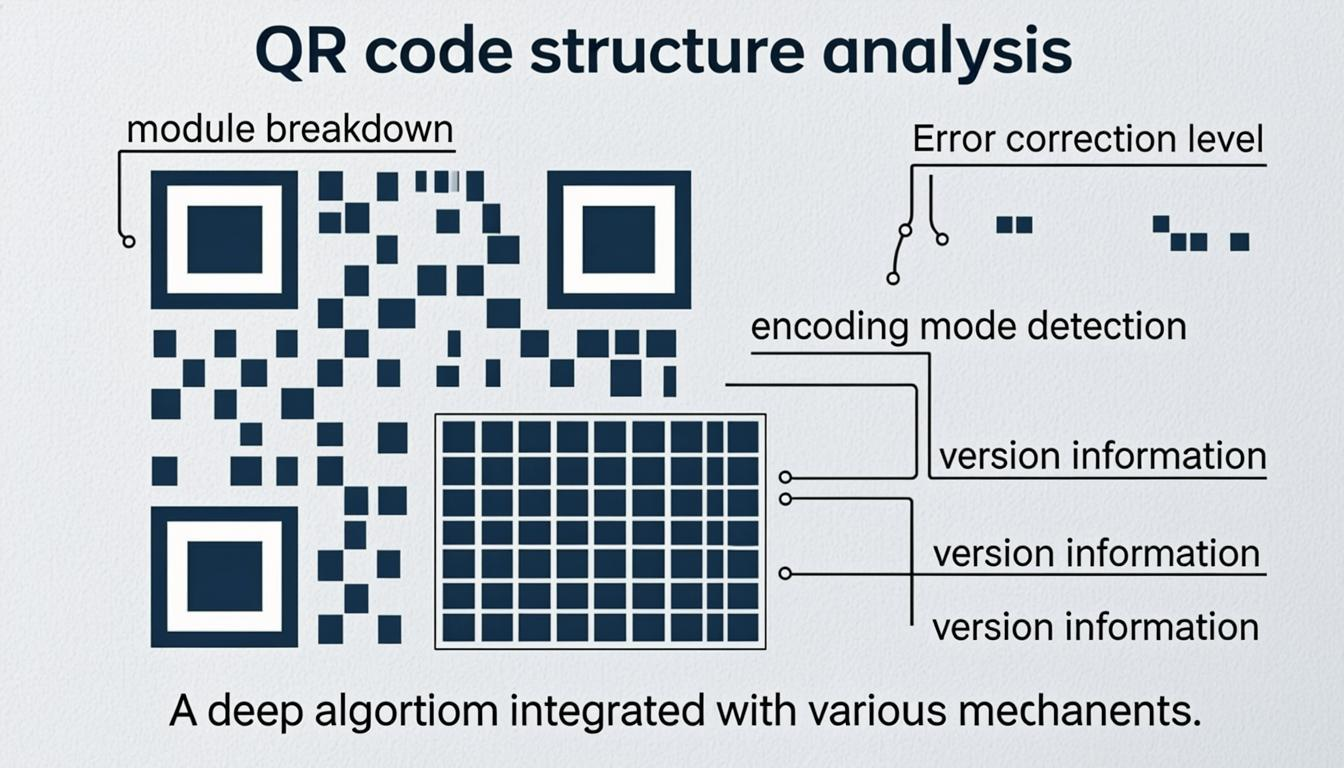
QR code versions range from 1 (21×21 modules) to 40 (177×177 modules). Each version adds 4 modules per side. The decoder tells you exactly which version your code is, which determines its data capacity and physical size. This helps you understand why a particular code is bigger than expected — more data needs a higher version.
Error Correction Level
The decoder shows the exact error correction level (L, M, Q, or H) used in the code. This matters for:
- Checking that a code with a logo actually uses Level H (if it doesn't, the logo may be covering important data)
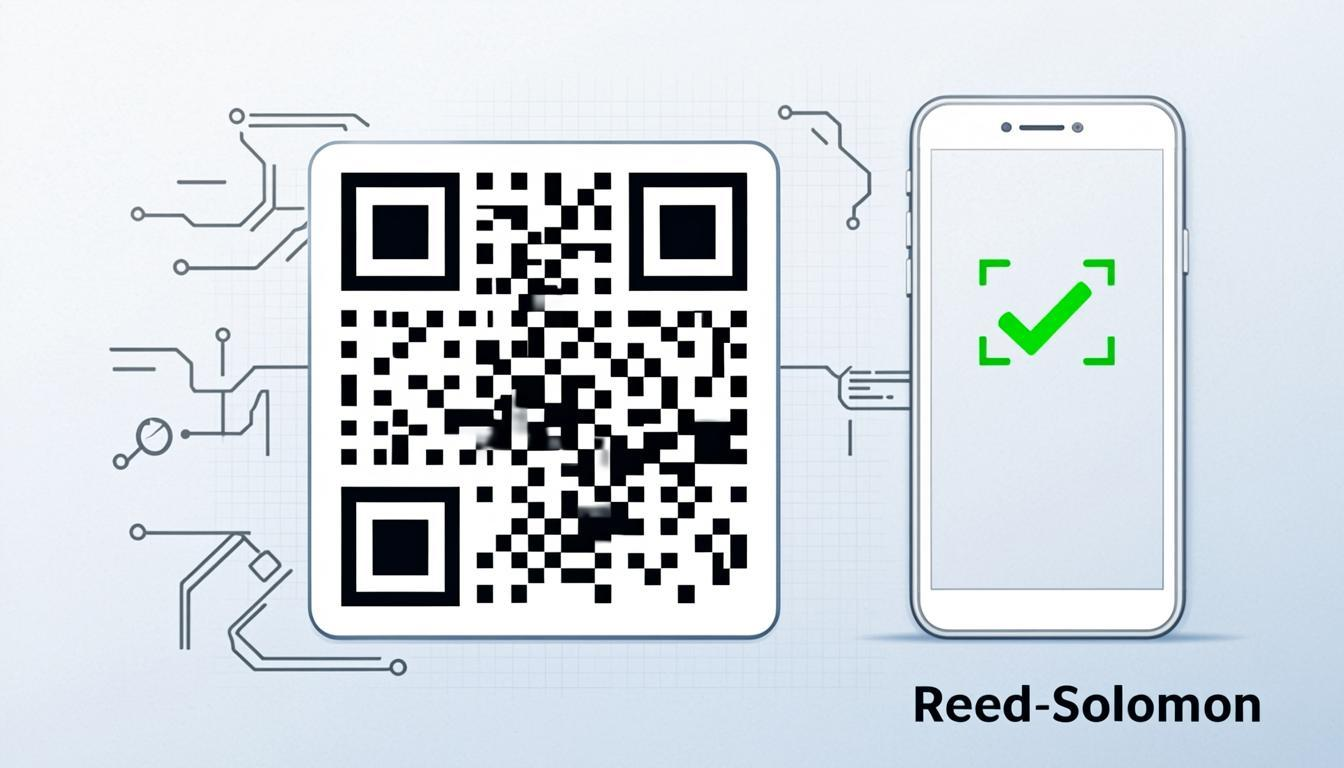
- Understanding why a damaged code still scans (or doesn't — the level tells you how much damage it can take)
- Auditing codes meant for harsh environments — confirming they use strong enough error correction
For a deeper look at how error correction works, read my guide on QR code error correction.
Module Structure
The decoder gives you a visual breakdown of how the code's space is used:
- Total module count (width × height)
- Data modules (the actual content)
- Error correction modules (the backup data for recovery)
- Function modules (finder patterns, timing patterns, alignment patterns)
- Format and version info modules
This helps you see how much of the code is "real data" vs. "support structure" — useful for making codes smaller and more efficient.
Raw Byte Data
For advanced users, the decoder can show the raw byte stream — the actual binary data as stored in the code before interpretation. This is useful for:
- Security auditing — checking for hidden or unexpected data
- Debugging encoding problems — comparing expected vs. actual bytes
- Checking data integrity — confirming nothing was lost or corrupted
- Research and development — understanding the QR code spec in practice
9 Output Formats: Data in Any Format You Need
Decoded data is only useful if you can use it in your workflow. The decoder supports 9 output formats.
1. Raw — The plain decoded text, exactly as encoded in the code, with no formatting. Use it when you need the unmodified data for manual inspection or pasting elsewhere.
2. JSON — Structured output with parsed fields. A vCard becomes a JSON object with name, phone, email as separate keys. A Wi-Fi code becomes network name, password, and encryption type as properties. Ideal for programmatic use — APIs, scripts, databases, and automation.
3. SVG — The decoded code as a vector graphic. Useful for re-encoding the code at any size without quality loss. You can take the SVG output and further customize it with the QR code customizer for branding.
4. HTML — Formatted HTML output — the decoded data as a styled, semantic snippet. vCards render as contact cards, links as clickable text, Wi-Fi details as formatted blocks. Use this when you need to embed the decoded content directly into a web page or email.
5. Base64 — The decoded data as a Base64 string. Useful when you need to send code data through systems that only support text-safe characters — APIs, URL parameters, email headers, or data URIs. Also useful for embedding decoded content in config files.
6. CSS — The decoded data as CSS variables. Useful for designers and developers who want to use code data as design tokens in a stylesheet. For example, decoded color values, sizes, or text can be used directly as CSS variables.
7. Markdown — The decoded data as Markdown — headers, lists, code blocks, and links. Use this when you need to document decoded content in README files, wiki pages, issue trackers, or any Markdown platform.
8. Python — A Python dictionary or dataclass version of the decoded data. Ready to paste into a Python script or notebook. Useful for building QR code processing tools, data analysis workflows, or test scripts.
9. JavaScript — A JavaScript object or TypeScript interface version of the decoded data. Ready to paste into React components, Node.js scripts, or browser extensions.
1D Barcode Decoding Support
The decoder isn't limited to QR codes. It also decodes a wide range of 1D barcodes — the traditional line barcodes found on products, shipping labels, and ID cards.
- EAN-13 and EAN-8 — international retail product barcodes, the numbers you see below every product barcode at the grocery store
- UPC-A and UPC-E — North American retail standard
- Code 128 — high-density barcode used in shipping, packaging, and supply chains
- Code 39 — widely used in automotive, defense, and healthcare
- ITF (Interleaved 2 of 5) — common on shipping cartons and warehouse labels
- Codabar — used in libraries, blood banks, and FedEx shipping
When you decode a 1D barcode, the decoder gives the same technical breakdown — encoding format, data content, and structure. This makes it a full QR code data extractor and barcode analysis tool in one. For quick scanning of 1D barcodes, use the QR code scanner; for deep technical analysis, use the decoder.
How to Debug a Broken QR Code
A QR code that won't scan is frustrating — especially when you've already printed it or shared it. The decoder is your first diagnostic tool. Here's the step-by-step approach I use.
1. Decode the code. Upload the image to the decoder. If it decodes, the content is intact — the problem is likely with scanning (size, print quality, lighting). If it fails, the code may be too damaged or corrupted.
2. Check the error correction level. The decoder shows whether the code uses Level L (7% recovery), M (15%), Q (25%), or H (30%). If the code is damaged and the level is too low, the damage may be beyond what the code can handle. Fix: re-generate with the QR code generator at a higher level.
3. Check the encoding mode. If the decoder shows the wrong mode (like a link encoded in Kanji mode instead of Byte mode), the code is unnecessarily dense and more likely to fail. Re-generate for correct encoding.
4. Check the version. Higher versions (bigger module grids) are harder to scan from print, especially at small sizes. If the version is higher than expected, the data may be larger than needed, or the encoding is inefficient. Try reducing the data or using the generator to make a more compact code.
5. Look at the raw data. Compare the raw output with what you expected. If there are extra characters, missing data, or encoding errors, the code was generated wrong. Re-generate with the correct data.
6. Improve the image. If the code image is blurry, low-resolution, or low-contrast, use the QR code enhancer to sharpen and upscale the image before decoding. Better image quality often makes the difference between a successful and failed decode.
7. Check customized codes. If the code was customized with the customizer, decode it to check that the logo or color changes haven't broken the data. Confirm error correction was upgraded to Level H when a logo was added.
This workflow catches most QR code problems. For more on the underlying mechanisms, read my guide on QR code error correction.
Security Auditing with the Decoder
QR codes are used more and more for sensitive things — payments, login, access control, and identity checks. When you share a QR code that handles sensitive data, you need to be sure what's actually encoded in it. The decoder gives you that clarity.
What to Check
Link structure. Decode the code and check that the link points to the correct domain, uses HTTPS, and has no unexpected parameters. A payment code should point to your payment gateway, not a look-alike domain.
Hidden data. Look at the raw data for any pieces that aren't visible in the formatted output. Some codes carry tracking pixels, analytics parameters, or redirect chains that aren't obvious.
Data integrity. Compare the decoded data byte-for-byte with your intended input. Even one wrong character — a wrong digit in a payment amount, a missing slash in a link — can cause serious problems.
Encoding settings. Check that the error correction level fits where the code will live. A code on a printed receipt (Level M) needs different error correction than one on a billboard exposed to weather (Level H).
Third-party codes. Before sharing codes made by other tools, decode them to check they contain exactly what was promised. Some generators add tracking links, analytics parameters, or redirect chains you might not want.
How to Do It
- Decode the code with the decoder to get the full technical breakdown.
- Scan it with the scanner for a quick safety check — URL checking, PII masking, and script protection.
- Compare the decoded data with your intended input, byte-for-byte, using the raw output.
- Export as JSON for automated comparison or logging.
- Re-generate if needed using the generator with verified, correct data.
For a deeper look at QR code risks, read my guide on QR code security.
Use Cases for Deep Decoding
Debugging QR Code Generation
Made a code with the QR code generator that isn't working as expected? Decode it to check: (1) the encoding mode matches your data type, (2) the error correction level is what you picked, (3) the version isn't unnecessarily high, and (4) the raw data matches your input exactly.
Quality Checks for Print
Before mass-printing codes, decode a sample to check: (1) error correction is enough for the printing conditions, (2) the version isn't too high (higher versions are denser and harder to scan from print), and (3) the data is correctly encoded with no cut-off or errors. This check prevents costly print mistakes.
Understanding Unknown QR Codes
Found a QR code you don't understand? The decoder reveals its full structure — data type, encoding settings, and content. This helps you figure out what kind of code it is, what system made it, and whether you can reproduce or edit it with the generator or the QR code converter guide.
Comparing QR Code Generators
Wondering if different tools produce different results for the same data? Generate a code with one tool and another with a different one, then decode both. Compare encoding modes, versions, error correction levels, and module structures. You'll often find that well-built tools pick the smallest version that fits your data, while others over-size or pick less efficient modes.
Validating Customized Codes
After customizing a code with the customizer, decode the result to check: (1) the data is intact — customizing shouldn't change the encoded content, (2) error correction was properly upgraded to Level H when a logo was added, and (3) the module structure correctly accounts for the logo overlay.
Developer Integration
Need to extract code data for your app? The 9 output formats make integration easy. Export as JSON for your API, Python for your data pipeline, JavaScript for your web app, or Base64 for your config system. No manual data entry or format conversion needed.
How to Use the Decoder
1. Upload your code image. PNG, JPG, SVG, WEBP, or BMP. The decoder processes it entirely in your browser.
2. Look at the decoded content. The formatted view shows the readable data — links, contact info, Wi-Fi details, etc.
3. Check the technical details. Encoding mode, version, error correction level, module count, and structure breakdown.
4. Look at raw data (optional). Toggle to see the raw byte stream for deeper analysis.
5. Pick your output format. Choose from 9 formats — Raw, JSON, SVG, HTML, Base64, CSS, Markdown, Python, or JavaScript.
6. Take action. Copy the decoded data, re-generate with the generator, convert the data type with the QR code converter guide, or verify the code with the scanner.
When to Use vs. Related Tools
- Quick scan to see what's inside a code? Use the QR code scanner — it's faster for everyday scanning with camera detection.
- Deep technical analysis? Use the decoder — it shows encoding details, version info, 9 output formats, and raw data that the scanner doesn't show.
- Need to re-generate a decoded code? Use the QR code generator with the decoded data.
- Need to change the data type? Read the QR code converter guide to transform the format.
- Need to brand the decoded code? Take the data to the customizer for visual styling.
- Need to improve a blurry code image? Use the QR code enhancer before decoding.
Use both the scanner and decoder together for full insight. The scanner gives you "what," the decoder gives you "how." Together, you have a complete picture of any QR code. For more on how codes work under the hood, see my fundamentals guide.
Frequently Asked Questions
What's the difference between the decoder and the scanner?
The scanner is built for quick, everyday scanning — point your camera, get the content. It focuses on ease of use and safety checks. The decoder is built for technical analysis — it shows encoding mode, version, error correction, module structure, raw bytes, and offers 9 output formats. Use the scanner for "what's in this code?" and the decoder for "how was this code built?"
What are the 9 output formats?
Raw (plain text), JSON (structured key-value pairs), SVG (vector graphic), HTML (formatted web snippet), Base64 (encoded string), CSS (custom properties), Markdown (documented format), Python (dictionary or dataclass), and JavaScript (object or interface). Each format is made for a specific use — from manual inspection to programmatic integration.
Can the decoder read 1D barcodes?
Yes. It supports EAN-13, EAN-8, UPC-A, UPC-E, Code 128, Code 39, ITF, and Codabar. When you decode a 1D barcode, you get the same technical breakdown — encoding format, data content, and structure. For quick scanning of 1D barcodes, use the scanner; for deep analysis, use the decoder.
Can the decoder read damaged QR codes?
Yes, up to what the code's error correction level allows. A Level H code can be decoded with up to 30% damage. The decoder also shows the error correction level, so you can judge whether the damage is beyond recovery. For heavily damaged codes, try the QR code enhancer to improve image quality before decoding.
What image formats does the decoder accept?
PNG, JPG/JPEG, SVG, WEBP, and BMP. All processing happens in your browser — the image is never uploaded to any server. SVG is especially useful for decoding codes meant for print, as it keeps the exact module structure without blur.
Can I decode a code and then re-generate it?
Yes. Decode the code to pull out its data, then use the QR code generator to create a new code with the same data. You can even change the error correction level, encoding settings, or code type during re-generation. This is useful for upgrading error correction, making the code smaller, or fixing encoding problems.
Does the decoder show the raw data?
Yes. The Raw output shows the byte-level content — the actual binary stream inside the code. This is displayed as both hex and readable characters. Useful for safety checks, debugging encoding problems, and verifying data integrity.
Is decoded data stored on any server?
No. All decoding and analysis happens in your browser. Your uploaded images and decoded data are never sent to any server. QREndless has no server-side processing. This matters especially for the decoder, since it shows full code content, including potentially sensitive data.
How accurate is the encoding mode detection?
100% accurate for standard QR codes. The encoding mode is written explicitly in the code's format information — it's read directly from the structure, not guessed. For mixed-mode codes (using several modes in sequence), it identifies each segment and its mode.
Can the decoder tell which generator made the code?
Not directly — QR codes don't carry metadata about which tool created them. However, by looking at the encoding choices (version selection, error correction level, encoding mode efficiency), you can often guess the generator's quality. Good tools pick the smallest version that fits the data and the most efficient encoding mode. Poorly made codes often use unnecessarily high versions or less efficient modes.
What should I do if the decoder finds encoding problems?
Re-generate the code with the QR code generator using the decoded data. The generator picks the best encoding — smallest version, correct mode, and your chosen error correction level. If the original code came from a weaker tool, re-generating usually produces a smaller, more efficient, and more reliably scannable code.