PDF tools that just work.
In your browser.
Compress, merge, split, convert, edit, protect — 22 tools that run entirely on your device. No uploads, no sign-up, no watermark. Your PDF never leaves your browser.
Pick the right tool for the job
Every tool is free, browser-based, and works on any device. Switch views to browse by category, scan an alphabetical list, or use the compact icon grid.
Organize & Manage Pages
Combine, split, reorder, delete, or number the pages of any PDF.
PDF Merger
Combine many PDFs into one file, in any order.
PDF Splitter
Split a PDF by ranges, by size, or one page per file.
PDF Organizer
Drag, rotate, and delete pages in one visual grid.
PDF Page Reorder
Move pages up or down to a new order.
PDF Page Remover
Click thumbnails to delete unwanted pages.
PDF Page Numbers
Add page numbers in 6 positions, 4 formats.
Optimize & Compress
Shrink PDF file size for email, web upload, or storage.
Convert To & From PDF
Switch between PDF and other formats — JPG, PNG, HTML, Markdown.
Edit Pages & Content
Crop, watermark, add text, extract pages, or rotate — without re-making the PDF.
PDF Crop
Crop margins on every page or specific pages.
PDF Watermark
Stamp DRAFT, CONFIDENTIAL, or your brand on every page.
Add Text to PDF
Add notes, labels, dates, or names to any page.
PDF Extract Pages
Pick specific pages, get a new PDF with only those.
PDF Rotator
Rotate all pages or specific pages by 90°, 180°, or 270°.
Secure & Protect
Add passwords, remove passwords, or black out sensitive text.
Inspect & Compare
See metadata, file size, page count, or compare two PDFs side by side.
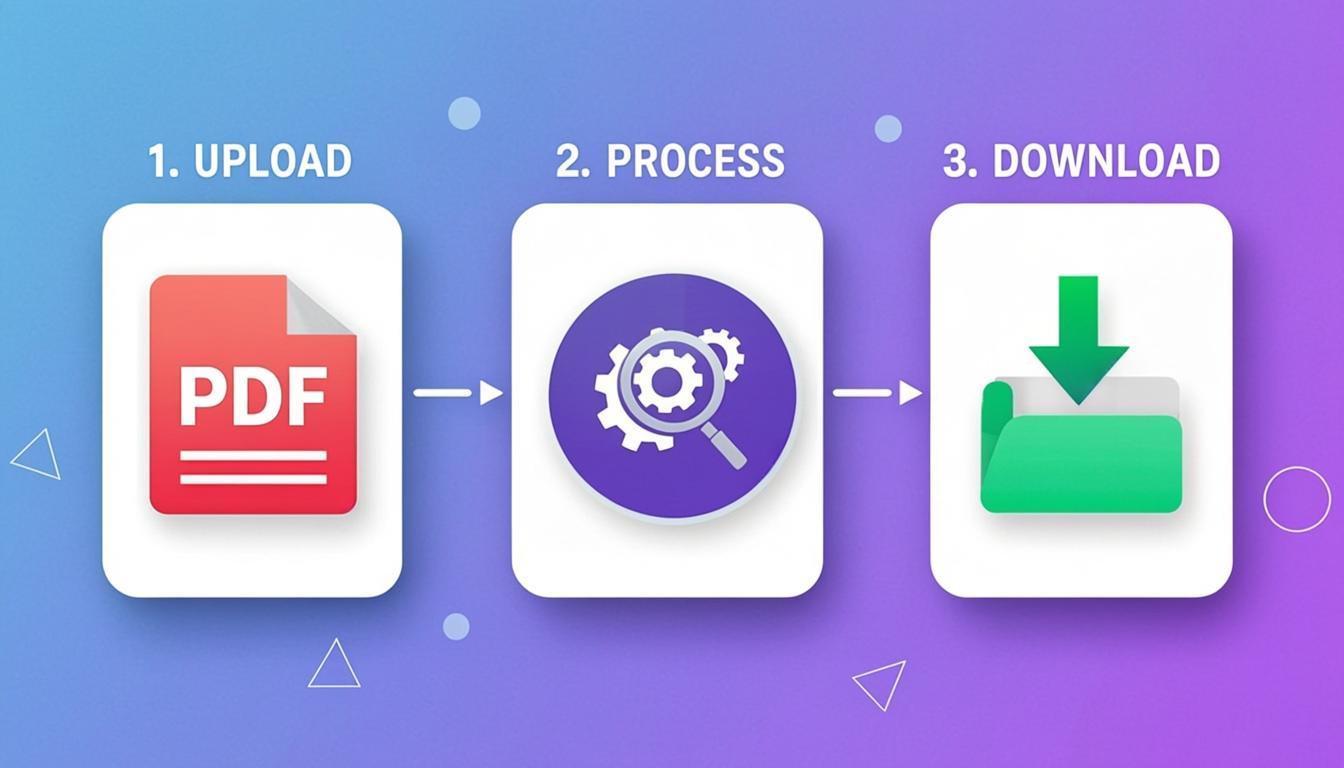
Three steps. No sign-up.
Pick a tool. Drop your PDF. Get the result. Everything runs inside your browser — no waiting in a queue, no upload progress bar, no email confirmation.
Pick a Tool
Browse the 6 categories above and pick the tool that matches your task. Every tool page shows you exactly what to do.
Drop Your PDF
Click the dropzone, drag and drop, or paste from clipboard. Your PDF stays on your device — no upload to any server.
Get the Result
Pick your options, click the action button, and the new PDF is ready in seconds. Download it straight to your device.
Keep your simple tasks simple
Four big things you can do with our 22 tools. Pick a category — every tool inside runs in your browser, free, with no sign-up.
Edit & Annotate
Add text, watermarks, page numbers, or redact sensitive content. Stamp DRAFT or CONFIDENTIAL on every page. Black out text you do not want anyone to read.
Convert & Export
Switch between PDF and any format — JPG, PNG, HTML, Markdown. Convert pages to images for sharing. Turn HTML into a clean PDF. Extract text into Markdown.
Organize & Manage
Combine many PDFs into one. Split a big PDF into pieces. Reorder pages by drag and drop. Delete the pages you do not need. Crop margins to clean up the layout.
Secure & Protect
Add a password to lock your PDF. Remove passwords and restrictions. Black out sensitive text permanently. Compare two PDFs side by side to see what changed.
Why use browser-based PDF tools?
Browser-based PDF tools run entirely inside your web browser using JavaScript libraries like pdf-lib, pdf.js, and JSZip. Your PDF file never leaves your device. There is no server upload, no copy of your file saved anywhere, and no tracking. This is fundamentally different from online PDF services that upload your file to a remote server, process it there, and send it back to you.
The privacy benefit is the biggest reason to choose browser-based PDF tools. When you process a contract, an invoice, a tax form, or any sensitive document, the file stays on your device the entire time. No third party ever sees it. No server log records that you processed it. No copy of your file sits on a server waiting to be hacked, leaked, or subpoenaed. For anyone working with confidential, regulated, or personal information — lawyers, accountants, doctors, HR teams, small business owners — this is not a nice-to-have. It is a requirement.
The speed benefit is the second reason. Because there is no upload step, there is no waiting for a 50 MB PDF to crawl to a server. There is no queue. There is no progress bar. You click a button, the JavaScript library does the work, and the result is ready in seconds. On a modern computer, compressing a 100-page PDF takes about the same time as opening it in a viewer.
The cross-platform benefit is the third reason. Browser-based PDF tools work on any operating system — macOS, Windows, Linux, ChromeOS, iOS, Android — and on any modern browser — Chrome, Firefox, Safari, Edge, Brave. There is nothing to install. There is no plugin to update. There is no extension to whitelist. You open a URL, the tool works. For IT teams that do not want to push PDF software to every employee, for travelers who use public computers, for students on Chromebooks, for grandparents who do not know how to install software — browser-based PDF tools just work.
The free-forever benefit is the fourth reason. None of these tools require a sign-up. None of them watermark your output. None of them limit you to 2 files per day or 5 MB per upload. You can use them as many times as you want, on as many files as you want, for personal or commercial work, forever. No subscription, no credit card, no email required.
Trusted by people who hate slow PDF tools
Six reasons over a million people pick browser-based PDF tools over slow, sign-up-walled, watermark-heavy online services.
100% Private
Your PDF never leaves your device. No uploads, no tracking, no server-side copy. Everything runs in your browser.
Real-time Speed
No upload step, no queue, no progress bar. Click a button — the result is ready in seconds. pdf-lib + pdf.js do all the work locally.
Works Anywhere
Mac, Windows, Linux, ChromeOS, iOS, Android. Any modern browser. No install, no plugin, no extension needed.
Free Forever
No sign-up. No watermark. No daily quota. No file size limits. Use every tool as much as you want, for personal or commercial work.
No Watermark
We never watermark your output. The PDF you download is clean and ready to use — the only watermark is one you explicitly add.
Open Source Powered
Built on trusted, audited open-source libraries: pdf-lib, pdf.js, and JSZip. No proprietary black box. Transparent and verifiable.
Common questions
Are these PDF tools really free?
Yes. All 22 PDF tools are 100% free with no sign-up, no watermark, and no upload limits. Use them as many times as you want, on as many files as you want, forever — for personal or commercial work.
Do these PDF tools upload my files to a server?
No. Every tool runs entirely inside your browser using pdf-lib, pdf.js, and JSZip. Your PDF files never leave your device. There is no server upload, no tracking, no copy of your file saved anywhere.
Do I need to install any software?
No. All you need is a modern web browser (Chrome, Firefox, Safari, Edge, Brave). The tools work on desktop, laptop, tablet, and mobile. No install, no plugin, no extension.
Do these tools work on Mac, Windows, and Linux?
Yes. Because the tools run in your browser, they work on any operating system — macOS, Windows, Linux, ChromeOS, iOS, Android. The only requirement is a modern web browser.
Can I use these tools offline?
After the page loads, the tools work offline because all processing happens locally in your browser. You need an internet connection only to load the page the first time.
Is there a file size or page limit?
There is no artificial limit. The only limit is your device memory. Files up to a few hundred MB and PDFs with thousands of pages work fine on most modern computers.
Will my PDF have a watermark after editing?
No. None of our tools add a watermark to your PDF. The only exception is the PDF Watermark tool, which adds a watermark only if you explicitly type one in.
Can I use these tools for commercial use?
Yes. The tools are free for personal and commercial use. Process contracts, invoices, reports, slide decks — anything you need for your work or business.
Your PDF is one click away.
Pick any of the 22 free PDF tools. No sign-up, no upload, no watermark. Your PDF never leaves your device.