Skip to content
Skip to main content
8 Formats · Real Math · Unlimited

Free Barcode Validator

Validate any GTIN-8, GTIN-12 (UPC-A), GTIN-13 (EAN-13 / ISBN-13), GTIN-14 (ITF-14), SSCC-18, ISBN-10, or ISSN-8 barcode. Real mod-10 and mod-11 check-digit verification, format + character set checks, 100% browser-based, no signup.

Mod-10 + Mod-11
100% Browser-Based
No Signup Needed
Instant Verdict
Barcode Validator

Enter a Full Barcode & Get an Instant Verdict

Type or paste the FULL barcode (including the check digit). The verdict appears instantly as you type. Pick a format or let auto-detect pick the right algorithm. Pure JavaScript — no submit button, no server.

Try an example

Full Barcode

Dashes, spaces, and the GS1 AI(00) prefix on SSCC-18 are stripped automatically.

Active format: Auto-detect · type to identify

Validation Result

Enter your full barcode above to see the validation verdict.

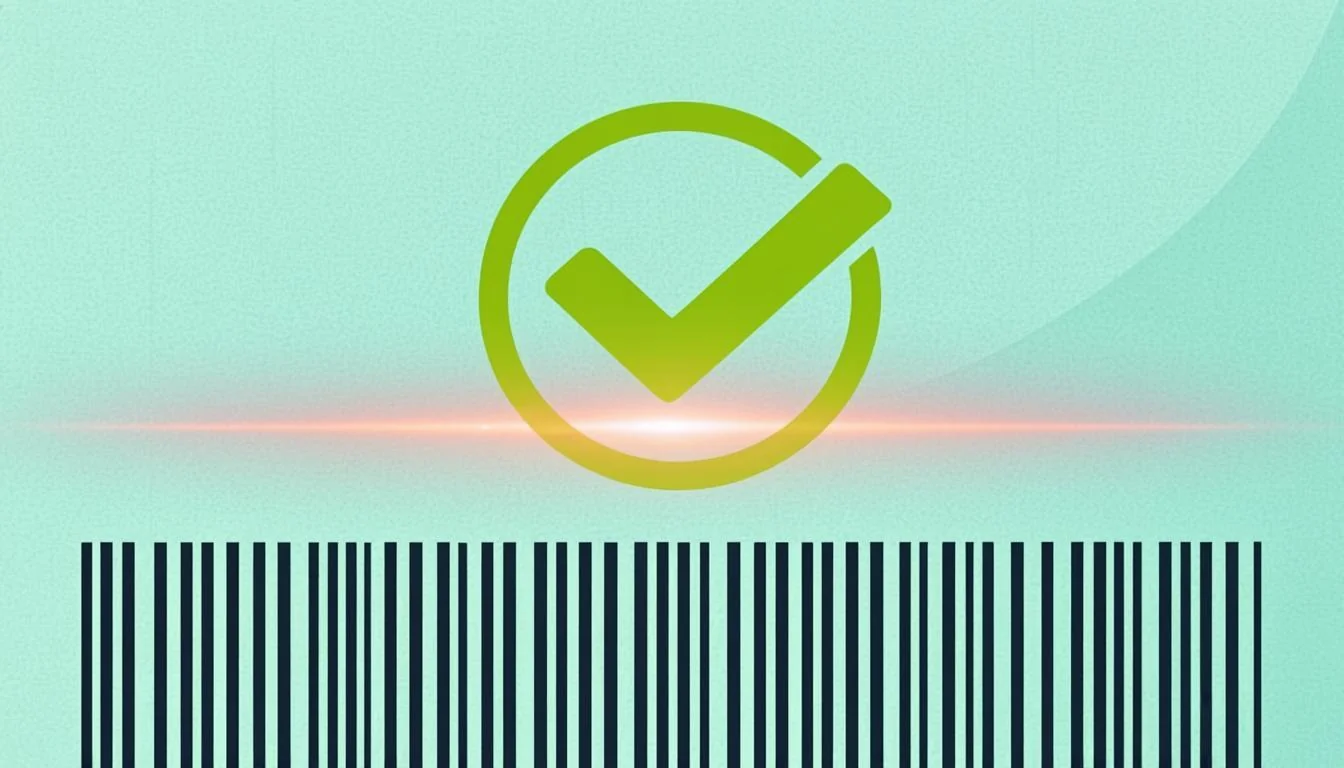
Free online barcode validator checking EAN-13 validity with green checkmark stamp — instant UPC-A, ISBN, GTIN, SSCC checksum checker
Illustration: paste any barcode to instantly check if its check digit is correct — supports EAN-13, UPC-A, ISBN-10, ISBN-13, ISSN, GTIN-14, SSCC-18.
Why Choose Us

The Best Free Barcode Validator

Instant, private, multi-format. Real mod-10 + mod-11 math — the verdict is computed on your device, not in the cloud.

Multi-Format Validation

Validates GTIN-8, GTIN-12 (UPC-A), GTIN-13 (EAN-13, ISBN-13), GTIN-14 (ITF-14), SSCC-18, ISBN-10, and ISSN-8. Auto-detect picks the right algorithm based on length and content.

Instant Verdict

Green checkmark or red X appears as you type. No submit button, no waiting. The mod-10 and mod-11 algorithms run in microseconds — pure JavaScript arithmetic.

100% Private

All validation runs in your browser. No data is sent to any server. The barcodes you validate never leave your device — no logging, no tracking, no cookies.

Cross-Link to Lookup

Once validated, click 'Lookup this barcode' to fetch product details from OpenFoodFacts, or 'Identify prefix country' to see the GS1 prefix region.

How It Works

Three Steps to a Valid Barcode

From raw barcode to verdict in seconds. No install, no signup — just type and see.

1. Enter Your Full Barcode

Type or paste the FULL barcode (including the check digit). Dashes, spaces, and the GS1 AI(00) prefix on SSCC-18 are stripped automatically.

2. Pick Your Format

Select the barcode format (GTIN-8/12/13/14, SSCC-18, ISBN-10, ISSN-8) or let auto-detect pick the right algorithm based on length and content.

3. See the Verdict

Green checkmark = the check digit math checks out. Red X = the barcode is malformed. Copy the result or cross-link to the lookup tool for product details.

Use Cases

Barcode Validation for Every Industry

From retail shelves to library stacks — every GS1 / ISBN / ISSN barcode depends on a correct check digit.

Retail & Grocery

Validate EAN-13 and UPC-A barcodes before printing product labels — a wrong check digit causes scanner failures at retail checkout.

Shipping & Logistics

Validate SSCC-18 serial shipping container codes before applying them to pallets and shipping containers.

Books & Publishing

Validate ISBN-10 and ISBN-13 barcodes before submitting to Bowker, Nielsen, or your national ISBN agency.

Libraries & Archives

Validate ISSN-8 barcodes for periodicals, journals, and serial publications.

Manufacturing

Validate GTIN-14 outer-case barcodes before they enter your warehouse management system.

Inventory Management

Audit your entire barcode database by running bulk validation — catch typos before they cause scanner failures.

Complete Guide

Barcode Validator: The Complete A-to-Z Guide

Everything you need to know about barcode validation, checksums, and how to check if any barcode is real or fake.

What Is a Barcode Validator?

A barcode validator is a small online tool that checks if a barcode is real or fake. Every barcode ends with a special digit called the check digit. The check digit is calculated from the other digits using a known math rule. If the math works out, the barcode is valid. If it does not, the barcode is fake or has a typo. People use a barcode validator before they print product labels, ship packages, or sell books. It takes one second and saves you from printing ten thousand bad labels.

Why Use Our Free Barcode Validator?

  • Supports 8 formats — GTIN-8, GTIN-12 (UPC-A), GTIN-13 (EAN-13 / ISBN-13), GTIN-14 (ITF-14), SSCC-18, ISBN-10, and ISSN-8.
  • Instant results — type one digit, see Valid or Invalid right away. No buttons, no waiting.
  • Runs 100% in your browser — no barcode ever leaves your device. No server, no API, no logs.
  • Free forever — no signup, no account, no rate limit. Validate one barcode or one million.
  • Real mod-10 and mod-11 math — the exact same formulas used by GS1 and the ISBN agency.

How Barcode Validation Works: A Simple Explanation

Every barcode is built the same way. The first digits carry the real information (product code, country, company). The very last digit is the check digit. That check digit is chosen so a simple math rule always works on the full barcode.

When you type a barcode into the validator, the tool redoes the math. It uses the same rule that was used to create the barcode. Then it compares its result with the last digit you typed. If they match, the barcode is valid. If they do not, the barcode is invalid (someone made a typo).

The two main rules are called mod-10 and mod-11. Mod-10 is used by the entire GTIN family (EAN-13, UPC-A, GTIN-8, GTIN-14, SSCC-18, ISBN-13). Mod-11 is used for ISBN-10 and ISSN-8. The difference is small but very important. That is why our barcode checksum checker picks the right rule for each format.

Step-by-Step: Using the Barcode Validator

  1. Pick the format. Choose EAN-13, UPC-A, ISBN-10, ISBN-13, ISSN-8, GTIN-14, or SSCC-18. If you are not sure, leave it on Auto and the tool will guess from the length.
  2. Type the full barcode. Enter every digit, including the last one (the check digit). Do not add spaces or dashes.
  3. See the result instantly. The tool shows a green checkmark (Valid) or a red cross (Invalid) the moment you finish typing.
  4. Fix any typos. If the barcode is invalid, check your digits one by one. Most of the time it is just one wrong number.

Real-World Examples of Barcode Validation

Here are three real barcodes you can try right now:

  • Nutella EAN-13 (3017620422003) — a real Ferrero product sold worldwide. Type it and the EAN-13 validator shows Valid.
  • Nutella with one wrong digit (3017620422004) — we changed the last digit from 3 to 4. Type it and the barcode validator shows Invalid. That is exactly how a typo looks in real life.
  • Wikipedia ISBN-10 (0306406152) — the example ISBN used on the Wikipedia ISBN page. Type it and the ISBN validator shows Valid. The last digit is 2 — that is the check digit, and it matches what the mod-11 math predicts.

Who Uses a Barcode Validator? Industries and Roles

Barcode validation is used in many different jobs:

  • Retail and Grocery — every product on a supermarket shelf carries an EAN-13 or UPC-A. Stores validate barcodes before they scan at checkout.
  • Publishing — every book has an ISBN-10 or ISBN-13 on the back cover. Publishers validate ISBNs before they print the cover.
  • Periodicals — magazines and journals use ISSN-8. Libraries and printers check the ISSN before they catalogue or print.
  • Logistics — every shipping carton has an SSCC-18. Warehouses validate SSCCs before they load a truck.
  • Manufacturing — every outer case has a GTIN-14 (ITF-14). Factories validate the GTIN before the case leaves the line.

Barcode Validator Glossary: Key Terms Explained

Check digit
The last digit of any barcode. It is calculated from the other digits so the full barcode is self-checking.
Mod-10
The GS1 algorithm used by every GTIN-family barcode (EAN-13, UPC-A, GTIN-8, GTIN-14, SSCC-18, ISBN-13). It multiplies digits by 3 and 1 in turn, sums, and takes mod 10.
Mod-11
The algorithm used by ISBN-10 and ISSN-8. It multiplies digits by descending weights (10, 9, 8 for ISBN-10; 8, 7, 6 for ISSN-8), sums, and takes mod 11. The result 10 is written as the letter X.
GTIN
Global Trade Item Number. The umbrella term for the whole GS1 product family — GTIN-8, GTIN-12, GTIN-13, and GTIN-14.
EAN-13
The 13-digit European Article Number. The most common retail barcode outside North America. Same as GTIN-13.
SSCC-18
Serial Shipping Container Code. An 18-digit number used on logistics cartons and pallets. Always uses mod-10.

Tips for Getting the Best Results

  • Type digits only. No spaces, no dashes, no dots. The validator ignores them but they slow you down.
  • Pick the right format. If you know it is an ISBN-10, choose ISBN-10. If you leave it on Auto, the tool guesses from the length.
  • Watch for the X in ISBN-10. An ISBN-10 check digit can be 0 to 9 or the letter X. X means the math produced 10. It is valid.
  • Check the format if the validator says Invalid. An EAN-13 typed as UPC-A will always be Invalid. Switch format and try again.
  • Validate before you print. Always validate barcodes before sending them to a label printer or a packaging line. One bad digit means thousands of wasted labels.

Common Mistakes to Avoid

  • Using the wrong format for the barcode type. EAN-13 needs to be validated as GTIN-13 or EAN-13, not UPC-A. The math is the same, but the length check fails.
  • Forgetting the X in ISBN-10. If you skip the last character of an ISBN-10 that ends in X, the ISBN validator will say Invalid even though the real barcode is fine.
  • Including spaces or dashes. 978-0-14-032872-1 is correct for humans, but the barcode validator wants 9780140328721. Strip the dashes first.
  • Validating the wrong length. A 12-digit barcode validated as EAN-13 will always fail. Count the digits first, then pick the format.

Barcode Validator vs Other Methods

There are many ways to check a barcode. You could buy paid barcode software for hundreds of dollars per year. You could open a spreadsheet and write the mod-10 formula by hand. You could even call a shipping carrier API and pay per check. None of those are quick, free, or private.

Our free barcode validator does the same math in your browser in one second. No subscription, no spreadsheet, no API key. The math is the exact same algorithm GS1 uses, so the result is just as accurate as any paid tool. The only thing paid software adds is a database of real product names, which is a different job. For pure check-digit math, a free online barcode integrity checker is the right answer.

Ready to Validate Your Barcode?

Now you know what a barcode validator does, how it works, and how to use it. The tool on this page is free, runs in your browser, and uses the real GS1 mod-10 and mod-11 algorithms. Type your barcode above, pick the format, and see the answer instantly. Whether you are checking an EAN-13, UPC-A, ISBN-10, ISBN-13, ISSN-8, GTIN-14, or SSCC-18, our barcode checksum checker will tell you in one second if your barcode is good to print.

Jump back to the validator above ↑

FAQ

Common Questions

Is the barcode validator free?

Yes. No signup, no API key, no credit card. Validate unlimited barcodes free forever — for personal, commercial, or enterprise use. The validator runs entirely in your browser, so there is no server cost to pass on to you.

What barcode formats does it validate?

Eight formats: GTIN-8 (EAN-8), GTIN-12 (UPC-A), GTIN-13 (EAN-13 / ISBN-13), GTIN-14 (ITF-14), SSCC-18, ISBN-10, and ISSN-8. The auto-detect mode picks the right algorithm based on length and content. For SSCC-18, the optional GS1 AI(00) prefix is stripped automatically before validation.

What is the mod-10 algorithm?

Mod-10 (also called the GS1 GTIN algorithm) is used by every GTIN-family barcode: GTIN-8, GTIN-12 (UPC-A), GTIN-13 (EAN-13, ISBN-13), GTIN-14 (ITF-14), and SSCC-18. Starting from the rightmost payload digit (immediately to the left of the check digit) and moving left, multiply alternately by 3, then 1, then 3, then 1, and so on. Sum the products. The check digit = (10 - (sum mod 10)) mod 10 — a single digit 0-9 that makes the full barcode mathematically self-validating.

What is the mod-11 algorithm?

Mod-11 is used for ISBN-10 and ISSN-8. Starting from the leftmost payload digit and moving right, multiply by weights 10, 9, 8, 7, 6, 5, 4, 3, 2 (descending by 1 each position). Sum the products. The check digit = (11 - (sum mod 11)) mod 11. If the result is 10, the check digit is represented as the Roman numeral "X". If the result is 11, the check digit is 0.

Why does ISBN-10 use 'X' as a check digit?

The mod-11 algorithm can produce a check-digit value of 10 (because the modulus is 11, so possible values are 0-10). A check digit must be a single character, so 10 is represented as the Roman numeral "X". ISBN-10 codes ending in X are perfectly valid — they just mean the math produced a 10 for that position. ISBN-13 (which uses mod-10) never produces X — its check digit is always 0-9. ISSN-8 also uses mod-11, so ISSN codes can end in X as well.

Does a valid check digit mean the barcode is real?

No. A valid check digit only means the barcode is mathematically well-formed — the last digit matches what the algorithm predicts given the previous digits. It does NOT guarantee the barcode is actually assigned to a real product. Use the Barcode Lookup tool to verify a barcode is actually in use, or the GS1 Prefix Lookup tool to identify the country/region of the issuing organization.

Is my barcode data private?

Yes. All validation happens entirely in your browser using pure JavaScript arithmetic. No data is sent to any server, no API is called, no logging, no tracking, no cookies. The barcodes you validate never leave your device. You can use this tool offline once the page is loaded.

How accurate is the validator?

100% accurate. The mod-10 and mod-11 algorithms are publicly documented in the GS1 General Specifications and the ISBN Users' Manual. Every verdict is the exact mathematical result of the standard algorithm. The validator is verified against real-world barcodes such as Nutella (EAN-13 3017620422003), Coca-Cola (EAN-13 5449000000996), the Wikipedia UPC-A article sample (036000291452), the Wikipedia ISBN-10 article sample (0306406152), and the ISBN-13 for Matilda by Roald Dahl (9780140328721).

Ready to Validate a Barcode?

Free, no signup, no rate limit. 8 barcode formats. Real mod-10 + mod-11 math. 100% browser-based.

Open the Validator