What Is an SSCC-18?
The SSCC-18 (Serial Shipping Container Code) is an 18-digit number used to identify a single logistics unit — typically a pallet, an outer carton, or any grouped load that moves through a supply chain. The number is unique worldwide, so a warehouse in Brazil and a customs office in Germany can both reference the exact same pallet without confusion.
The SSCC-18 was defined by GS1, the global organization that sets barcode standards for retail, healthcare, and logistics. It is not a product code (that is the GTIN). It is not a tracking number that changes per scan. Instead, it is a one-time label assigned to a single physical logistics unit, scanned when the unit is built and tracked until it is unpacked.
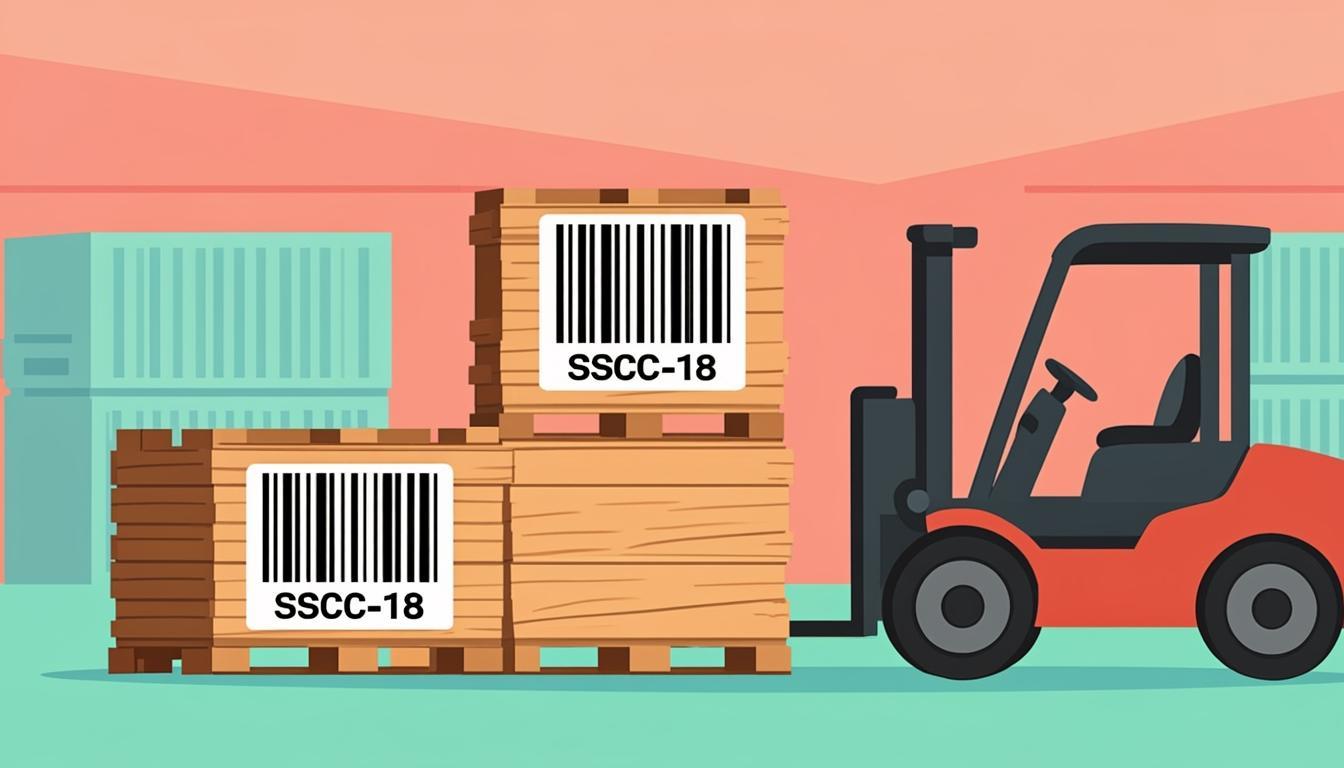
The SSCC-18 is encoded inside a GS1-128 barcode (also called UCC/EAN-128). When you see a long, narrow barcode on a pallet wrapper or a shipping label, with parentheses around numbers underneath, that is almost always a GS1-128 carrying an SSCC-18.
In short: the SSCC-18 is the worldwide ID number for "a thing that holds other things and moves through a supply chain."
Why Use Our Free SSCC-18 Generator?
Building an SSCC-18 by hand is risky. You must follow the GS1 format exactly, and the last digit is a check digit calculated with the GS1 Mod-10 algorithm. One wrong digit and the barcode fails at the next warehouse that scans it. That can mean refused freight, chargebacks from retailers, or customs delays.
Our free SSCC-18 generator at QREndlessPro removes that risk. You enter your GS1 company prefix and a starting serial number, and the tool:
- Builds the full 18-digit code automatically.
- Computes the correct check digit for every code.
- Renders a GS1-128 barcode that any standard scanner can read.
- Lets you download the barcode as a printable image or ZPL file.
- Generates sequential codes for bulk pallet labeling.
Everything runs in your browser. No sign-up, no payment, no software install. The tool follows the GS1 General Specifications, so the codes you create are accepted by major retailers, freight carriers, and customs systems.
If you need to label pallets going to a big-box retailer, a 3PL warehouse, or an international port, the SSCC-18 generator on QREndlessPro gives you compliant labels in seconds. To make a single pallet label right now, visit our SSCC-18 generator.
How SSCC-18 Works
An SSCC-18 has four parts, all packed into 18 digits:
- Extension digit (1 digit, position 1): A number from 0 to 9. Used to break up serial sequences into segments. Most companies start with 0 and increase as needed.
- GS1 company prefix (usually 7 to 10 digits): The unique block of numbers GS1 assigns to your organization. If your prefix is 7 digits long, you have 9 digits left for the serial.
- Serial reference (the remaining digits, up to position 17): A number you choose for each logistics unit. It must be unique within your company.
- Check digit (1 digit, position 18): Calculated from the first 17 digits using the GS1 Mod-10 algorithm. This digit catches typing and printing errors.
For example, with a 7-digit GS1 company prefix of 1234567, the layout is:
Position: 1   2-8         9-17        18
Digit:    E   1234567     SSSSSSSSS   C
Where E is the extension digit, 1234567 is the GS1 company prefix, SSSSSSSSS is the 9-digit serial reference, and C is the check digit.
Together these 18 digits are encoded into a GS1-128 barcode using Application Identifier (AI) 00. AI 00 tells the scanner "this is an SSCC." So the barcode carries the data string (00) 0 1234567 000000001 7 — though the printed parentheses are only human-readable text, not part of the scan.
The GS1 Mod-10 check digit algorithm works like this: multiply every other digit by 3, starting from the rightmost digit; sum all the products; take the next multiple of 10 above that sum; subtract the sum from that multiple. The result is your check digit. Doing this by hand is the source of countless bad SSCCs, so the generator does it for you.
Step-by-Step: Using the SSCC-18 Generator
Making a pallet label with our tool takes under a minute:
- Open the tool: Go to /sscc-generator/ on any modern browser. Desktop, tablet, or phone all work.
- Enter your GS1 company prefix: Type the prefix exactly as GS1 issued it. Do not add or drop digits. If your prefix is 1234567, type 1234567.
- Pick an extension digit: Use 0 if you have no segmentation plan. Use 1, 2, 3, and so on if you want to split serial ranges by region, product line, or facility.
- Enter a starting serial: For a single pallet, type any 9-digit number that you have not used before with this prefix and extension. For a run of pallets, type the first serial and tell the tool how many you need.
- Generate: The tool instantly builds the full 18-digit SSCC, computes the check digit, and renders the GS1-128 barcode.
- Download: Save as PNG for inkjet printing, or as ZPL for a Zebra thermal printer. Some users also export CSV lists to keep a record of issued numbers.
- Print and apply: Use a thermal label printer or a laser printer with adhesive labels. Place the SSCC-18 label on at least two adjacent sides of the pallet, around 50 cm from the bottom, so a forklift driver can scan without stepping off the truck.
If you need hundreds of pallets labeled at once, the bulk mode generates sequential SSCC-18 codes and exports them as a CSV plus a folder of barcode images. This is the workflow most warehouses use at the end of a production run.
Real-World Examples
Example 1 — Single pallet, first serial:
- GS1 prefix: 1234567
- Extension: 0
- Serial: 000000001
- Full data (17 digits, before check digit): 01234567000000001
- Check digit (GS1 Mod-10): 7
- Final SSCC-18: 012345670000000017
- Encoded in GS1-128 with AI 00, the human-readable text reads
(00) 0 1234567 000000001 7
Example 2 — A run of 5 pallets starting at serial 100:
- GS1 prefix: 1234567
- Extension: 0
- Starting serial: 000000100
- The tool generates 5 sequential SSCCs (each with its own correct check digit):
- 012345670000001006
- 012345670000001013
- 012345670000001020
- 012345670000001037
- 012345670000001044
- Each code is printed as its own GS1-128 barcode on a separate label.
Example 3 — Mixed-load pallet for a retailer:
A supplier consolidates 24 cases of mixed SKUs onto one pallet. They generate one SSCC-18 to identify the pallet. The SSCC-18 label is applied to two sides of the pallet. The retailer's receiving scan links the SSCC-18 to an Advance Ship Notice (ASN) sent earlier via EDI. The retailer instantly knows what is on the pallet without opening it. The SSCC-18 then follows the pallet through put-away, picking, and outbound shipping until it is broken down.
Who Uses SSCC-18?
SSCC-18 is the standard identification number across many industries:
- Logistics and freight: Carriers like DHL, FedEx, and regional LTL carriers use SSCC-18 to track pallets from pickup to delivery.
- Warehousing and 3PL: Third-party warehouses use SSCC-18 to identify inbound pallets, put-away locations, and outbound shipments.
- Retail distribution: Big-box retailers — Walmart, Target, Costco, Tesco, Carrefour — require SSCC-18 labels on inbound pallets to automate receiving.
- Manufacturing: Factories apply SSCC-18 to finished-goods pallets so downstream partners can scan and trace them.
- Customs and cross-border trade: Customs brokers use SSCC-18 references to identify containers and consolidated loads.
- Pharma cold chain: Drug distributors use SSCC-18 on temperature-controlled pallets so chain-of-custody can be tracked end-to-end.
- Food and beverage: Grocery suppliers label pallets of produce, dairy, and frozen goods with SSCC-18 for traceability in case of recalls.
If your business ships anything by the pallet, SSCC-18 is almost certainly part of your compliance list. Many large retailers publish a vendor compliance manual that explicitly requires SSCC-18 on every ASN and every pallet.
Tips for Best Results
- Reserve serial ranges by year: Use ranges like 000000001–000099999 for 2026 and 000100000–000199999 for 2027. This makes audits simpler.
- Keep a master list: Every SSCC-18 you issue should be saved in a spreadsheet or warehouse management system with the date, contents, and destination. Never reuse an SSCC, even years later.
- Print at the right size: GS1 recommends a minimum X-dimension of 0.495 mm for SSCC-18 in a logistics environment. The full label should be at least 100 mm × 150 mm on a 4-inch thermal printer.
- Use two labels per pallet: Apply one label on the long side (around 50 cm from the base) and one on the short side. Forklift drivers and dock scanners can read the pallet from any approach.
- Pair with an ASN: Sending an Advance Ship Notice (ASN) via EDI before the pallet arrives makes the SSCC-18 useful, not just visible. The receiving site scans your label and the ASN matches it instantly.
- Verify before shipping: Run each label through a barcode verifier or scanner before the truck leaves. A 30-second check prevents a 3-day delay at the destination.
- Stay inside one extension digit per site: If multiple distribution centers issue SSCCs from the same GS1 prefix, give each site a different extension digit (1, 2, 3 …) to keep serial ranges from colliding.
- Use synthetic labels for cold chain: Paper labels survive dry indoor freight. Cold chain, outdoor storage, and wet environments need synthetic (polypropylene) labels with a thermal-transfer ribbon so the print does not run.
Common Mistakes to Avoid
- Wrong check digit: Computing the GS1 Mod-10 check digit by hand is the number-one source of bad SSCCs. Our tool calculates it for you. Never type a check digit from memory.
- Reusing serials: A serial reference is unique forever. Do not reuse it next year, even if the pallet is long gone. The cost of a duplicate is enormous compared to the cost of moving to a fresh range.
- Mixing extension and serial: If your extension digit is 3 and your serial is 5, the encoded data is 3 followed by 9 digits of serial. Some users wrongly add the extension back into the serial and create off-by-one errors.
- Bad label placement: Labels on the top of a pallet cannot be scanned by a forklift-mounted scanner. Labels on the bottom cannot be read at all. Always apply to vertical sides.
- Wrong barcode type: SSCC-18 must be encoded in a GS1-128 (also called UCC/EAN-128) barcode, not a Code 128 without GS1 formatting. The difference is FNC1 characters that separate AIs. Our tool always uses the correct symbology.
- Forgetting the AI: SSCC-18 is preceded by Application Identifier 00. The AI is part of the barcode data, even though the parentheses are only printed as human-readable text. Our generator adds AI 00 automatically.
- Inkjet labels on wet freight: Inkjet ink runs in damp trucks. Use thermal-printed synthetic labels for any pallet that may face rain, condensation, or refrigeration.
- Wrapping over the label: Stretch wrap shrinks and distorts barcodes. Apply the SSCC-18 label after wrapping, on a flat surface, never on a wrap fold.
Frequently Asked Questions
What is an SSCC-18 used for?
An SSCC-18 identifies one logistics unit — typically a pallet or outer carton — so that warehouses, carriers, and customs can scan and track it through the supply chain. It is a one-time ID for a single physical grouping, not for a product. The SSCC-18 is linked to a shipment record (often an ASN) so the receiver knows the contents without opening the load.
How is the check digit calculated?
The check digit is the 18th digit and is calculated from the first 17 digits using the GS1 Mod-10 algorithm: multiply every other digit by 3, starting from the rightmost digit; sum all products; take the next multiple of 10 above that sum; subtract the sum from that multiple. The result is your check digit. For example, with extension 0, GS1 prefix 1234567, and serial 000000001, the 17 digits are 01234567000000001; the calculated check digit is 7; the final SSCC-18 is 012345670000000017.
Can I reuse an SSCC-18 after the pallet is delivered?
No. GS1 rules say an SSCC-18 must remain unique for at least 12 months after the logistics unit is dismantled, and most companies keep it unique forever. Reusing a number creates conflicts in records and customs systems. The safest practice is to never reuse, even years later. If you run out of serials in a 9-digit serial range, contact GS1 about a longer prefix.
Do I need a GS1 company prefix to use the generator?
Yes. The SSCC-18 includes your GS1 company prefix, so only your organization can issue SSCCs from that prefix. If you do not have a prefix yet, you can license one from the GS1 member organization in your country. Once you have it, type it into the tool and the generator does the rest. Without a real prefix, the barcodes you make will not scan in production systems.
What is the difference between SSCC-18 and GTIN?
A GTIN (Global Trade Item Number) identifies a product or SKU — for example, a 12-pack of one soda. An SSCC-18 identifies a logistics unit — the physical pallet that holds 50 cases of that 12-pack. The same GTIN can appear on millions of pallets around the world, but each pallet gets its own unique SSCC-18. GTIN answers "what product is this"; SSCC-18 answers "which specific physical load is this."
Can I print SSCC-18 labels on a regular office printer?
Yes, but with limits. A laser printer with adhesive label sheets works for dry, indoor, short-life freight. For anything that faces moisture, cold, or rough handling, use a thermal label printer (like a Zebra ZT411) with synthetic labels. Thermal labels last longer, scan more reliably, and are required by most large retailers. Our SSCC-18 generator exports both PNG (for laser printing) and ZPL (for thermal printers).
Ready to Try Our SSCC-18 Generator?
You now know what an SSCC-18 is, how the 18 digits break down, why the check digit matters, and how to apply the label so freight moves without friction. The next step is simple: open our SSCC-18 generator, type your GS1 company prefix, pick a starting serial, and download a print-ready GS1-128 barcode in seconds.
For more on related barcode tools, see our guides on the GS1 Digital Link for 2D retail barcodes, our check digit calculator for verifying any GS1 code, and the ZPL generator for direct thermal-printer output. If you need to verify a label after printing, our barcode verifier grades it against ISO standards.
If you are scaling up to a full pallet labelling program, the workflow is straightforward: generate the SSCC-18 codes with our tool, export the GS1-128 barcodes as ZPL files, send them to your Zebra thermal printer, apply the labels to two sides of each pallet, pair each pallet with an Advance Ship Notice via EDI, and run a quick scan at the dock door before the truck leaves. This sequence takes under five minutes per pallet and prevents nearly every common freight-receiving problem before it starts.