Pick the Wrong Size and Your QR Code Will Not Scan
You designed a beautiful QR code. You printed it on your business card, your flyer, your product packaging. But when someone tries to scan it — nothing happens. The phone just will not read it. Sound familiar?
Here is the truth: the size of your QR code matters more than its design, its color, or even its content. A QR code that is too small is like a sign written in tiny letters — people can see something is there, but they cannot read it. In this guide, you will learn exactly how big your QR code needs to be for every situation, from business cards to billboards.
This guide shows you exactly how to size a QR code for every printing situation — business cards, flyers, posters, billboards, product labels, table tents, and more. We include simple formulas, real-world examples, and a quick reference table you can use for any project.
Table of Contents
- What Makes Up a QR Code Size
- The Minimum QR Code Size (And Why It Exists)
- The Scanning Distance Rule: A Simple Formula
- QR Code Size by Print Situation
- Business Cards
- Flyers and Brochures
- Posters and Wall Signs
- Billboards and Outdoor Advertising
- Product Packaging and Labels
- Table Tents and Restaurant Menus
- Event Badges and Tickets
- How Data Amount Affects Size
- DPI, Resolution, and Print Quality
- Vector vs. Raster: Which Format to Use
- The Quiet Zone: The Invisible Part of the Size
- Quick Reference Size Chart
What Makes Up a QR Code Size
A QR code has three "sizes" that work together. Understanding them helps you pick the right one:
- Module size: The size of one tiny square (one black or white dot) inside the QR code. This is the smallest unit.
- Version size: How many modules wide the QR code is. QR codes come in 40 versions. Version 1 is 21 × 21 modules. Version 40 is 177 × 177 modules. More data = higher version = more modules.
- Printed size: The physical size of the QR code on paper or screen, measured in centimeters or inches. This is what most people mean by "QR code size."
The relationship is simple: Printed size = module size × number of modules. If your QR code is Version 3 (29 × 29 modules) and you print it at 2.9 cm wide, each module is 1 mm. If you print the same QR code at 5.8 cm wide, each module is 2 mm — bigger and easier to scan.
When you generate a QR code with QREndless's generator, the tool automatically picks the smallest version that fits your data. Less data means a smaller version, which means bigger dots for the same printed size.
The Minimum QR Code Size (And Why It Exists)
The QR code standard says the absolute minimum size for reliable scanning is 2 cm × 2 cm (about 0.8 inches × 0.8 inches), assuming a short URL and a modern phone camera. Below this size, scanning becomes unreliable, especially on older phones or in low light.
Why 2 cm? Phone cameras have a limit on how small a detail they can resolve from a normal scanning distance (10–30 cm). Below 2 cm, the individual modules become too small for the camera sensor to distinguish clearly.
If you absolutely must print smaller than 2 cm — for example, on a tiny product label — use the shortest possible URL and test on multiple devices. Even then, expect scanning to fail sometimes.
The Scanning Distance Rule: A Simple Formula
The farther away someone will scan, the bigger the QR code needs to be. There is a simple rule that works for almost all situations:
Printed size (in cm) = scanning distance (in cm) ÷ 10
Or said another way: the scanning distance should be no more than 10 times the QR code width.
Examples:
- Business card scanned from 10 cm away: QR code should be at least 1 cm — but 2 cm is safer.
- Flyer scanned from 30 cm away: QR code should be at least 3 cm.
- Poster scanned from 1 meter away: QR code should be at least 10 cm.
- Billboard scanned from 5 meters away: QR code should be at least 50 cm.
- Billboard scanned from 10 meters away: QR code should be at least 1 meter.
This formula assumes a short URL and a modern phone. For older phones or longer URLs, add 30–50% to the size.
QR Code Size by Print Situation
Let us walk through the most common print situations and the recommended QR code size for each.
Business Cards
Business cards are small (typically 9 × 5.5 cm), so space is limited. But people scan them from very close (10–15 cm), so a small QR code can work.
- Minimum size: 2 cm × 2 cm
- Recommended size: 2.5–3 cm × 2.5–3 cm
- Best position: Back of the card, centered or in a corner with plenty of white space around it.
- Tip: Use a short URL or a vCard with only essential fields. Less data = smaller version = bigger dots.
Flyers and Brochures
Flyers are scanned at arm's length, about 30–50 cm away. Give the QR code plenty of room.
- Minimum size: 3 cm × 3 cm
- Recommended size: 4–5 cm × 4–5 cm
- Best position: Bottom right corner or bottom center, with a clear call to action like "Scan to learn more."
Posters and Wall Signs
Posters are scanned from 1–2 meters away. The QR code needs to be much bigger than on a flyer.
- Minimum size: 10 cm × 10 cm for 1-meter scanning
- Recommended size: 15–20 cm × 15–20 cm for posters people walk past
- Best position: Eye level (about 1.5 meters from the ground), with a clear call to action.
Billboards and Outdoor Advertising
Billboards are scanned from many meters away. The QR code must be very large.
- Size for 5-meter scanning: 50 × 50 cm
- Size for 10-meter scanning: 1 × 1 meter
- Size for 20-meter scanning: 2 × 2 meters
- Tip: Use Level H error correction (30% recovery) for outdoor codes — they face weather, UV light, and dirt.
Product Packaging and Labels
Product packaging varies a lot. Match the QR code size to the package and to how close people will be when they scan.
- Small product label (scanned from 10–15 cm): 2–3 cm × 2–3 cm
- Medium box (scanned from 30 cm): 4–5 cm × 4–5 cm
- Large shipping box (scanned from 1 meter): 10 cm × 10 cm or larger
- Tip: For warehouse scanning, use a higher error correction level (Q or H) because labels get scuffed.
Table Tents and Restaurant Menus
Table tents are scanned from a seated position, about 40–60 cm away.
- Recommended size: 4–5 cm × 4–5 cm
- Best position: Eye level when seated, facing the customer, not flat on the table (flat codes are hard to scan).
Event Badges and Tickets
Event badges are scanned by staff at close range (10–20 cm). Tickets can be on paper or on a phone screen.
- Printed badge: 2.5–3 cm × 2.5–3 cm
- Digital ticket on phone screen: Make sure the QR code fills most of the screen when displayed. Most ticket apps do this automatically.
- Tip: For event badges, use Level Q or H error correction. Badges get folded, bent, and sweaty.
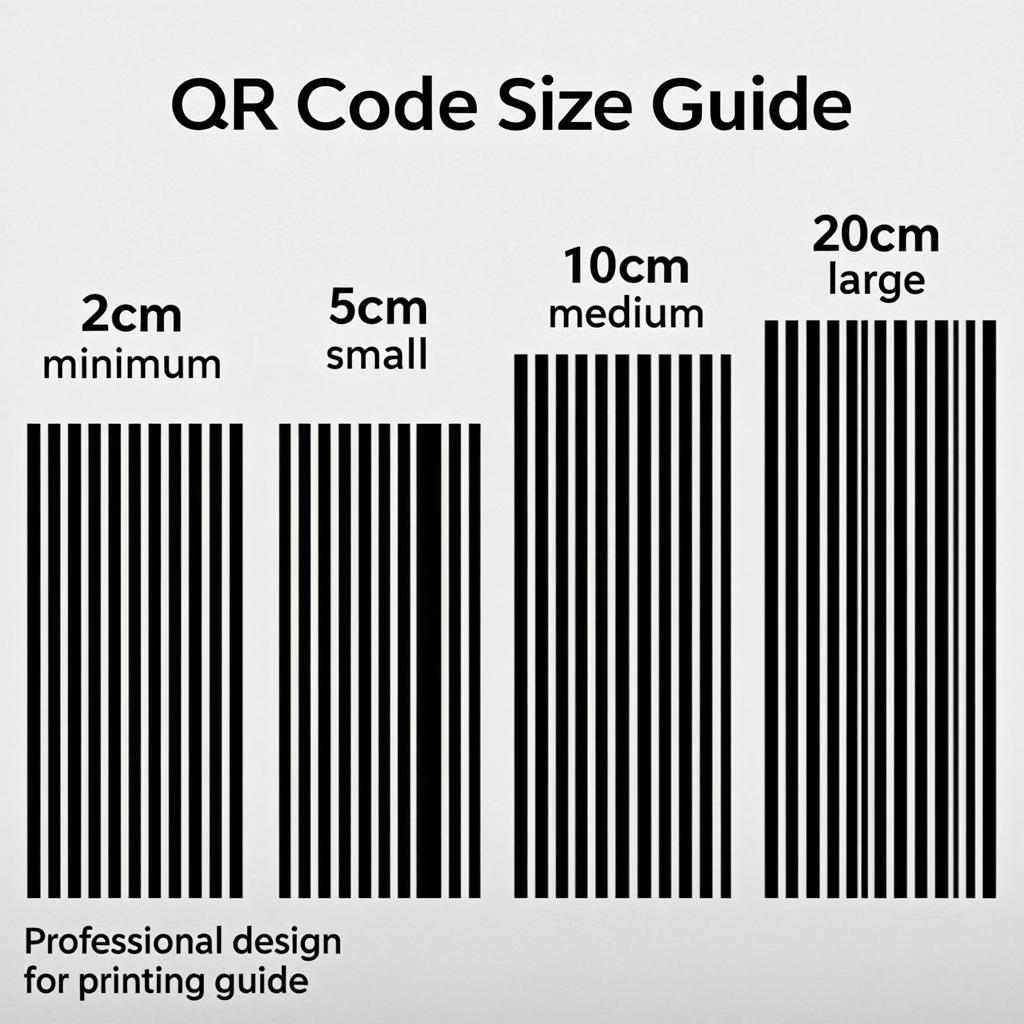

How Data Amount Affects Size
Here is something many people miss: the more data you put in a QR code, the more modules it needs, and the smaller each dot becomes for the same printed size. A short URL and a long URL printed at the same physical size will have very different dot sizes.
Example: A QR code for the URL "https://qrendless.pro" (about 25 characters) needs about Version 3 (29 × 29 modules). A QR code for a URL with multiple UTM parameters and a long path (about 100 characters) might need Version 7 or higher (45 × 45 modules). At a printed size of 3 cm, the first code has dots of about 1 mm each — easy to scan. The second code has dots of about 0.6 mm — much harder to scan.
Rule of thumb: Keep your data as short as possible. Use a URL shortener if you need tracking. Never encode a full paragraph of text in a printed QR code — link to a web page instead.
DPI, Resolution, and Print Quality
DPI (dots per inch) is the print resolution. For QR codes, higher DPI means sharper edges and easier scanning. The minimum for print is 300 DPI. Below that, edges blur and scanning fails.
Here is the simple math: at 300 DPI, a 1-inch (2.54 cm) QR code needs to be at least 300 × 300 pixels. A 2-inch (5 cm) QR code needs to be 600 × 600 pixels. A 4-inch (10 cm) QR code needs to be 1200 × 1200 pixels.
If you use a vector format (SVG, PDF, EPS), DPI does not matter — the QR code is described as paths, not pixels, so it prints sharp at any size. This is why vector is the best choice for print.
With QREndless you can export QR codes as PNG up to 4K resolution (3840 × 3840 pixels), or as SVG, PDF, and EPS for print. For any print project, pick a vector format.
Vector vs. Raster: Which Format to Use
QR codes can be saved in two types of formats:
| Format Type | Examples | Best For | Scales? |
|---|---|---|---|
| Vector | SVG, PDF, EPS | Print (any size) | Yes — infinite scaling, always sharp |
| Raster | PNG, JPG, WebP | Digital (screens, web) | No — pixelates when enlarged |
For print, always use vector. For digital, PNG or WebP is fine. QREndless gives you all these formats for free.
A common mistake: people download a small PNG (say, 200 × 200 pixels) and then enlarge it for a poster. The result is a blurry QR code that does not scan. If you need to print big, generate the QR code as SVG or PDF, or as a PNG that is at least as large as the printed size in pixels.
The Quiet Zone: The Invisible Part of the Size
The "quiet zone" is the empty white border around the QR code. It is not optional — scanners need it to find where the QR code starts and ends. The standard says the quiet zone must be at least 4 modules wide on every side.
What does this mean for size? If your QR code is 3 cm wide, the quiet zone adds about 0.5 cm on each side, making the total printed area about 4 cm wide. Plan for this when you design your layout — leave room for the quiet zone, or the QR code will not scan.
If your QR code was generated without enough quiet zone, the QR code enhancer can add the missing quiet zone automatically.
Quick Reference Size Chart
Here is a one-page reference you can save or print:
| Use Case | Scanning Distance | Minimum QR Size | Recommended QR Size |
|---|---|---|---|
| Business card | 10–15 cm | 2 × 2 cm | 2.5–3 cm |
| Flyer / brochure | 30–50 cm | 3 × 3 cm | 4–5 cm |
| Table tent / menu | 40–60 cm | 3 × 3 cm | 4–5 cm |
| Product label (small) | 10–15 cm | 2 × 2 cm | 2.5–3 cm |
| Product box (medium) | 30 cm | 3 × 3 cm | 4–5 cm |
| Event badge | 10–20 cm | 2 × 2 cm | 2.5–3 cm |
| Poster (indoor) | 1–2 m | 10 × 10 cm | 15–20 cm |
| Wall sign | 1–3 m | 10 × 10 cm | 20–30 cm |
| Outdoor billboard | 5–10 m | 50 × 50 cm | 1 × 1 m |
| Large billboard | 10–20 m | 1 × 1 m | 2 × 2 m |
These sizes assume a short URL (under 50 characters) and Level M or higher error correction. For longer URLs, add 30–50% to the size.
Common Size Mistakes to Avoid
- Printing at 1 cm or smaller. Almost ensured to fail on most phones.
- Stretching a small PNG to poster size. Use SVG or PDF instead.
- Forgetting the quiet zone. The QR code needs white space around it.
- Putting a long URL in a tiny code. Shorten the URL first.
- Using low error correction for outdoor prints. Use Level Q or H for anything that faces weather or handling.
- Placing the QR code flat on a table. Stand it up at eye level for easier scanning.
- Not testing on multiple devices. What works on a new iPhone may fail on an older Android.
How to Generate a QR Code at the Right Size
Follow these 5 steps for any project:
- Decide what data to encode. Use the shortest URL possible.
- Pick the error correction level. Level M for indoor prints, Q or H for outdoor or handled items.
- Calculate the size. Use the scanning distance formula: size = distance ÷ 10.
- Generate the QR code with QREndless's free generator.
- Export as SVG or PDF for print, or PNG at 1000+ pixels for digital. Test on three devices before printing a big batch.
For bulk projects (event tickets, product labels, inventory tags), use the bulk QR code generator to create up to 5,000 codes at once, all at the correct size and format.
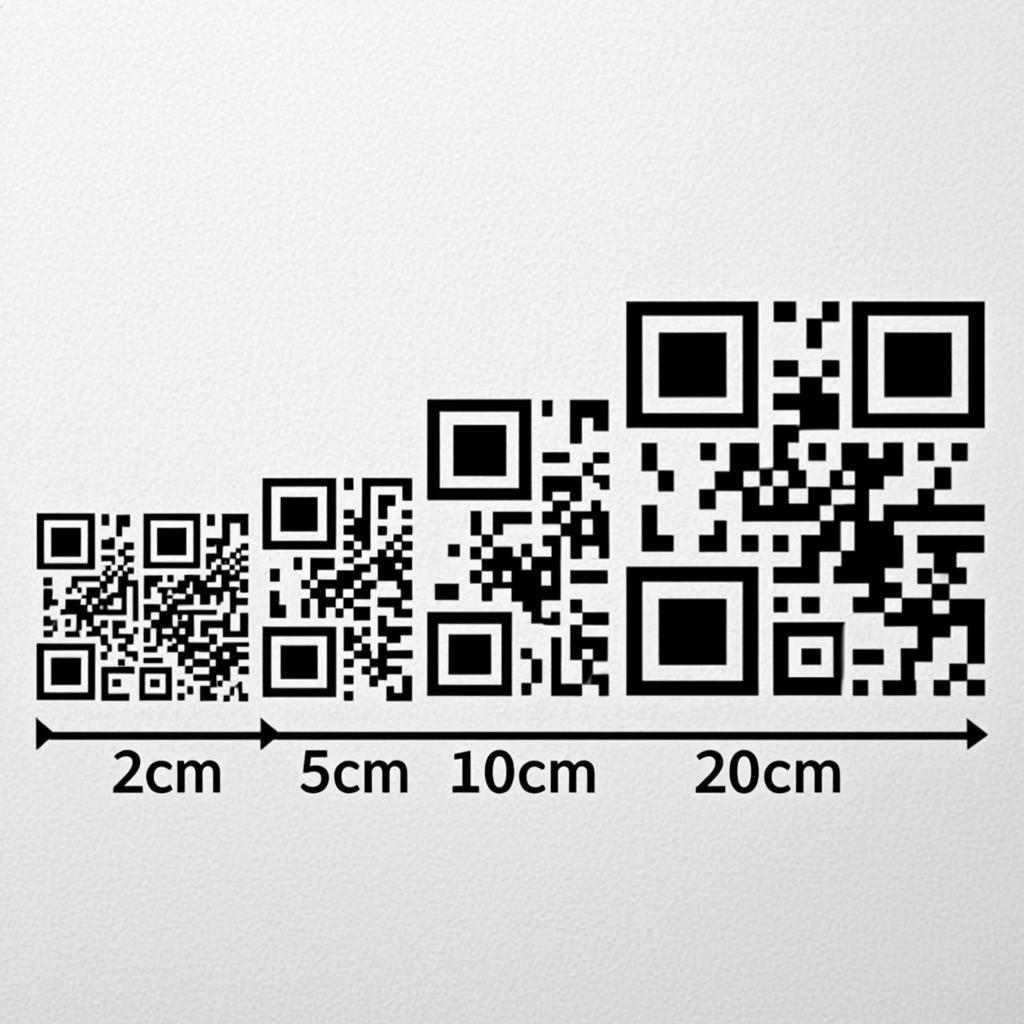
Frequently Asked Questions
What is the minimum size for a QR code?
The absolute minimum for reliable scanning is 2 cm × 2 cm (about 0.8 inches), assuming a short URL and a modern phone. Below this, scanning becomes unreliable. For most printed materials, 2.5–3 cm is a safer minimum.
How big should a QR code be on a business card?
Aim for 2.5–3 cm × 2.5–3 cm. People scan business cards from very close (10–15 cm), so this size works well. Place it on the back of the card with plenty of white space around it.
How big should a QR code be on a poster?
For posters scanned from 1–2 meters away, the QR code should be at least 10 × 10 cm, ideally 15–20 cm. Use the formula: size (cm) = scanning distance (cm) ÷ 10.
How big should a QR code be on a billboard?
For billboards scanned from 5–10 meters away, the QR code should be 50 × 50 cm to 1 × 1 meter. For 10–20 meter scanning, use 1–2 meters. Always use Level H error correction for outdoor codes.
Does the data size affect the QR code size?
Yes. More data means more modules (dots), which means each dot is smaller for the same printed size. A short URL produces a small, easy-to-scan code. A long URL or a lot of text produces a dense, harder-to-scan code. Always use the shortest data possible.
What file format should I use for printing a QR code?
Always use a vector format — SVG, PDF, or EPS. Vector files scale to any size without losing quality. QREndless offers all three for free. For digital use (websites, social media), PNG or WebP at 1000+ pixels works well.
How many pixels does a QR code need for print?
At 300 DPI (standard print resolution), a 1-inch QR code needs at least 300 × 300 pixels. A 2-inch code needs 600 × 600 pixels. A 4-inch code needs 1200 × 1200 pixels. For larger prints, use a vector format instead — it has no pixel limit.
What is the quiet zone and why does it matter for size?
The quiet zone is the empty white border around the QR code. It must be at least 4 modules wide on every side. This means a 3 cm QR code needs about 0.5 cm of white space on each side, making the total printed area about 4 cm. Always plan space for the quiet zone in your design.
Can I make a QR code smaller than 2 cm?
You can, but scanning will be unreliable. If you must go smaller, use the shortest possible URL and test on multiple phones. Even then, expect some failures. For any important use case, stick to 2 cm or larger.
How do I know if my QR code is the right size before printing?
Print a test copy at the actual size and try scanning it with three different phones from the expected scanning distance. If all three scan quickly and reliably, the size is right. If any phone struggles, make the QR code bigger.