Why Retail Stores Are Quietly Winning With QR Codes
Walk into any modern retail store today. Look closely at the product labels, the shelf tags, the checkout counter. You will see them — small black-and-white squares on everything from cereal boxes to clothing tags. Why are QR codes everywhere in retail? Because they work. QR codes have quietly taken over retail, and the stores using them are pulling ahead of the ones that are not.
Why? Because QR codes connect the physical and digital worlds in one scan. A customer points their phone at a product and instantly sees reviews, ingredients, how-to videos, or a discount code. No typing, no searching, no friction. In this guide, you will learn 12 practical ways retail stores use QR codes to boost sales, improve customer experience, and cut costs.
Why? Because QR codes connect the physical and digital worlds in one scan. A customer points their phone at a product and instantly sees reviews, ingredients, how-to videos, or a discount code. No typing, no searching, no friction. In this guide, you will learn 12 practical ways retail stores use QR codes to boost sales, improve customer experience, and cut costs.
In this guide, I will walk you through every way retail stores use QR codes today, the exact steps to set them up using QREndless's free tools, the mistakes to avoid, and a clear action plan you can follow this week. No buzzwords. No fluff. Just real, working tactics.
Table of Contents
- The Retail QR Opportunity: Why Now
- How Stores Use QR Codes: An Overview
- Use Case 1: Product Information on Shelf Tags
- Use Case 2: Customer Reviews and Social Proof
- Use Case 3: Loyalty Programs and Sign-ups
- Use Case 4: Contactless Payments at Checkout
- Use Case 5: Inventory Management for Staff
- Use Case 6: Window Displays After Hours
- Use Case 7: Packaging QR Codes for Post-Purchase Engagement
- How to Generate Retail QR Codes With QREndless
- Customizing QR Codes for Your Store Brand
- Retail QR Code Best Practices
- Common Mistakes Stores Make
- Retail QR Use Cases at a Glance
- Action Steps: Set Up QR Codes for Your Store This Week
- Frequently Asked Questions
The Retail QR Opportunity: Why Now
QR code scanning in retail jumped sharply after 2020. Shoppers got used to scanning codes for menus, payments, and health checks. That habit did not go away. Today, most smartphone cameras scan QR codes by default — no app needed. iOS Camera, Android Google Screen Search, and Samsung's built-in scanner all read QR codes natively. That means almost every customer walking into your store already has a QR scanner in their pocket.
For retailers, this is a goldmine. A QR code costs almost nothing to make. It works for years without paying any subscription. It connects offline shoppers to your online content, your reviews, your loyalty program, your payment gateway, and your inventory system. One small square can replace printed price tags, paper flyers, business cards, and even part of your point-of-sale flow.
The catch is that many stores still use QR codes badly. They link to slow websites. They print codes too small. They use colors that do not scan. They forget to update the linked content. This guide will help you avoid all of those mistakes.
How Stores Use QR Codes: An Overview
Before we go deep into each use case, here is the big picture of what retail QR codes can do:
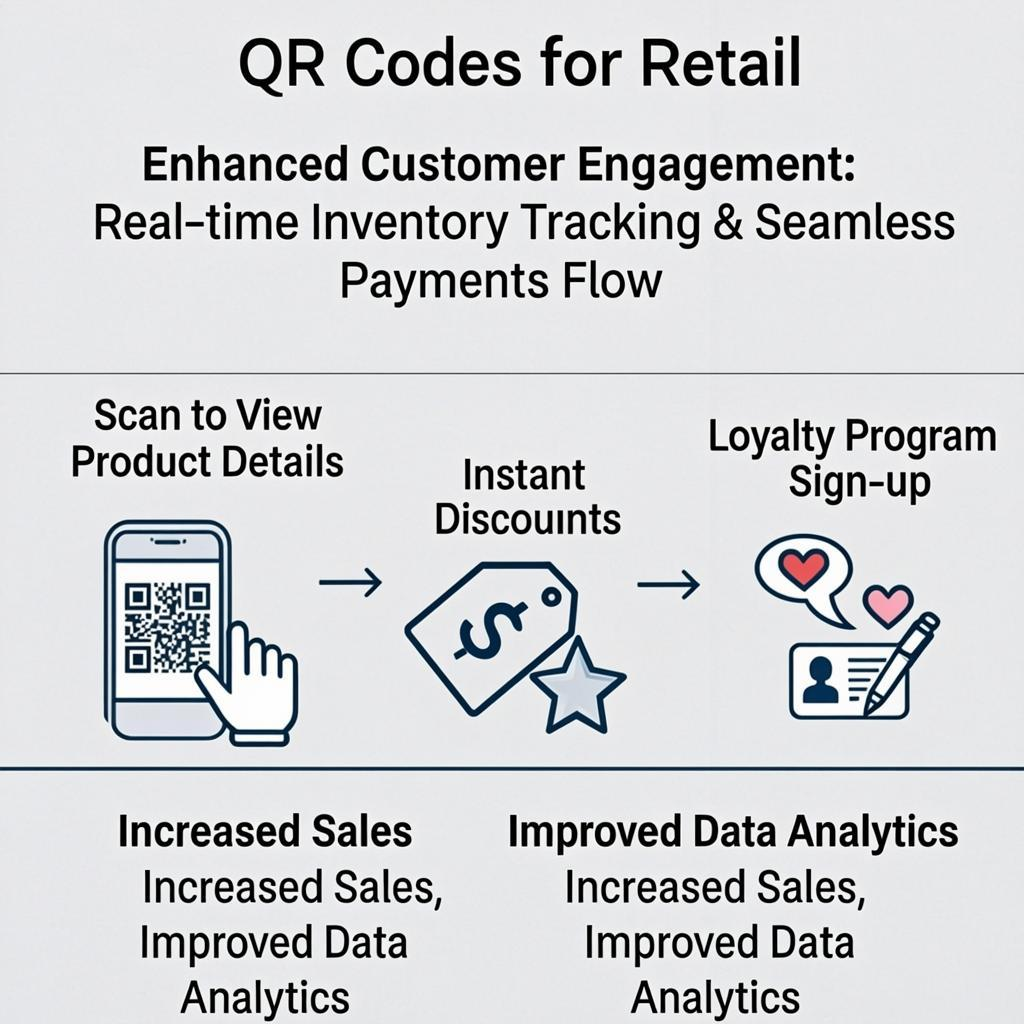
- Product discovery: Shoppers scan a code on a shelf tag to see full product specs, ingredients, origin, and how-to-use videos.
- Reviews and trust: A code on the price tag opens reviews from real buyers, which helps hesitant shoppers decide.
- Loyalty and sign-ups: A code at the register lets customers join your loyalty program in 10 seconds without filling out a paper form.
- Payments: A code at the checkout lets customers pay with their phone using UPI, Apple Pay, Google Pay, or any wallet app.
- Inventory tracking: Staff scan codes on boxes and shelves to update stock counts in real time.
- After-hours engagement: A code on the store window lets people browse and buy online even when your shop is closed.
- Post-purchase engagement: A code on the product box opens setup guides, warranty registration, and refill ordering.
Each of these is a different goal, and the QR code you create for each one needs different content behind it. Let's walk through them one by one.
Use Case 1: Product Information on Shelf Tags
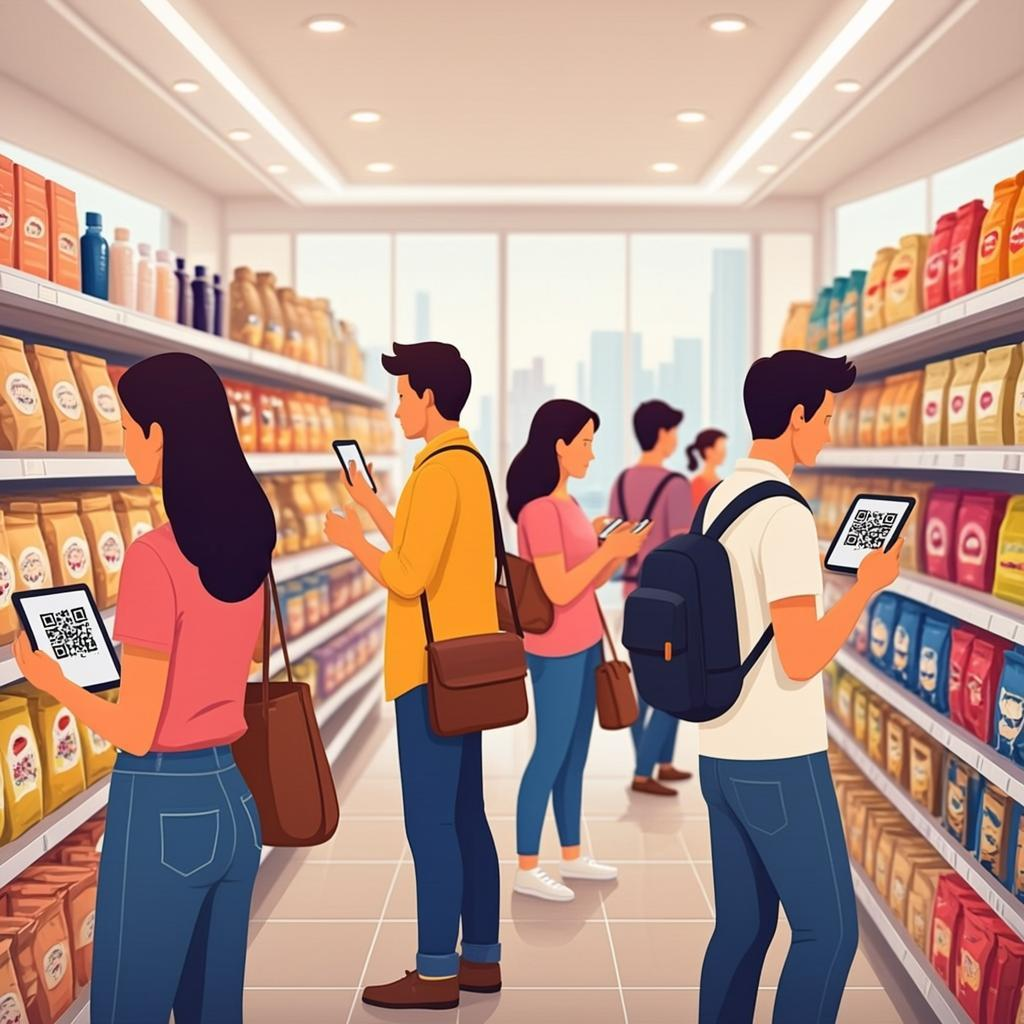
Most shelf tags can fit a product name, a price, and maybe a SKU. That is not enough for today's shoppers. People want to know what is in the product, where it was made, how to use it, and whether it is safe. Printing all that on a small tag is impossible. A QR code solves this neatly.
You generate a QR code that links to a product page on your website. You print the QR code on the shelf tag next to the price. When a shopper scans it, they see everything: full description, specifications, ingredients, photos, a how-to-use video, and answers to common questions. They get the full story without leaving the aisle.
This works especially well for:
- Electronics: Show full specs, comparison charts, and unboxing videos.
- Cosmetics: Show ingredient lists, allergy warnings, and shade swatches.
- Food and supplements: Show nutrition facts, sourcing stories, and recipes.
- Apparel: Show size guides, fabric care, and styling ideas.
- Hardware: Show installation videos and compatible accessories.
The key rule: keep the QR code on the shelf tag at least 2 centimeters (about 0.8 inches) wide so any phone camera can scan it. Place it away from the price tag barcode so cashiers do not accidentally scan it at checkout.
Use Case 2: Customer Reviews and Social Proof
Reviews sell products. Studies show that more than 90% of shoppers read online reviews before buying. But in a physical store, shoppers cannot easily see reviews unless they pull out their phone and search. By the time they find a review, they might also find a cheaper price somewhere else and walk out.
A QR code on the price tag that links directly to your product reviews page solves this. Shoppers scan, see real reviews, and decide on the spot. You keep them in your store and you close the sale.
For best results, link to a page that shows:
- An average star rating at the top.
- Three to five recent reviews with full text.
- Photos or videos from real buyers if you have them.
- A clear "Buy now" or "Add to cart" button in case they want to order online.
If you sell on marketplaces like Amazon or Etsy, you can link directly to your product listing there. Just be aware that the marketplace might show competitor products too. For best control, link to your own website.
Use Case 3: Loyalty Programs and Sign-ups
Paper loyalty cards are fading. Customers lose them. Staff forget to stamp them. You never get the customer's contact info. A QR code loyalty program fixes all of this.
Here is how to set it up. Print a QR code at the register that links to your loyalty sign-up form. When a customer is checking out, the cashier says, "Scan this to join our rewards program and get 10% off your next visit." The shopper scans the code, fills out a short form on their phone (name, email, birthday), and they are enrolled. Their phone becomes their loyalty card.
You can also use QR codes for ongoing loyalty actions:
- A code on the receipt that lets customers check their points balance.
- A code on a display that opens a referral form (refer a friend, get $5).
- A code on a product that gives bonus points when purchased.
For the sign-up QR code, use a static URL QR code that points to your sign-up form. Generate it free with QREndless's QR code generator. The link never changes, so you can print the code once and reuse it for years.
Use Case 4: Contactless Payments at Checkout
Contactless payments grew fast after 2020. Many shoppers now prefer to pay with their phone rather than hand over a card or cash. QR codes make this easy for any store, even small ones without expensive payment terminals.
There are two main ways QR codes handle payments. The first is a static merchant QR code that you display at the register. The shopper scans it, enters the amount, and approves the payment in their wallet app. This works for UPI in India, Alipay and WeChat Pay in China, PayNow in Singapore, and many similar systems. The second is a dynamic transaction QR code that your point-of-sale system generates for each sale, with the exact amount already encoded. The shopper just scans and approves.
For small stores, the static merchant QR code is the easiest starting point. Print it once, put it on a small stand at the register, and you can accept phone payments immediately. For busier stores, the dynamic QR from your POS is better because it removes the risk of the customer entering the wrong amount.
Use Case 5: Inventory Management for Staff
QR codes are not just for customers. They are powerful tools for your staff too. Every box, shelf, and product in your back room can have a QR code that staff scan to update inventory.
Here is the workflow. Each product in your store has a unique SKU. You generate a QR code for each SKU (this is where a bulk QR generator saves hours — see the next section). You print the codes on small stickers and put one on each shelf location and one on each box in the back room. When staff restock, they scan the shelf code, scan the box code, and enter the quantity. Your inventory system updates instantly. No clipboards, no paper count sheets.
This approach gives you:
- Real-time stock counts — you always know what is in the store and what is running low.
- Faster cycle counts — instead of spending an entire day counting, staff scan shelves in an hour.
- Fewer errors — scanning is far more accurate than writing numbers by hand.
- Better shrink detection — when scanned counts do not match sales data, you know where to investigate.
Use Case 6: Window Displays After Hours
Your store window is a 24/7 advertisement. But after you close, shoppers can only look through the glass. A QR code on the window changes that. People walking by at night can scan the code, browse your online store, and place an order right there.
This is especially powerful for:
- Boutiques with limited hours: Capture late-evening shoppers who would otherwise forget about you.
- Tourist areas: Visitors from other time zones can shop even when your store is closed.
- Seasonal pop-ups: When you close for the season, a window QR code keeps selling.
- Stores in malls: After the mall closes, your window display can still drive online sales.
The QR code on the window should be large — at least 10 centimeters (4 inches) wide — because shoppers will scan it from outside the glass. Make sure the linked page is mobile-friendly and the checkout flow is short. If it takes more than three taps to buy, you will lose the impulse purchase.
Use Case 7: Packaging QR Codes for Post-Purchase Engagement
The sale does not end at the register. The product package is another QR code opportunity. A code on the box can link to setup guides, warranty registration, refill ordering, and customer support.
Here are the most valuable packaging QR code use cases:
- Setup and installation videos: Customers hate reading printed manuals. A 60-second video is much better.
- Warranty registration: One scan, one form, and the warranty is registered. No mailing cards.
- Refill and reorder: For consumable products (coffee, cosmetics, filters), a one-tap reorder link brings customers back.
- Customer support: A code that opens a chat or contact form, so customers do not have to hunt for support info.
- Authenticity verification: A code that lets customers verify they bought a genuine product, not a counterfeit.
For packaging QR codes, use a static URL QR code from QREndless's free QR generator. Static codes never expire and there is no per-scan fee, so they keep working for as long as the product is in use.
How to Generate Retail QR Codes With QREndless
QREndless offers two free tools that cover every retail QR need. Both run entirely in your browser, which means your product data and customer information never leave your device.
For Single QR Codes: The QR Generator
Use QREndless's QR code generator when you need one QR code at a time. This is ideal for window displays, the loyalty sign-up at the register, your store WiFi, and one-off product pages.
- Open the QR generator. No sign-up needed.
- Pick your data type. The tool supports 1,421+ QR types across 38 categories, including URL, text, WiFi, vCard, email, SMS, phone, and UPI. Pick "URL" for most retail uses.
- Enter your destination link. Paste the URL of your product page, loyalty form, or payment link.
- Generate. The tool auto-detects your input and picks the smallest QR code version that fits, which keeps the code easy to scan.
- Download. Choose PNG for print, SVG for large format, or PDF for documents. We explain each format in our QR code file formats guide.
For Bulk QR Codes: The Bulk Generator
When you need QR codes for hundreds or thousands of products, use QREndless's bulk QR code generator. You can generate up to 5,000 QR codes in one batch.
- Prepare a spreadsheet. Each row is one product. Columns can include SKU, product name, and the destination URL.
- Upload your CSV or Excel file (or paste data directly into the tool).
- Map columns to the QR code data fields. The bulk generator supports sequential numbering, column merge, and other advanced features.
- Generate the batch. The tool creates all 5,000 codes in your browser. Your product data is never uploaded to a server.
- Download the ZIP. You get individual QR code images plus an index spreadsheet that maps each code to its product.
This is the quickest way to roll out QR codes across your entire product catalog. A job that used to take days now takes minutes.
Customizing QR Codes for Your Store Brand
Plain black-and-white QR codes work, but they look generic. If you want your QR codes to feel like part of your brand, use QREndless's QR code customizer. You can add your store logo to the center, change the dot style, change the colors, add a frame, and even add a gradient — all while keeping the code scannable.
Here are the customization options that matter most for retail:
- Logo in the center: Put your store logo in the middle of the QR code. Just keep the logo small (about 20% of the code size) so it does not block the data modules.
- Brand colors: Use your brand colors for the dots and background. Always keep high contrast — dark code on a light background scans best.
- Dot styles: Pick from dozens of dot shapes — rounded, square, dotted, and more. Pick something that matches your store's vibe.
- Frames: Add a frame around the QR code with a call to action like "Scan to buy" or "Scan for reviews."
One important rule: always test your customized QR code with multiple phones before you print thousands of copies. Some designs look great but scan poorly. The QREndless customizer shows a live preview so you can see how the design changes the scannability.
Retail QR Code Best Practices
Here are the rules that separate QR codes that work from QR codes that frustrate shoppers:
- Print at the right size. At least 2 cm by 2 cm for shelf tags, 4 cm by 4 cm for window displays, and 10 cm by 10 cm for outdoor signage. Bigger codes scan from farther away.
- Keep high contrast. Dark dots on a light background. Avoid light gray on white, dark blue on black, or any low-contrast combination.
- Add a call to action. Tell people what they get by scanning. "Scan for reviews," "Scan to pay," "Scan to join rewards." Codes with a clear CTA get scanned up to 5 times more.
- Link to mobile-friendly pages. If your destination page is hard to read on a phone, the QR code is useless. Test every link on a small screen.
- Use static codes for permanent links. For product pages, loyalty sign-ups, and store info, static codes are free, never expire, and never have downtime.
- Place codes where people can reach them. Shelf tags at eye level, window codes at shoulder height, register codes within arm's reach of the cashier.
- Test before you print. Scan every code with at least an iPhone and an Android device. Test in real store lighting, not just under your desk lamp.
Common Mistakes Stores Make
Even well-meaning stores get these wrong. Here is what to avoid:
Mistake 1: Linking to a Slow Website
If your destination page takes more than 3 seconds to load, half of shoppers will give up. Test your page speed. If it is slow, fix the page before you print the QR code.
Mistake 2: Printing QR Codes Too Small
A 1 cm QR code on a price tag might look neat, but most cameras cannot scan it. Stay above 2 cm for any code a shopper will scan with their phone.
Mistake 3: Forgetting to Update Destination Pages
If you change your website structure and your QR code links to an old URL, shoppers will see a 404 error and lose trust. Keep a list of every QR code you have printed and the URL it points to. Audit it every six months.
Mistake 4: Using Fancy Colors That Do Not Scan
A yellow QR code on a white background might match your brand, but it will not scan. Always test the final design with a real phone before you print.
Mistake 5: No Call to Action
A bare QR code with no text around it gets very few scans. Always add a one-line instruction: "Scan for product details."
Mistake 6: Putting QR Codes Behind Glass Without Testing
Reflections and glare can block scanning. If your QR code is inside a window display, test it from outside in daylight and at night.
Mistake 7: Generating Codes With a Tool That Adds a Watermark
Many "free" QR generators add their own logo or watermark to your code, which looks unprofessional. QREndless never adds watermarks. Your codes are fully yours.
Retail QR Use Cases at a Glance
Use this table to pick the right QR code approach for each retail goal.
| Goal | Best QR Type | Where to Place | Best Tool |
|---|---|---|---|
| Product information | Static URL QR | Shelf tag, product label | Bulk QR generator |
| Customer reviews | Static URL QR | Price tag | Bulk QR generator |
| Loyalty sign-up | Static URL QR | Register, receipt | QR generator |
| Contactless payment | Static or dynamic URL QR | Register stand | POS or QR generator |
| Inventory tracking | Static text or URL QR | Shelves, boxes | Bulk QR generator |
| After-hours shopping | Static URL QR (large) | Store window | QR generator |
| Packaging engagement | Static URL QR | Product box | Bulk QR generator |
| Store WiFi for customers | Static WiFi QR | Counter, table tent | QR generator |
Action Steps: Set Up QR Codes for Your Store This Week
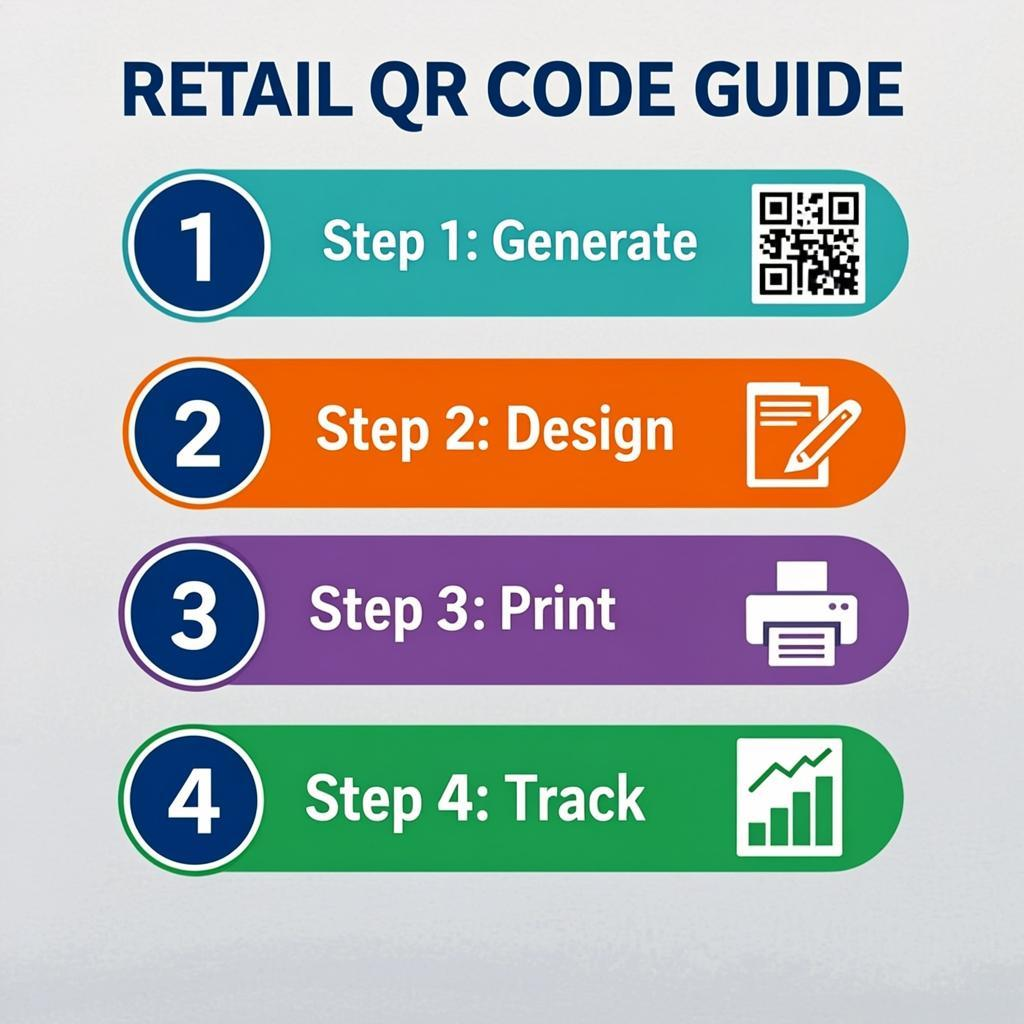
Here is a simple plan to start using QR codes in your store.
- Pick one use case to start. Do not try to do everything at once. Pick the one with the biggest impact — usually product information on shelf tags or loyalty sign-ups at the register.
- Prepare your destination pages. Make sure the page you are linking to loads fast, looks good on mobile, and has a clear next action.
- Generate your QR codes. Use QREndless's QR generator for single codes or the bulk generator for whole-catalog rollouts. Both are free and run in your browser.
- Customize for your brand using QREndless's customizer. Add your logo, brand colors, and a call to action.
- Test every code with at least two different phones before you print. Test in the actual store lighting.
- Print and place the codes where shoppers can easily see and reach them.
- Track the results. Use your website analytics to see how many people arrive via the QR code. If a code is not getting scanned, change its placement or call to action.
- Expand to the next use case. Once the first one is working, add the next. Within a few weeks, your store will have a full QR code system.
Frequently Asked Questions
Do shoppers actually scan QR codes in retail stores?
Yes. QR code scans grew sharply after 2020 and have stayed high. Most smartphone cameras now scan QR codes by default, with no app needed. Studies show that more than 60% of shoppers have scanned a QR code in a store at least once. The key is to add a clear call to action so shoppers know what they will get by scanning.
Are QR codes free for retail stores to use?
Yes. Static QR codes are completely free to create and scan. You can generate them at QREndless's free QR code generator with no sign-up and no per-scan fees. There is no subscription, no watermark, and no expiration. You only pay if you choose a paid dynamic QR service that adds tracking and editability.
What size should a retail QR code be?
For shelf tags and price tags, print QR codes at least 2 cm by 2 cm (about 0.8 inches). For counter displays, use 4 cm by 4 cm. For window displays, use at least 10 cm by 10 cm. Larger codes scan from farther away and work better in poor lighting.
Should I use static or dynamic QR codes for retail?
For most retail uses — product pages, loyalty sign-ups, payment links, packaging — static QR codes are best. They are free, they never expire, and they have no per-scan fees. Use dynamic QR codes only if you need to track scan counts, change the destination later, or run time-limited campaigns. Read our static vs dynamic QR code guide for a full comparison.
Can I put my store logo on a QR code?
Yes. Use QREndless's QR code customizer to add your logo, brand colors, dot styles, and frames. Keep the logo small (about 20% of the code size) and maintain high contrast between the code and the background. Always test the customized code with multiple phones before you print.
How do I create QR codes for my entire product catalog?
Use QREndless's bulk QR code generator. Prepare a CSV or Excel file with one row per product, upload it, and the tool creates up to 5,000 QR codes in one batch. Everything runs in your browser, so your product data stays private. You get a ZIP file with all the QR code images plus an index spreadsheet.
What happens if my destination page changes?
If you used a static QR code, you cannot change the destination — you would need to print new codes. To avoid this, link your QR codes to stable URLs (like your product page slugs, not campaign URLs). If you expect the destination to change, use a dynamic QR code instead so you can update the link without reprinting.
Can QR codes work without internet in the store?
QR codes themselves do not need internet — the pattern is printed on paper. But when a shopper scans the code, their phone needs internet to open the linked page. Make sure your store has good mobile signal or offer free WiFi. You can create a WiFi QR code with QREndless's QR generator so customers can connect in one tap.
How do I track how many people scan my QR codes?
Static QR codes do not have built-in scan tracking. To see how much traffic comes from a QR code, use UTM parameters in the destination URL (for example, ?utm_source=qr&utm_medium=shelf-tag) and check your website analytics. For true scan counts and analytics dashboards, you would need a dynamic QR service, which usually charges a fee.
Are QR codes safe for retail customers to scan?
QR codes themselves are just patterns. The risk is what the code links to. Always link to your own trusted pages. Avoid printing QR codes that point to short links you do not control. Customers can also protect themselves by checking the URL that appears before tapping. For more on QR code security, read our QR code security guide.